Published by CyberLink.com
Updated March 19, 2026
🎬Easy movie maker with collage and cool video fx. 🏆Awarded Editor's Choice!🏆
| Version | 16.1.0 |
| Size | 226.3 MB |
| What's New | Upgrade now for smarter AI tools and fresh music!• Your personal AI DJ helps you find the right music fast with AI-powered prompt search.• Enjoy the redesigned Music Room—sleeker, smarter, and re-categorized for speed.Catch the latest AI short-video trend with Motion Swap: import a character photo and a reference clip to create stunning motion in one tap.Start creating your unique video style today! |
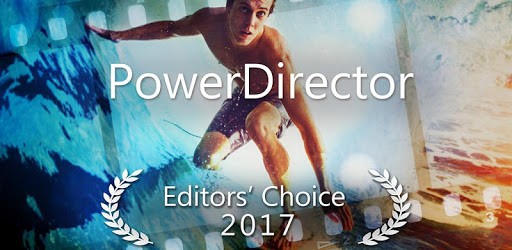
PowerDirector Video Editor App: 4K, Slow Mo & More is an Android app developed and published by CyberLink.com at Google Play Store on Jun 4, 2014 for Android users. PowerDirector Video Editor App: 4K, Slow Mo & More is so popular that it has gained 142534894 installs so far and growing.
Are you looking to take your video editing skills to the next level? Look no further than PowerDirector Video Editor App: 4K, Slow Mo & More. This powerful app is packed with features that will help you unleash your creativity and create professional-looking videos right from your mobile device.
With PowerDirector Video Editor App, the possibilities are endless. Whether you're a beginner or a seasoned pro, this app has everything you need to create stunning videos. From basic editing tools like trimming and merging clips to advanced features like adding effects and transitions, this app has it all.
One of the standout features of PowerDirector is its easy-to-use interface. The intuitive layout makes it a breeze to navigate through the app and find the tools you need. Plus, with its powerful editing engine, you can edit videos in real-time, ensuring a smooth and seamless editing experience.
PowerDirector Video Editor App offers a wide range of effects and customization options to make your videos truly stand out. From adding filters and overlays to adjusting colors and brightness, you have full control over the look and feel of your videos.
Additionally, the app offers a variety of audio editing tools, allowing you to add music, voiceovers, and sound effects to your videos. Whether you're creating a music video or a tutorial, PowerDirector has the tools you need to make your videos sound as good as they look.
Sharing your videos with the world has never been easier. PowerDirector Video Editor App allows you to directly upload your videos to popular social media platforms like YouTube, Instagram, and Facebook. With just a few taps, you can share your creations with your followers and gain recognition for your work.
Additionally, PowerDirector offers seamless integration with YouTube, allowing you to monetize your videos and earn revenue from your content. This feature is especially beneficial for content creators looking to turn their passion into a profitable venture.
While PowerDirector Video Editor App provides a wide range of music options, it is important to note that using copyrighted music without permission may result in a copyright statement or notice on your YouTube channel. It is recommended to use royalty-free music or obtain the necessary licenses for copyrighted music.
PowerDirector Video Editor App offers both free and premium features. While the app itself is free to download and use, certain advanced features and effects may require a subscription or in-app purchases. However, the app often provides limited-time premium access through easy tasks, allowing users to enjoy premium features without any additional cost.
Absolutely! PowerDirector Video Editor App allows you to import videos and images from your phone camera as well as other sources. Whether you want to edit videos captured on your DSLR or incorporate stock footage into your projects, PowerDirector has you covered.
Currently, PowerDirector Video Editor App does not support hearing the audio of the video while recording a voiceover. However, the app provides a range of audio editing tools to ensure that your voiceover blends seamlessly with your video.
PowerDirector Video Editor App allows you to crop videos and make adjustments to specific parts. However, making a specific part of a video transparent may require advanced editing techniques and additional tools. It is recommended to explore the app's features and consult tutorials for achieving this effect.
PowerDirector Video Editor App: 4K, Slow Mo & More is the ultimate tool for creating stunning videos on your mobile device. With its powerful features, seamless integration with social media platforms, and endless customization options, this app is a must-have for content creators and video enthusiasts alike. Download PowerDirector today and unlock your creative potential!
Yes, you can run PowerDirector Video Editor App: 4K, Slow Mo & More on PC, but first, you will need emulator software installed on your Windows or MAC, which you can download for free. In the below video, you will find PowerDirector Video Editor App: 4K, Slow Mo & More in action. Before you install the emulator, check out the minimum and recommended system requirements to run it seamlessly. They may change depending on which version of the emulator you choose. Therefore, we recommend you download the latest version of the emulator. Below you will find three free Android emulators that we have shortlisted based on their popularity:
Up to date graphics drivers from Microsoft or the chipset vendor.
Storage: 1 GB available under installation path, 1.5GB available hard drive space
Internet: Broadband Internet connection
Regardless of which Android emulator you install, the steps to install, configure, and running the PowerDirector Video Editor App: 4K, Slow Mo & More app on PC are the same.