Published by Keyboard Style
Updated May 4, 2026
Bangla English keyboard let write bengali language with Bangla or English keypad
| Version | 1.3.3 |
| Size | 8.1 MB |
| What's New | - Ads Over Keyboard removed ! - Performance Improved ! |
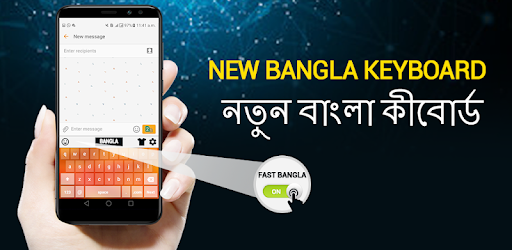
Bangla English Keyboard- Bengali keyboard typing is an Android app developed and published by Keyboard Style at Google Play Store on Apr 21, 2018 for Android users. Bangla English Keyboard- Bengali keyboard typing is so popular that it has gained 100000 installs so far and growing.
As we bid farewell to the old year and welcome the new one, celebrations take place all over the world. It is a time for singing, dancing, and praying for a bright future. In the midst of these festivities, let us introduce you to the Bangla English Keyboard- Bengali keyboard typing app. This app is not only easy to use but also incredibly helpful in enhancing your typing experience.
One of the standout features of the Bangla English Keyboard app is its simplicity. Whether you are a beginner or an experienced typist, this app caters to all skill levels. Its user-friendly interface allows for seamless navigation, making it a breeze to switch between languages and effortlessly type in Bengali.
With its intuitive design, this keyboard app ensures that you can easily write and express yourself without any hindrances. Gone are the days of struggling with complex typing methods. The Bangla English Keyboard app simplifies the process, allowing you to focus on what matters most: your thoughts and ideas.
When it comes to customization, the Bangla English Keyboard app truly shines. It offers a wide range of beautiful themes that allow you to personalize your typing experience. Whether you prefer a vibrant and colorful theme or a sleek and minimalist one, this app has got you covered.
Furthermore, this app boasts a plethora of features that make typing a breeze. From autocorrect and predictive text to swipe typing and emoji support, the Bangla English Keyboard app ensures that you can type with speed and accuracy. Say goodbye to typos and hello to seamless communication.
With its outstanding performance and user-friendly interface, it comes as no surprise that the Bangla English Keyboard app is highly recommended by its users. Many have praised its efficiency and ease of use, making it their go-to keyboard app.
Whether you need to type in Bengali or translate English or Urdu into Bengali, this app has got you covered. Its versatility and reliability make it a must-have for anyone looking to enhance their typing experience.
Yes, the Bangla English Keyboard app is compatible with both Android and iOS devices, ensuring that you can enjoy its features on your preferred device.
Yes, apart from Bengali, the Bangla English Keyboard app supports various other languages, allowing for seamless multilingual typing.
Currently, the app offers a standard keyboard layout. However, the wide range of themes available allows for personalization and customization of the visual appearance.
No, the Bangla English Keyboard app does not require an internet connection to function. You can use it offline, ensuring uninterrupted typing.
Experience the ease and efficiency of the Bangla English Keyboard app today and revolutionize your typing experience. Download now and unlock a world of seamless communication.
Yes, you can run Bangla English Keyboard- Bengali keyboard typing on PC, but first, you will need emulator software installed on your Windows or MAC, which you can download for free. In the below video, you will find Bangla English Keyboard- Bengali keyboard typing in action. Before you install the emulator, check out the minimum and recommended system requirements to run it seamlessly. They may change depending on which version of the emulator you choose. Therefore, we recommend you download the latest version of the emulator. Below you will find three free Android emulators that we have shortlisted based on their popularity:
Up to date graphics drivers from Microsoft or the chipset vendor.
Storage: 1 GB available under installation path, 1.5GB available hard drive space
Internet: Broadband Internet connection
Regardless of which Android emulator you install, the steps to install, configure, and running the Bangla English Keyboard- Bengali keyboard typing app on PC are the same.