Published by Pakdata
Updated October 17, 2025
Freely type in Roman English keyboard and proper Urdu words will appear.
| Version | 5.3.0 |
| Size | 54.6 MB |
| What's New | - New Videos Module- Bug Fixes- Performance Updates- UI Improvements |
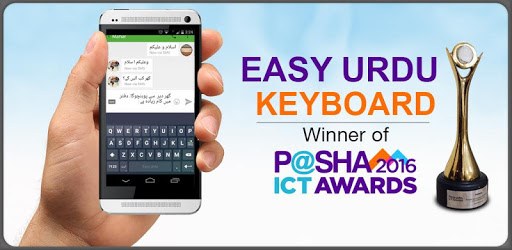
Easy Urdu Keyboard 2018 - اردو - Urdu on Photos is an Android app developed and published by Pakdata at Google Play Store on Feb 19, 2015 for Android users. Easy Urdu Keyboard 2018 - اردو - Urdu on Photos is so popular that it has gained 39009437 installs so far and growing.
Using the Easy Urdu Keyboard 2018 - اردو - Urdu on Photos has made communicating in Urdu a breeze. Whether you're in Bangladesh, Pakistan, or any other region, this keyboard is an excellent tool for enhancing your texting experience. Let's dive into what makes this app a go-to for Urdu and Roman English typers.
One of the first things you'll notice about Easy Urdu Keyboard 2018 is its straightforward installation process. With just a few taps, you’re ready to start typing in Urdu. The interface is user-friendly, allowing even beginners to navigate through its features effortlessly.
A standout feature of the Easy Urdu Keyboard 2018 is its automatic translation. This means you can type in Roman English, and the keyboard seamlessly converts it into Urdu, making your communication swift and accurate. This feature truly sets it apart, simplifying the process of switching between languages.
Another benefit of using this keyboard is the improvement in typing speed and accuracy. The app is designed to facilitate quick typing, ensuring that your experience is both efficient and enjoyable. Whether it’s in English or Urdu, you’ll find typing swift and precise.
The Easy Urdu Keyboard 2018 allows users to communicate effortlessly, whether they are in Bangladesh or Pakistan. This inclusivity makes it a favorite among people who frequently switch between languages and regions.
Customization is another key aspect of this app. You can personalize the keyboard to your preference, ensuring a comfortable typing experience. Additionally, features such as adding Quranic verses or special symbols to your texts make it versatile for various needs.
While the app is generally well-received, some users find the ads a bit intrusive. However, this is a common trade-off for free apps that need funds for maintenance and updates. The good news is that there are often options available to remove or reduce ads, ensuring a smoother user experience.
The convenience offered by Easy Urdu Keyboard 2018 - اردو - Urdu on Photos is remarkable. It not only simplifies texting in Urdu but also makes the transition between English and Urdu seamless. This makes it an ideal choice for anyone looking to enhance their communication in these languages.
The developers of Easy Urdu Keyboard 2018 are committed to improving the app continuously. Issues like occasional bugs or the need for better translation accuracy are addressed promptly, reflecting a dedication to user satisfaction. Feedback is taken seriously, ensuring the app evolves according to user needs.
For everyday texting and translation needs, Easy Urdu Keyboard 2018 proves to be an invaluable tool. Its ease of use, coupled with powerful features, makes it suitable for users of all ages. The benefit it offers is clear: making communication in Urdu easier and more accessible for everyone.
If you're looking for a reliable, efficient, and user-friendly way to type in Urdu and Roman English, Easy Urdu Keyboard 2018 - اردو - Urdu on Photos is a fantastic option. Its blend of convenience, speed, and functionality makes it stand out as a top choice for Urdu speakers globally.
Yes, you can run Easy Urdu Keyboard 2018 - اردو - Urdu on Photos on PC, but first, you will need emulator software installed on your Windows or MAC, which you can download for free. In the below video, you will find Easy Urdu Keyboard 2018 - اردو - Urdu on Photos in action. Before you install the emulator, check out the minimum and recommended system requirements to run it seamlessly. They may change depending on which version of the emulator you choose. Therefore, we recommend you download the latest version of the emulator. Below you will find three free Android emulators that we have shortlisted based on their popularity:
Up to date graphics drivers from Microsoft or the chipset vendor.
Storage: 1 GB available under installation path, 1.5GB available hard drive space
Internet: Broadband Internet connection
Regardless of which Android emulator you install, the steps to install, configure, and running the Easy Urdu Keyboard 2018 - اردو - Urdu on Photos app on PC are the same.