Published by iWare Designs Ltd.
Updated November 20, 2025
My Bowling 3D now available on Android.
| Version | 1.65 |
| Size | 127.0 MB |
| What's New | ∙ Compatibility with latest version of Android.∙ Minor bug fixes.∙ Graphical updates. |
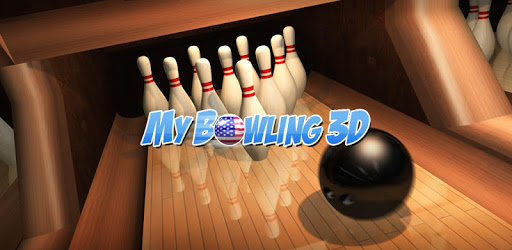
My Bowling 3D is an Android app developed and published by iWare Designs Ltd. at Google Play Store on Apr 8, 2013 for Android users. My Bowling 3D is so popular that it has gained 2802897 installs so far and growing.
If you're someone who loves bowling, My Bowling 3D is a game you'll truly enjoy. This game takes the essence of bowling and brings it to your fingertips. With superior graphics, varied alley options, and realistic physics, the enjoyment is nonstop.
One of the standout features of My Bowling 3D is its excellent graphics. The game puts you right in the middle of a gleaming bowling alley, allowing you to immerse yourself in the visuals. Whether you are choosing your ball or lining up for a strike, everything looks incredibly realistic.
When it comes to gameplay, My Bowling 3D has got you covered. The game offers different difficulty levels, from newbie to legend, making it suitable for all types of players. Mastering the higher levels will take some practice, but the sense of accomplishment is worth it!
Another interesting feature is the spin ball. This allows you to control the spin of your ball, making the game more engaging and adding a layer of strategy. If you like tweaking controls, you’ll find that you can adjust settings to make the game just right for you.
My Bowling 3D allows you to challenge someone on the same device or over the same network. This can be incredibly fun, whether you’re competing against someone in the same room or a friend miles away. You can also join online matches and compete with players from around the world, adding a social element to the game.
Variety is another strong point of My Bowling 3D. You can pick different alleys and styles of pins to keep things fresh. This means you’ll never get bored, as there are so many combinations to try. Whether you’re going for a classic look or something more modern, there’s an option for you.
It’s clear that attention has been given to the game’s performance. Earlier issues like spinning pins on the head or bowling balls rolling backward have been fixed. The physics are now realistic, making each roll down the alley more satisfying.
While My Bowling 3D is very much fun, one drawback could be the ads. There are quite a few, and they can sometimes disrupt the flow of the game. But it's important to note that without these ads, providing such a quality game for free might not be possible. A bit of patience can go a long way in enjoying this fantastic game.
In addition to the above, My Bowling 3D offers features that make the experience even better. For example, the game keeps track of your scores and stats, allowing you to measure your progress. If you're the type who likes to compete against your past performances, this is a real plus.
Overall, My Bowling 3D is packed with features that make it a standout option for anyone who loves bowling. From its stunning graphics to varied gameplay options, it offers an immersive experience that is hard to beat.
Yes, you can run My Bowling 3D on PC, but first, you will need emulator software installed on your Windows or MAC, which you can download for free. In the below video, you will find My Bowling 3D in action. Before you install the emulator, check out the minimum and recommended system requirements to run it seamlessly. They may change depending on which version of the emulator you choose. Therefore, we recommend you download the latest version of the emulator. Below you will find three free Android emulators that we have shortlisted based on their popularity:
Up to date graphics drivers from Microsoft or the chipset vendor.
Storage: 1 GB available under installation path, 1.5GB available hard drive space
Internet: Broadband Internet connection
Regardless of which Android emulator you install, the steps to install, configure, and running the My Bowling 3D app on PC are the same.