Published by illlusion
Updated May 15, 2026
Sanyo Universal Remote Control App is easy to configure and use.
| Version | 5.1 |
| Size | 31.4 MB |
| What's New | >> New Design.>> Crashes Removed.>> API Upgraded. |
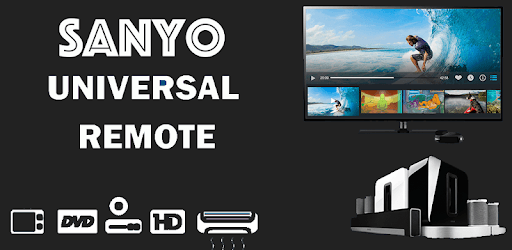
Sanyo Universal Remote Control is an Android app developed and published by illlusion at Google Play Store on Feb 21, 2019 for Android users. Sanyo Universal Remote Control is so popular that it has gained 10000 installs so far and growing.
Are you tired of searching for your lost remote every time you want to change the channel or adjust the volume on your TV? Look no further! The Sanyo Universal Remote Control app is here to save the day. Whether your remote broke or you simply can't find it, this app is the perfect solution for all your remote control needs.
With the Sanyo Universal Remote Control app, you can easily control your Sanyo TV right from your smartphone. No more fumbling around for the physical remote or dealing with complicated setup processes. This app provides an instant fix, allowing you to continue enjoying your favorite shows and movies without any hassle.
Many users have praised the convenience and functionality of this app. It's so easy to use that even those who are not tech-savvy can navigate through it effortlessly. Simply download the app, follow the setup instructions, and you're good to go!
One of the standout features of the Sanyo Universal Remote Control app is its compatibility with a wide range of devices. Whether you have an LG Bluetooth player, Pioneer Stereo, Sony equalizer, or Sony home theatre system, this app can seamlessly connect and control them all. It's like having a universal remote for all your entertainment devices in one place.
Additionally, if you have an older LCD TV, this app is a game-changer. Users have reported excellent performance and full functionality, including a menu button that is often missing from other remote control apps. If you're in need of a remote for your older LCD TV, we highly recommend giving this app a try.
The developers behind the Sanyo Universal Remote Control app understand the importance of simplicity. The app's user interface is designed to be intuitive and straightforward, ensuring that anyone can navigate through it with ease. Within just a few minutes, you'll be able to find the right configuration for your TV and start controlling it effortlessly.
One user even mentioned that it took them less than 5 minutes to set up the app and find the perfect configuration for their TV. That's how quick and hassle-free the process is!
Yes, the app is designed to work seamlessly with all Sanyo TVs.
While some users have mentioned the red button thing, it's not a requirement for the app to function properly. Simply follow the setup instructions, and you'll be able to control your TV without any issues.
Absolutely! The Sanyo Universal Remote Control app is compatible with a wide range of devices, including LG Bluetooth players, Pioneer Stereos, Sony equalizers, and Sony home theatre systems.
No, the app requires an infrared sensor on your phone to function properly. If your newer Galaxy phone does not have an infrared sensor, the app may not work.
So far, users have reported minimal ads while using the app. The developers have prioritized providing a seamless user experience, ensuring that ads do not disrupt your remote control activities.
Experience the convenience and functionality of the Sanyo Universal Remote Control app today. Say goodbye to lost or broken remotes and hello to effortless control over your entertainment devices. Download the app now and enjoy a hassle-free remote control experience like never before!
Yes, you can run Sanyo Universal Remote Control on PC, but first, you will need emulator software installed on your Windows or MAC, which you can download for free. In the below video, you will find Sanyo Universal Remote Control in action. Before you install the emulator, check out the minimum and recommended system requirements to run it seamlessly. They may change depending on which version of the emulator you choose. Therefore, we recommend you download the latest version of the emulator. Below you will find three free Android emulators that we have shortlisted based on their popularity:
Up to date graphics drivers from Microsoft or the chipset vendor.
Storage: 1 GB available under installation path, 1.5GB available hard drive space
Internet: Broadband Internet connection
Regardless of which Android emulator you install, the steps to install, configure, and running the Sanyo Universal Remote Control app on PC are the same.