Published by Trend Micro Incorporated
Updated April 18, 2026
💎Security & Antivirus, Booster, Junk Cleaner, AppLock, Safe Browsing, and more.
| Version | 3.0.1877 |
| Size | 25.4 MB |
| What's New | bug fixes |
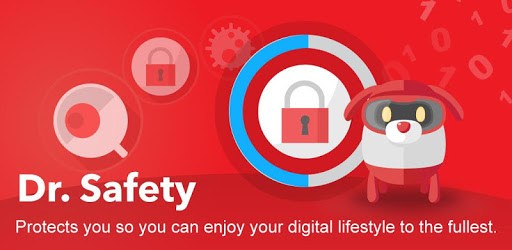
Dr. Safety: Security, Antivirus, Booster, App Lock is an Android app developed and published by Trend Micro Incorporated at Google Play Store on May 5, 2015 for Android users. Dr. Safety: Security, Antivirus, Booster, App Lock is so popular that it has gained 10000000 installs so far and growing.
Are you looking for a reliable and powerful security app for your Android device? Look no further because Dr. Safety is here to provide you with top-notch protection and peace of mind. With its impressive features and user-friendly interface, Dr. Safety has become one of the best security apps available in the market.
Dr. Safety offers a wide range of security features that ensure your device is protected from all potential threats. From antivirus and booster to app lock and hidden gallery, this app has got you covered. Its detection rate is exceptionally high, guaranteeing that no malicious software goes unnoticed.
One standout feature of Dr. Safety is its app lock functionality. You can now secure your sensitive apps and data with ease, ensuring that only you have access to them. Additionally, the hidden gallery feature allows you to keep your private photos and videos away from prying eyes.
Dr. Safety not only protects your device but also enhances its performance. With its battery saver feature, you can extend your battery life and make the most out of your device. However, the app goes a step further by offering battery saving modes that automatically adjust settings when your battery reaches a certain level, ensuring optimal performance at all times.
Moreover, Dr. Safety is designed to be non-intrusive, unlike many other security apps. Its user-friendly interface and simple navigation make it perfect for those who are not very computer literate. You can easily navigate through the app and utilize its features without any hassle.
One of the best things about Dr. Safety is that it offers an ad-free experience for users who have Google Play Pass. You can enjoy all the incredible features without any annoying interruptions. Say goodbye to intrusive ads and focus on what matters most - keeping your device secure.
Yes, Dr. Safety is a free security app that provides premium features without any cost.
Unfortunately, Dr. Safety no longer offers lost device protection, despite it being displayed in the app. However, the app compensates for this with its exceptional security features.
Absolutely! Dr. Safety is equipped with advanced virus detection capabilities, ensuring that even the most powerful viruses are identified and eliminated from your device.
Yes, Dr. Safety is designed to cater to users of all levels of technical expertise. Its simple and intuitive interface makes it easy for anyone to use and navigate through the app.
Yes, Dr. Safety includes a website scanner that warns you about dangerous links and websites, ensuring your online browsing experience is safe and secure.
Don't compromise on the security of your Android device. Install Dr. Safety today and experience the ultimate protection and performance optimization for your device. Stay safe, stay secure!
Yes, you can run Dr. Safety: Security, Antivirus, Booster, App Lock on PC, but first, you will need emulator software installed on your Windows or MAC, which you can download for free. In the below video, you will find Dr. Safety: Security, Antivirus, Booster, App Lock in action. Before you install the emulator, check out the minimum and recommended system requirements to run it seamlessly. They may change depending on which version of the emulator you choose. Therefore, we recommend you download the latest version of the emulator. Below you will find three free Android emulators that we have shortlisted based on their popularity:
Up to date graphics drivers from Microsoft or the chipset vendor.
Storage: 1 GB available under installation path, 1.5GB available hard drive space
Internet: Broadband Internet connection
Regardless of which Android emulator you install, the steps to install, configure, and running the Dr. Safety: Security, Antivirus, Booster, App Lock app on PC are the same.