Published by Florian Grill
Updated December 6, 2025
Turn your smartphone in a real customizable gamepad device for Windows PCs.
| Version | 2.5.0 |
| Size | 12.4 MB |
| What's New | Minor bug fixes and improvements |
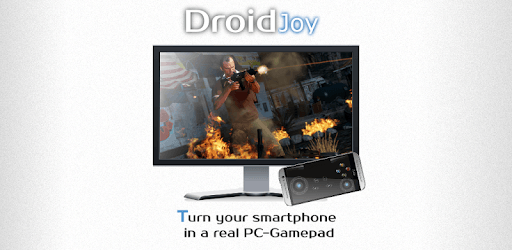
DroidJoy Gamepad Joystick Lite is an Android app developed and published by Florian Grill at Google Play Store on Jul 10, 2015 for Android users. DroidJoy Gamepad Joystick Lite is so popular that it has gained 6985959 installs so far and growing.
Are you tired of playing games on your mobile device with touch controls? Do you wish you had a gamepad to take your gaming experience to the next level? Look no further than DroidJoy Gamepad Joystick Lite, the ultimate app that transforms your smartphone into a fully functional gamepad!
With DroidJoy Gamepad Joystick Lite, you can say goodbye to the frustrations of lagging controls in online games. This app provides an excellent gaming experience, allowing you to enjoy seamless gameplay without any interruptions. It's time to elevate your gaming skills and immerse yourself in a new level of excitement.
One of the standout features of DroidJoy Gamepad Joystick Lite is its ability to support multiple remotes. Yes, you read that right! You can now play with two remotes simultaneously, thanks to this incredible app. All you need to do is make a few firewall settings adjustments, and you're good to go. It's that simple!
For those who don't have a physical game controller, this app is a game-changer. DroidJoy Gamepad Joystick Lite provides a seamless gaming experience, even without a controller. The only downside is that it currently supports up to four players. However, we hope the developer will add support for more players in the future.
DroidJoy Gamepad Joystick Lite goes beyond gaming. It also allows you to use your smartphone as a gamepad for various apps. Whether you're navigating through menus or controlling media playback, this app has got you covered. It's a versatile tool that enhances your overall smartphone experience.
Setting up DroidJoy Gamepad Joystick Lite may require a bit of fiddling, but once you have it configured, it works like a charm. The app is designed to be user-friendly, ensuring that even beginners can easily navigate through the setup process. Thanks to the developers for creating such a user-friendly app!
Dear owner of this app, we have a small request for you. Could you kindly add a middle button for the mouse and a hold option for all buttons? These additions would greatly enhance the customization options and provide an even better gaming experience. We appreciate your hard work and dedication to improving this app.
If you're looking to take your gaming experience to the next level, we highly recommend downloading the full version of DroidJoy Gamepad Joystick Lite. With the full version, you can enjoy co-op gaming with your friends on PC. It's a game-changer that opens up a whole new world of multiplayer gaming possibilities.
DroidJoy Gamepad Joystick Lite works seamlessly on various devices, including the Huawei P30 and Windows 10. While it may not match the ergonomic feel of a physical controller, it performs exceptionally well for casual gaming. The app's smooth performance and extra customization options make it worth every penny.
Don't just take our word for it. Many users have praised DroidJoy Gamepad Joystick Lite as the best gamepad app available. With its low latency over Wi-Fi, it outshines other gamepads in the market. The developer is also known for being responsive to user queries, ensuring a positive experience for all users.
In conclusion, DroidJoy Gamepad Joystick Lite is a game-changing app that elevates your gaming experience to new heights. Say goodbye to touch controls and embrace the world of seamless gameplay. With its versatility, customization options, and excellent performance, this app is a must-have for all gaming enthusiasts.
Currently, DroidJoy Gamepad Joystick Lite does not support forwarding inputs from a connected controller. However, we recommend reaching out to the developer for any future updates or features.
Setting up DroidJoy Gamepad Joystick Lite is a straightforward process. The app provides a user-friendly interface that guides you through the setup. Simply follow the on-screen instructions, and you'll be ready to enjoy your enhanced gaming experience in no time.
Yes, DroidJoy Gamepad Joystick Lite is designed to work seamlessly with all games and emulators. You won't encounter any compatibility issues, ensuring a smooth gaming experience across various titles.
Absolutely! DroidJoy Gamepad Joystick Lite offers a range of features, customization options, and excellent performance. While it may not replace a physical controller entirely, it enhances your gaming experience and provides great value for your money.
The developer of DroidJoy Gamepad Joystick Lite is known for being highly responsive to user queries. If you have any questions or concerns, feel free to reach out to them via email. They are dedicated to providing the best possible experience for their users.
Yes, you can run DroidJoy Gamepad Joystick Lite on PC, but first, you will need emulator software installed on your Windows or MAC, which you can download for free. In the below video, you will find DroidJoy Gamepad Joystick Lite in action. Before you install the emulator, check out the minimum and recommended system requirements to run it seamlessly. They may change depending on which version of the emulator you choose. Therefore, we recommend you download the latest version of the emulator. Below you will find three free Android emulators that we have shortlisted based on their popularity:
Up to date graphics drivers from Microsoft or the chipset vendor.
Storage: 1 GB available under installation path, 1.5GB available hard drive space
Internet: Broadband Internet connection
Regardless of which Android emulator you install, the steps to install, configure, and running the DroidJoy Gamepad Joystick Lite app on PC are the same.