Published by IGG.COM
Updated September 21, 2026
Real-time strategy multiplayer battles in a 3D fantasy world!
| Version | 1.53.0 |
| Size | 745.2 MB |
| What's New | [New]◆New Hero Skin: Eclipse Oracle Erin◆New Castle Skin: Dragon Castle◆New Avatar Frame: Battle Shaman◆New November Event: Harvest Feast◆New Ying Zheng Specialist Skill: Unlock 4~5 Specialist Star Level[Optimizations]◆Optimizations to some features |
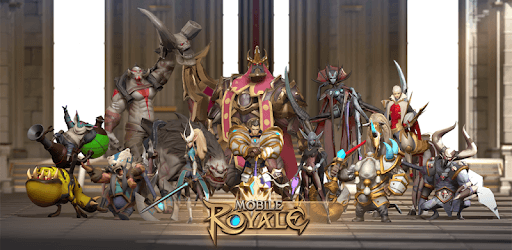
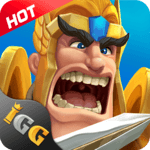
Mobile Royale is an Android app developed and published by IGG.COM at Google Play Store on Jan 13, 2019 for Android users. Mobile Royale is so popular that it has gained 9065076 installs so far and growing.
Mobile Royale is a captivating time management game that offers players a unique and enjoyable gaming experience. With its stunning graphics and cartoon-like visuals, this game is sure to keep you entertained for hours on end. Whether you're a free-to-play player or looking to invest in the game, Mobile Royale has something for everyone.
One of the highlights of Mobile Royale is the vast number of castles you can explore and conquer. Each castle presents its own set of challenges and rewards, making the gameplay exciting and dynamic. Whether you prefer strategic planning or quick decision-making, this game caters to all play styles.
The visuals in Mobile Royale are simply breathtaking. The game's cartoon-like art style adds a touch of whimsy and charm, making it a joy to play. From the vibrant colors to the detailed character designs, every aspect of the game is visually appealing.
The development team behind Mobile Royale is dedicated to providing the best gaming experience possible. They constantly listen to player feedback and make regular updates and improvements to the game. This ensures that players always have something new and exciting to look forward to.
While Mobile Royale does offer in-app purchases, it is still enjoyable for free-to-play players. The game provides opportunities for players to progress and succeed without spending money. However, investing in the game can give players an advantage.
Mobile Royale allows players to play for up to 30 minutes per day. After that, there is a waiting period for energy to recover. This ensures that players have a balanced gaming experience and prevents excessive playtime.
Like any game, Mobile Royale may have occasional bugs and issues. However, the development team is committed to resolving these problems promptly. They have created a Discord server where players can report issues and provide feedback, ensuring a better gaming experience for all.
Currently, specific teleports are limited to certain kingdoms. However, players have suggested that the game should allow teleportation to any kingdom to stay closer to guild members. This is a feature that the development team may consider in the future.
Mobile Royale has been delighting players for over three years. With its dedicated service team and regular updates, the game continues to evolve and improve, ensuring a long-lasting and enjoyable gaming experience.
Overall, Mobile Royale is a fantastic time management game that offers a unique and engaging experience. With its beautiful graphics, regular updates, and dedicated service team, it's no wonder players keep coming back for more. Whether you're a free-to-play player or looking to invest in the game, Mobile Royale has something for everyone. So why wait? Dive into the world of Mobile Royale today and embark on an epic adventure!
Yes, you can run Mobile Royale on PC, but first, you will need emulator software installed on your Windows or MAC, which you can download for free. In the below video, you will find Mobile Royale in action. Before you install the emulator, check out the minimum and recommended system requirements to run it seamlessly. They may change depending on which version of the emulator you choose. Therefore, we recommend you download the latest version of the emulator. Below you will find three free Android emulators that we have shortlisted based on their popularity:
Up to date graphics drivers from Microsoft or the chipset vendor.
Storage: 1 GB available under installation path, 1.5GB available hard drive space
Internet: Broadband Internet connection
Regardless of which Android emulator you install, the steps to install, configure, and running the Mobile Royale app on PC are the same.