Published by Hawke Optics
Updated July 23, 2026
ChairGun: ballistics software specifically designed for airgun users.
| Version | 1.3.7 |
| Size | 478.6 KB |
| What's New | Updated for Android 8Inclination cross-hair reverted to simpler design for clarity |
Hawke ChairGun is an Android app developed and published by Hawke Optics at Google Play Store on Nov 13, 2013 for Android users. Hawke ChairGun is so popular that it has gained 100000 installs so far and growing.
If you are an airgun enthusiast looking for a tool to enhance your shooting experience, look no further than Hawke ChairGun. This absolutely brilliant app is designed to help you work out your trajectories with ease and precision. Whether you are a seasoned shooter or just starting out, ChairGun has got you covered.
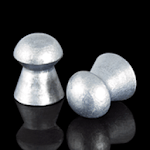
One of the standout features of ChairGun is its extensive collection of reticles. From the popular Mildot to various other options, you can choose the reticle that suits your shooting style. Additionally, the app allows you to add any type of pellets you prefer, making it incredibly versatile.
Compatibility is never an issue with ChairGun. Users have reported seamless integration with their PARD NV008P LRF, which is a testament to the app's reliability. Furthermore, the ability to add QYS pellets and BC without any problems showcases the app's commitment to providing a smooth user experience.
While ChairGun already offers a wide range of features, users have expressed their desire for updates that include more pellets and slugs. The good news is that the developers are constantly working to improve the app and meet the needs of the airgun community. So, rest assured, ChairGun will continue to evolve and provide you with the best possible experience.
What sets ChairGun apart from other ballistic calculators is its user-friendly interface and compact storage footprint. Whether you are using it on your phone or tablet, the app seamlessly integrates into your device, making it feel like a natural extension of your shooting gear.
Accuracy is key when it comes to shooting, and ChairGun delivers on that front. With tons of information and calculations at your disposal, this app is an excellent tool for serious shooters. Whether you are aiming for precision or simply enjoying some plinking, ChairGun has got you covered.
One of the standout qualities of ChairGun is the exceptional customer support provided by the team behind the app. Users have reported receiving prompt assistance when they faced any difficulties or had questions about certain features. It's always reassuring to know that there are great people behind an app, ready to help you out.
ChairGun may seem overwhelming at first, like any other app of its kind, but with a little practice, you will quickly become familiar with its functionalities. It will soon become an indispensable tool for your precision air gun, providing you with accurate ballistic calculations and predictions.
Whether you have a Hawk scope or a generic mil dot scope, ChairGun works seamlessly with both. The app's versatility allows you to adapt it to your specific setup, ensuring that you get the most out of your shooting experience. Additionally, having a chronograph is recommended to accurately measure the velocity of your shots.
Setting up ChairGun is a breeze, and its user-friendly controls make it accessible to airgunners of all levels. With a wealth of pellet information at your fingertips, you can make informed decisions and optimize your shooting performance. If you are an airgunner, this app comes highly recommended.
ChairGun is primarily designed for airguns, but it may work for other powder guns within reasonable distances. However, it is important to note that the drag equation used in the app is optimized for pellets.
Unfortunately, ChairGun cannot calculate the moa inclined scope rail used in the Edgun Matador. However, the app offers extensive compatibility with various other airgun models.
Currently, ChairGun does not offer the option to print intercept charts. However, the developers are constantly working on improving the app, so it is possible that this feature may be added in future updates.
While the creator of ChairGun had to abandon the app due to coding and updating challenges, there are plans to keep it alive. The app may be handed over to someone else who can continue to enhance and maintain it.
In conclusion, Hawke ChairGun is a game-changer for airgun enthusiasts. With its comprehensive features, user-friendly interface, and exceptional customer support, this app is a must-have for anyone serious about their shooting performance. So, why wait? Get ChairGun today and take your airgun shooting to the next level!
Yes, you can run Hawke ChairGun on PC, but first, you will need emulator software installed on your Windows or MAC, which you can download for free. In the below video, you will find Hawke ChairGun in action. Before you install the emulator, check out the minimum and recommended system requirements to run it seamlessly. They may change depending on which version of the emulator you choose. Therefore, we recommend you download the latest version of the emulator. Below you will find three free Android emulators that we have shortlisted based on their popularity:
Up to date graphics drivers from Microsoft or the chipset vendor.
Storage: 1 GB available under installation path, 1.5GB available hard drive space
Internet: Broadband Internet connection
Regardless of which Android emulator you install, the steps to install, configure, and running the Hawke ChairGun app on PC are the same.