Published by Gismart
Updated May 3, 2026
🎄 Piano Keyboard Simulator with Magic Keys & Tiles Music Games and Lessons 🎁
| Version | 1.75 |
| Size | 153.5 MB |
| What's New | We’ve made some app stability improvements and fixed the bugs reported by our users. Keep the app regularly updated to always have our greatest features! |
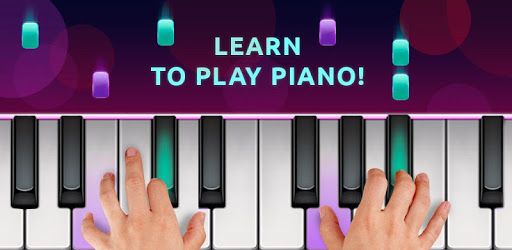
Piano Free - Keyboard with Magic Tiles Music Games is an Android app developed and published by Gismart at Google Play Store on Jun 5, 2014 for Android users. Piano Free - Keyboard with Magic Tiles Music Games is so popular that it has gained 158309464 installs so far and growing.
Looking for a fun, engaging, and educational way to learn the piano? Look no further than Piano Free - Keyboard with Magic Tiles Music Games! This app is designed to bring the joy of music right to your fingertips, offering various features that make learning and playing the piano a breeze.
One of the standout features of Piano Free - Keyboard with Magic Tiles Music Games is its ability to let you change tunes and play chords. Imagine having a piano in your pocket! This makes it super convenient to practice whenever you have some free time, whether you're on the go or relaxing at home.
Another noteworthy feature is the magic keys – a component that adds a touch of fun and magic to your learning journey. Playing songs becomes a delightful experience as the app guides you through each note. You can even get unlimited access to different types of instruments, like the guitar, through a subscription, broadening your musical horizon.
Piano Free - Keyboard with Magic Tiles Music Games is ideal for those who are just starting out or don't have access to a traditional piano. The app is a great learning tool for practicing songs, helping you to remember and master them. Even if you're short on money and can't afford a physical piano, this app stands as an excellent alternative to begin your piano journey.
The app also helps you play various songs with ease. You can enjoy numerous songs without the worry of missing notes affecting your score. This allows you to focus on having fun while learning. It's like having a friendly piano teacher right in your pocket!
One of the key aspects of Piano Free - Keyboard with Magic Tiles Music Games is its ability to make learning fun, especially for kids. This app can help kids learn how to play the piano in an enjoyable and engaging way. With a vast selection of music and the chance to create your own songs, creativity knows no bounds.
Although the app may not go deep into teaching piano theory, its primary goal is to make piano-playing enjoyable and accessible. Even if you're not learning advanced musical concepts, you will find yourself getting addicted to playing song after song, which can still be a valuable learning experience.
The user interface of Piano Free - Keyboard with Magic Tiles Music Games is designed to be intuitive and user-friendly. This makes it easy for anyone to jump in and start playing right away. The app is highly recommended for anyone looking to practice new songs or simply have some musical fun during their free time.
So, if you're passionate about music and want to explore the exciting world of piano playing, Piano Free - Keyboard with Magic Tiles Music Games is an exceptional choice. Download it today, and let the musical adventure begin!
Yes, you can run Piano Free - Keyboard with Magic Tiles Music Games on PC, but first, you will need emulator software installed on your Windows or MAC, which you can download for free. In the below video, you will find Piano Free - Keyboard with Magic Tiles Music Games in action. Before you install the emulator, check out the minimum and recommended system requirements to run it seamlessly. They may change depending on which version of the emulator you choose. Therefore, we recommend you download the latest version of the emulator. Below you will find three free Android emulators that we have shortlisted based on their popularity:
Up to date graphics drivers from Microsoft or the chipset vendor.
Storage: 1 GB available under installation path, 1.5GB available hard drive space
Internet: Broadband Internet connection
Regardless of which Android emulator you install, the steps to install, configure, and running the Piano Free - Keyboard with Magic Tiles Music Games app on PC are the same.