Published by ProGuitar
Updated September 13, 2025
The guitar tuner app for the professional and the beginner
| Version | 6.0.9 |
| Size | 37.2 MB |
| What's New | Performance & Stability Improvements: - Streamlined app initialization process for a better experience - General performance enhancements and bug fixesWe're always working to improve Pro Guitar Tuner. Thank you for your continued support and feedback! |
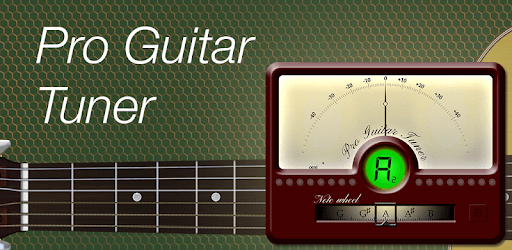
Pro Guitar Tuner is an Android app developed and published by ProGuitar at Google Play Store on Apr 29, 2015 for Android users. Pro Guitar Tuner is so popular that it has gained 33037937 installs so far and growing.
Pro Guitar Tuner is an essential tool for any guitarist, offering a range of features that make tuning your instrument simple and effective. Whether you're a beginner or a seasoned musician, this app has everything you need to keep your instrument in perfect pitch.
One of the standout features of Pro Guitar Tuner is its variety of tuning options. From standard tuning to alternate tunings and everything in between, this app has you covered. This is especially helpful for guitarists who like to experiment with different styles and sounds.
Pro Guitar Tuner isn’t just for guitars. You can use it to tune a variety of stringed instruments. This feature is especially handy if you have a collection of different guitars or even other instruments like ukuleles and bass guitars.
Navigating Pro Guitar Tuner is straightforward. The app's interface is user-friendly, making it easy to access the tuner quickly without wading through complicated menus. Simply open the app, strum your string, and tune your guitar in seconds.
For many users, one of the most appreciated qualities of Pro Guitar Tuner is its reliability. It works consistently every time, ensuring that your guitar is always in tune, whether you're practicing alone or performing on stage.
Pro Guitar Tuner offers a variety of features at no extra charge, including alternate tunings. For those who need even more advanced options, there are in-app purchases available that enhance the tuning experience without breaking the bank.
While other free tuning apps might bombard you with ads, Pro Guitar Tuner keeps interruptions to a minimum. This allows you to focus on tuning your instrument and getting back to playing your favorite tunes.
Pro Guitar Tuner includes a feature where touching the strings on the screen produces audio feedback. This interactive element makes the tuning process more engaging and helps beginners familiarize themselves with the sounds of correctly tuned strings.
Many users have relied on Pro Guitar Tuner for several years, benefiting from its consistent performance. It's a testament to the app’s quality that it remains a staple in many musicians' toolkits over long periods.
One of the great things about Pro Guitar Tuner is its convenience. Having a reliable tuner on your phone means it's always available whenever you need it. This makes it perfect for impromptu jam sessions or last-minute tuning before a performance.
Pro Guitar Tuner excels in its simplicity. It’s just a tuner, without unnecessary bells and whistles that could complicate your tuning process. This streamlined approach ensures that you can tune your guitar quickly and get back to what matters most: playing music.
Pro Guitar Tuner has garnered trust from many musicians who appreciate its dependability and ease of use. It has become a go-to app for both beginners learning to tune their guitars and experienced players who need a quick and reliable tuning tool.
Pro Guitar Tuner continues to impress and serve the needs of guitarists everywhere, offering a top-notch tuning experience that keeps your instrument sounding its best.
Yes, you can run Pro Guitar Tuner on PC, but first, you will need emulator software installed on your Windows or MAC, which you can download for free. In the below video, you will find Pro Guitar Tuner in action. Before you install the emulator, check out the minimum and recommended system requirements to run it seamlessly. They may change depending on which version of the emulator you choose. Therefore, we recommend you download the latest version of the emulator. Below you will find three free Android emulators that we have shortlisted based on their popularity:
Up to date graphics drivers from Microsoft or the chipset vendor.
Storage: 1 GB available under installation path, 1.5GB available hard drive space
Internet: Broadband Internet connection
Regardless of which Android emulator you install, the steps to install, configure, and running the Pro Guitar Tuner app on PC are the same.