Published by Caffetteria dev.
Updated October 2, 2025
Do everything you want, in a procedural, pixelated and fully destructible world.
| Version | 1.6.4 |
| Size | 58.9 MB |
| What's New | - Added snails (can be grown by feeding them lettuce); - Snails drop snail shells and other items; shells can be used to craft snail bombs; - Added the Cave Whisper (a mini-boss that appears in the deepest caves); - Defeating the Cave Whisper drops a special shell that allows players to hide from enemies; - Added mimics (spawnable treasure chests that have a chance to turn into enemies when opened); - Added sticky arrows; - Added cloud save support via Google Play Games; - Other improvements. |
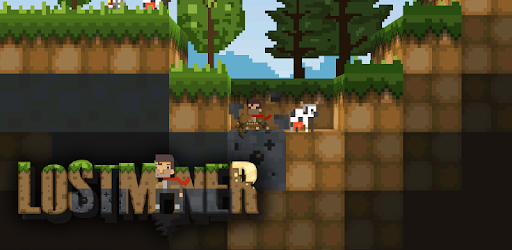
LostMiner is an Android app developed and published by Caffetteria dev. at Google Play Store on Dec 3, 2015 for Android users. LostMiner is so popular that it has gained 14538455 installs so far and growing.
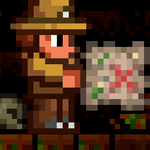
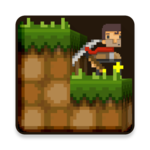
Immerse yourself in the delightful universe of LostMiner, where mining, crafting, and exploration converge in a fascinating sandbox game. Designed with a captivating side-view camera, LostMiner beautifully combines 2D and 3D elements, offering polished pixel graphics that are sure to catch your eye. The game allows you to unleash your creativity in a procedural, pixelated, and fully destructible world filled with various biomes and secrets waiting to be uncovered.
LostMiner is a playground of endless possibilities. You have the freedom to place and break blocks, build houses, and create your own little world. Whether you dream of planting a farm, raising animals, chopping trees, or fishing in serene waters, this game makes it all possible. The experience is enriched by the ability to craft new items, gather resources, battle monsters, and dig deep into the underground to discover hidden secrets.
One of the standout features of LostMiner is its appealing pixel aesthetics. The visual style is charming, reminiscent of classic retro games while being uniquely modern. This pixelated charm adds a layer of nostalgia and whimsy, making your adventures even more engaging and visually delightful.
The world of LostMiner is filled with diverse biomes, each offering different experiences and adventures. From serene forests to treacherous underground caves, each biome brings a new set of challenges and resources. This diversity ensures that you never run out of new areas to explore and new secrets to uncover.
For those who love completing achievements, LostMiner offers a plethora of goals to strive for. Achievements add a sense of accomplishment and provide various rewards, enhancing the gameplay experience. Not only do these achievements make the game more fun, but they also provide incentives such as unlocking creative modes, adding extra layers to the game.
A much-desired feature among many gamers is the ability to jump into a world with friends. While this functionality is eagerly anticipated, the game holds potential for exciting multiplayer experiences. Imagine exploring new biomes, crafting together, and battling monsters with fellow adventurers!
One of the highlights of LostMiner is its minimal ad presence, ensuring an enjoyable experience without constant interruptions. When ads do appear, they are often linked to rewards, making them a welcome addition rather than a nuisance. This balance allows players to immerse themselves fully in the game without any bothersome distractions.
The developers actively update LostMiner, adding new features and improvements regularly. This commitment to constant development keeps the game fresh and exciting, adding new content for players to enjoy. Whether it's new textures, items, or gameplay mechanics, there's always something new to discover, making LostMiner a game that continually evolves and grows with its community.
LostMiner adeptly combines elements from beloved games like Minecraft and Terraria, giving players the best of both worlds. With copper or emerald tools and unique boss battles, the game provides features that even the most seasoned sandbox game player will find new and interesting. Yet it maintains its own identity and charm.
The open-world nature of LostMiner ensures that you have a vast playground to explore. You can shape your own adventure, face the right amount of challenges, and experience a level of freedom that's both thrilling and satisfying. The hardcore mode adds an extra layer of depth for those seeking an intense gameplay experience.
Delve into the captivating world of LostMiner and embark on an adventure filled with endless creativity, exploration, and excitement. This game offers a rich tapestry of features and experiences that will keep you engaged for hours, making it one of the best free games available for mobile devices. With its delightful graphics, diverse biomes, and continual updates, LostMiner is a must-play for any sandbox game enthusiast.
Yes, you can run LostMiner on PC, but first, you will need emulator software installed on your Windows or MAC, which you can download for free. In the below video, you will find LostMiner in action. Before you install the emulator, check out the minimum and recommended system requirements to run it seamlessly. They may change depending on which version of the emulator you choose. Therefore, we recommend you download the latest version of the emulator. Below you will find three free Android emulators that we have shortlisted based on their popularity:
Up to date graphics drivers from Microsoft or the chipset vendor.
Storage: 1 GB available under installation path, 1.5GB available hard drive space
Internet: Broadband Internet connection
Regardless of which Android emulator you install, the steps to install, configure, and running the LostMiner app on PC are the same.