Published by Hangzhou FrankEver Electronic Co.,Ltd.
Updated July 7, 2026
Bright bring fun
| Version | 2.0.0 |
| Size | 87.2 MB |
| What's New | Minor bug fixes and improvements. Install or update to the newest version to check it out! |
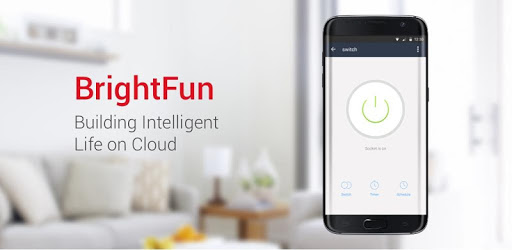
Brightfun is an Android app developed and published by Hangzhou FrankEver Electronic Co.,Ltd. at Google Play Store on Jul 3, 2017 for Android users. Brightfun is so popular that it has gained 22250 installs so far and growing.
Welcome to the world of Brightfun, the ultimate home automation app that brings convenience and control right to your fingertips. With its recent Oct-21 update, this app has taken home automation to a whole new level, offering a range of exciting features and improvements that will revolutionize the way you interact with your smart devices.
One of the standout features of the latest Brightfun update is the option to add your own images to each switch. This personalization feature allows you to easily identify and control your devices with just a glance. While an inbuilt library of icons would be a welcome addition, the ability to use your own images adds a unique touch to your home automation experience.
With Brightfun, you can connect up to 20 switches around your house effortlessly. While some users have reported occasional WiFi disconnections, it's important to note that this is not a fault of the app itself. Brightfun ensures a seamless connection between your devices, allowing you to enjoy the convenience of controlling your home from anywhere.
The Brightfun team is constantly working to improve the app based on user feedback. In the next update, they plan to introduce a feature that allows you to customize the order of devices in your list. Whether you prefer to organize them by room, alphabetical order, or your own preference, the upcoming update will give you the freedom to arrange your devices exactly as you want.
Additionally, Brightfun aims to simplify your experience by introducing profiles for different seasons. Instead of adjusting timers individually, you'll be able to select a pre-set time profile for winter or summer, saving you time and effort.
Brightfun has been designed with a clean and intuitive interface that makes it easy for users to set up and navigate. The app offers a wide range of functionalities, but the team behind Brightfun believes that there is always room for improvement. They are committed to continuously enhancing the app and adding new features to meet the evolving needs of users.
Your security is a top priority for Brightfun. The app incorporates a two-stage verification process, ensuring that only authorized users can access and control your smart devices. With Brightfun, you can have peace of mind knowing that your home automation system is protected.
Brightfun seamlessly integrates with a variety of smart plugs, including the popular Elliots Nest Smart Plug from Amazon. Whether you have specific brand preferences or opt for generic smart plugs, Brightfun ensures smooth compatibility and reliable performance.
Brightfun offers a user-friendly and feature-rich home automation experience that sets it apart from older solutions. With its recent update, the app has introduced exciting new features such as customizable switches and enhanced control options. While there is still room for additional functionality, Brightfun is constantly evolving to meet the needs of its users. Experience the convenience of Brightfun and take control of your home like never before.
Brightfun is compatible with a wide range of smart devices, including smart plugs, light bulbs, and more. It seamlessly integrates with popular brands and generic options, ensuring a smooth and hassle-free experience.
Setting up Brightfun is a breeze. Simply download the app from your device's app store, follow the on-screen instructions to connect your devices, and you're ready to go. The intuitive interface makes the setup process quick and easy.
Absolutely. Brightfun prioritizes your security and incorporates a two-stage verification process to ensure only authorized users can access your smart devices. You can have peace of mind knowing that your home automation system is safe and secure.
Yes, Brightfun is committed to continuously improving the app based on user feedback. The team is actively working on introducing new features and functionalities to enhance your home automation experience. Stay tuned for exciting updates!
Yes, Brightfun supports voice commands through popular voice assistants such as Google Home. You can enjoy the convenience of controlling your devices hands-free, making your home automation experience even more seamless.
Yes, you can run Brightfun on PC, but first, you will need emulator software installed on your Windows or MAC, which you can download for free. In the below video, you will find Brightfun in action. Before you install the emulator, check out the minimum and recommended system requirements to run it seamlessly. They may change depending on which version of the emulator you choose. Therefore, we recommend you download the latest version of the emulator. Below you will find three free Android emulators that we have shortlisted based on their popularity:
Up to date graphics drivers from Microsoft or the chipset vendor.
Storage: 1 GB available under installation path, 1.5GB available hard drive space
Internet: Broadband Internet connection
Regardless of which Android emulator you install, the steps to install, configure, and running the Brightfun app on PC are the same.