Published by Charging Essentials
Updated November 6, 2025
CE Smart and Charging Essentials Wi-Fi Smart Plug
| Version | 2.7.2 |
| Size | 102.5 MB |
| What's New | Improve user experience.Various bug fixes & performance improvements. |
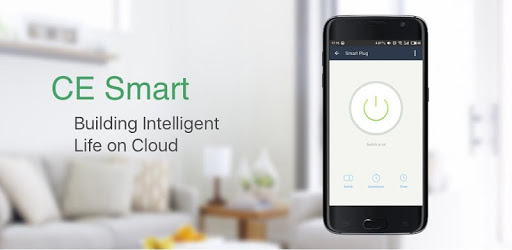
CE Smart is an Android app developed and published by Charging Essentials at Google Play Store on Oct 12, 2017 for Android users. CE Smart is so popular that it has gained 10000 installs so far and growing.
CE Smart takes home automation to a whole new level. Imagine having total control over your devices, all from the palm of your hand. This application makes it possible to manage everything with such ease, turning mundane tasks into effortless activities.
CE Smart offers incredible features that allow users to monitor power consumption and the operational frequency of their devices. This feature is particularly useful for ensuring that everything runs smoothly. Whether you want to know how much power your sump pump is consuming or make sure your coffee machine is brewing, CE Smart keeps you informed.
Among its multitude of features, CE Smart shines with its ability to highlight potential issues before they turn into major problems. For example, you can detect changes in the performance of your sump pump before any alarms go off, giving you ample time to take corrective action.
Convenience is at the core of CE Smart. The setup process is quick and straightforward, taking less than five minutes to integrate with platforms like Amazon Alexa. Most of the device operations can be performed through voice commands, making daily routines even more manageable.
Scheduling your devices has never been easier. Whether it's controlling your Christmas lights or managing the power to dangerous UV lamps, CE Smart provides both countdown timers and scheduling options to make sure everything runs on time. This enhances both safety and efficiency, allowing you to oversee your schedules from anywhere, including outside of specialized rooms like grow rooms.
The smart plugs that come with CE Smart work brilliantly. They connect seamlessly once they’re set up correctly, ensuring smooth operation via both WiFi and cellular networks. Whether you are using Google Home for voice commands or the CE Smart app directly, the plugs offer reliable, hassle-free performance.
One of the hallmarks of CE Smart is its clean, user-friendly interface, which makes it easy to navigate through different functionalities. This makes the app feel quite similar to other well-regarded smart home apps like TP-Link Kasa and Samsung SmartThings, but with its own distinctive features for an enhanced user experience.
CE Smart ensures that installing and connecting devices is a breeze. Even if you encounter issues, solutions are straightforward. For instance, simply ensuring your phone or tablet is on a 2.4GHz network can solve initial connectivity problems. Dual-band routers might need a distinct SSID naming convention for the 2.4GHz band to ensure seamless connectivity.
Not only does CE Smart integrate easily with other smart home devices like Google Home smart speakers, but it also provides simple fixes for minor issues. This means that the convenience of setting schedules, timers, and even voice commands for any connected devices is always accessible.
Overall, CE Smart is an excellent tool for modern homes, offering smart controls, flexible scheduling, and seamless integration with popular smart home systems. Whether you are just dipping your toes into smart home technology or looking to expand your current setup, CE Smart provides a reliable, easy-to-use solution that can cater to a wide range of needs.
Yes, you can run CE Smart on PC, but first, you will need emulator software installed on your Windows or MAC, which you can download for free. In the below video, you will find CE Smart in action. Before you install the emulator, check out the minimum and recommended system requirements to run it seamlessly. They may change depending on which version of the emulator you choose. Therefore, we recommend you download the latest version of the emulator. Below you will find three free Android emulators that we have shortlisted based on their popularity:
Up to date graphics drivers from Microsoft or the chipset vendor.
Storage: 1 GB available under installation path, 1.5GB available hard drive space
Internet: Broadband Internet connection
Regardless of which Android emulator you install, the steps to install, configure, and running the CE Smart app on PC are the same.