
Published by eXtream Software Development
Updated August 2, 2025
The leading multitrack audio/MIDI recording studio on Android! (trial version)
| Version | 5.5.7.8 |
| Size | 67.0 MB |
| What's New | * Added an option to set the cross-fade time for scenes (long-press on the scene for the pop-up menu). Note that this currently only applies to volume. * Improved speed of listing the Portal Import data. * Live Performance projects could not be imported by Portal Import. Solved. * Solved a crash when selecting another track as input and arming the track with a USB audio interface connected. |
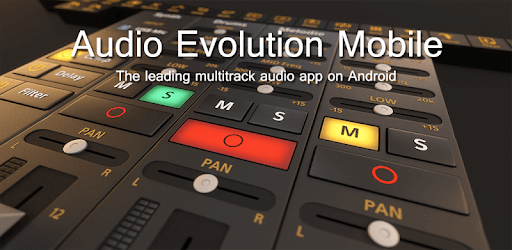
Audio Evolution Mobile Studio TRIAL is an Android app developed and published by eXtream Software Development at Google Play Store on Mar 16, 2012 for Android users. Audio Evolution Mobile Studio TRIAL is so popular that it has gained 5823411 installs so far and growing.
Creating music on the go has never been easier with Audio Evolution Mobile Studio TRIAL. This powerful tool allows you to craft, tweak, and produce high-quality audio right from your phone or tablet. It's a dream come true for aspiring musicians and professional artists alike.
One standout feature of Audio Evolution Mobile Studio TRIAL is its ability to change instruments from MIDI files. This functionality lets you experiment with different sounds without needing a computer. You can easily swap out instruments and create diverse musical pieces directly on your mobile device.
Whether you're a seasoned music producer or just starting, you'll find a suite of tools that can elevate your creations. From tweaking sounds to adjusting volumes with keyframes, you'll have everything you need to perfect your tracks. The range of drum sounds and the overdrive guitar, perfect for solos, makes this app a versatile choice for all genres.
The interface is designed to be user-friendly and neat, making it easy for anyone to navigate. Labels on the buttons ensure you know exactly what each feature does, helping you focus more on your music and less on figuring out the software. Even with a mobile device, you'll experience a workflow similar to desktop audio mixing.
Recording vocals on Audio Evolution Mobile Studio TRIAL is clear and precise. Whether you are laying down a vocal track for a song or recording a podcast, the high-quality output ensures your voice sounds professional. This feature is particularly handy for users who rely solely on their mobile devices for recording.
Thanks to this app, you can capture inspiration whenever it strikes. You can make music anywhere, be it on a bus, at the park, or in your bedroom. This flexibility adds to the creativity, allowing you to craft music without being tied to a specific location.
For those aspiring to be DJs like Marshmello, Audio Evolution Mobile Studio TRIAL is an excellent starting point. The tools available will help you mix and create tracks that can get any party started. The ease of use and variety of features make it a favorite among DJ enthusiasts.
Mixing audio on this app is as seamless as it gets. You can adjust volumes with keyframes on each clip within a track, much like you would on a desktop software. This precise level of control enhances the overall quality of your sound projects.
If you love deep bass and varied drum sounds, you're in for a treat. The app provides an array of drum options and bass sounds that can add richness to your productions. Whether you're creating a beat for a new song or background music for a video, these features offer incredible versatility.
For those who learn by seeing, there are helpful videos that can guide you through the app’s features. These visual aids make it easier to understand how to use the various tools and get the most out of your music production experience.
While the app is packed with features, there are always opportunities for enhancements. Some users have mentioned the need for better copy and paste functions for notes across different tracks. Such improvements could make the app even more powerful and user-friendly.
Overall, Audio Evolution Mobile Studio TRIAL is an exceptional choice for anyone looking to explore music production on their mobile device. The blend of professional-grade tools and ease of use makes it stand out among mobile audio editing apps.
Yes, you can run Audio Evolution Mobile Studio TRIAL on PC, but first, you will need emulator software installed on your Windows or MAC, which you can download for free. In the below video, you will find Audio Evolution Mobile Studio TRIAL in action. Before you install the emulator, check out the minimum and recommended system requirements to run it seamlessly. They may change depending on which version of the emulator you choose. Therefore, we recommend you download the latest version of the emulator. Below you will find three free Android emulators that we have shortlisted based on their popularity:
Up to date graphics drivers from Microsoft or the chipset vendor.
Storage: 1 GB available under installation path, 1.5GB available hard drive space
Internet: Broadband Internet connection
Regardless of which Android emulator you install, the steps to install, configure, and running the Audio Evolution Mobile Studio TRIAL app on PC are the same.









![Musicolet Music Player [Free, No ads] icon](https://cdn.desktoptwo.com/img/in.krosbits.musicolet-logo.png)