Published by Extreme Developers
Updated November 17, 2025
Get ready for an exciting adventure in the world of multiplayer tank battles
| Version | 3.63.3 |
| Size | 727.6 MB |
| What's New | Optimise network connectivity in battle |
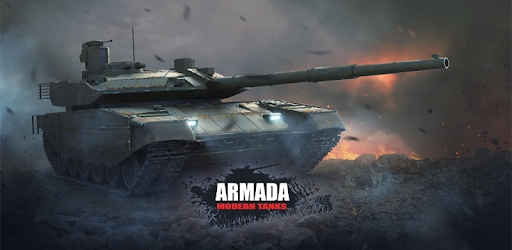
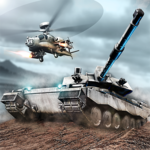
Armada: Modern Tanks is an Android app developed and published by Extreme Developers at Google Play Store on Sep 18, 2016 for Android users. Armada: Modern Tanks is so popular that it has gained 1000000 installs so far and growing.
Armada: Modern Tanks is an exhilarating tank battle game that offers non-stop action and endless fun. From its impressive graphics to intuitive controls, this game provides an engaging experience for players of all ages.
One of the standout features of Armada: Modern Tanks is its excellent graphics. The 3D rendering is amazing, making each battle feel realistic and intense. The attention to detail in the tank designs and battlefields enhances the overall gameplay, drawing you deeper into the action.
Controlling your tank is easy and intuitive, allowing you to focus on the battle without struggling with complicated mechanics. The developers have done a great job in making the controls user-friendly, ensuring a smooth and enjoyable gaming experience.
The heart of Armada: Modern Tanks lies in its exciting tank battles. Whether you're an experienced player or new to tank games, you'll find the battles thrilling and fun. Each match is a test of your skills and strategy, keeping you engaged and eager for more.
As you progress in Armada: Modern Tanks, you'll have the opportunity to upgrade your tanks and weapons. While you can purchase upgrades, they are also attainable through gameplay, allowing everyone to enjoy the game regardless of their budget. The sense of progression and the ability to earn rewards add to the game's addictive nature.
Customization is another key aspect of Armada: Modern Tanks. You can personalize your tanks with various upgrades and equipment, making each tank unique. Players have expressed a desire for even more customization options, suggesting that upgrades should be visibly reflected on the tanks for a more immersive experience.
One of the game’s strengths is its fair and balanced matchmaking system. This ensures that players are paired with opponents of similar skill levels, providing a challenging yet fair gaming environment. This aspect keeps the competition fun and prevents frustration from facing overwhelmingly powerful opponents.
While Armada: Modern Tanks is already a fantastic game, players have suggested a few enhancements to make it even better. Adding more tanks and higher-quality graphics could elevate the gaming experience. Integrating destruction physics and more detailed damage mechanics, such as parts of the tank breaking away when shot, would add an extra layer of realism.
Another popular suggestion is the inclusion of voice messages for in-game communication. This feature would allow players to strategize and communicate more effectively, enhancing teamwork and overall gameplay experience.
Armada: Modern Tanks is undeniably addictive. The combination of action-packed gameplay, stunning visuals, and a variety of upgrades and rewards makes it hard to put down. Whether you're playing on a tablet or a mobile device, this game is sure to keep you entertained for hours.
Ready to take on the challenge? Armada: Modern Tanks is waiting for you. With its engaging gameplay, easy controls, and stunning graphics, it's a game that promises an unforgettable tank battle experience. So, gear up, and dive into the action today!
Yes, you can run Armada: Modern Tanks on PC, but first, you will need emulator software installed on your Windows or MAC, which you can download for free. In the below video, you will find Armada: Modern Tanks in action. Before you install the emulator, check out the minimum and recommended system requirements to run it seamlessly. They may change depending on which version of the emulator you choose. Therefore, we recommend you download the latest version of the emulator. Below you will find three free Android emulators that we have shortlisted based on their popularity:
Up to date graphics drivers from Microsoft or the chipset vendor.
Storage: 1 GB available under installation path, 1.5GB available hard drive space
Internet: Broadband Internet connection
Regardless of which Android emulator you install, the steps to install, configure, and running the Armada: Modern Tanks app on PC are the same.