Published by Esoteric Software
Updated August 6, 2026
Gloomhaven Helper is a companion app for playing the Gloomhaven board game.
| Version | 8.4.12 |
| Size | 26.3 MB |
| What's New | • Fixed monsters for scenario #50.• Changed Vermling Raiders from 8 to 6.• Fixed crash adding monster at max player level when solo.• Various language updates. |
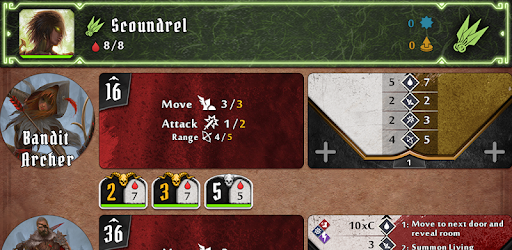
Gloomhaven Helper is an Android app developed and published by Esoteric Software at Google Play Store on Apr 10, 2018 for Android users. Gloomhaven Helper is so popular that it has gained 10000 installs so far and growing.
Are you a fan of the popular tabletop game Gloomhaven? If so, you're in for a treat! The Gloomhaven Helper app is here to revolutionize your gaming experience, making it 1,000 times better and more accessible. Say goodbye to tedious setup and overwhelming bookkeeping – this app has got you covered.
One of the standout features of Gloomhaven Helper is its ability to speed up the setup process. No more wasting precious gaming time on organizing components and figuring out complex rules. With this app, you can dive straight into the action and start playing in no time.
But that's not all – Gloomhaven Helper also acts as an invaluable companion, helping you navigate through the initial learning curve with ease. It clarifies rules that may have been misinterpreted and ensures a smooth gameplay experience for both seasoned players and newcomers alike. It's a must-have for any Gloomhaven group, guaranteeing a more enjoyable and cohesive gaming session.
What sets Gloomhaven Helper apart from other apps is its user-friendly interface and seamless device connectivity. The intuitive design makes it a breeze to use, allowing you to focus on the game rather than getting lost in complicated menus. Plus, the connection between devices is effortless, ensuring a smooth and uninterrupted gaming experience.
Unfortunately, Gloomhaven Helper is no longer available due to unforeseen circumstances. However, if you still have the opportunity to download it, we highly recommend doing so. This app has garnered rave reviews from players worldwide, and for good reason.
Players have praised Gloomhaven Helper for its ability to streamline gameplay and make it more enjoyable. With a setup time of just 10 minutes or less, you can spend more time immersed in the game and less time on tedious tasks. It truly enhances the overall experience, making Gloomhaven that much more fun.
It's worth noting that Gloomhaven Helper has received overwhelming support from the gaming community. Players have expressed their gratitude for the effort put into developing this app and have even requested a version for Frosthaven, the highly anticipated sequel to Gloomhaven.
A: Unfortunately, Gloomhaven Helper is no longer available for download.
A: Gloomhaven Helper speeds up the setup process, clarifies rules, and streamlines gameplay, making it more accessible and enjoyable for players.
A: Absolutely! Gloomhaven Helper is a valuable tool for solo players, as it simplifies the game's administration and allows for a smoother gaming experience.
A: While there are currently no plans for a Frosthaven version of Gloomhaven Helper, the overwhelming support from players may influence future developments.
In conclusion, Gloomhaven Helper has left a lasting impact on the Gloomhaven community. Its ability to enhance gameplay, simplify setup, and clarify rules has made it an essential tool for players worldwide. Although it may no longer be available for download, those who had the opportunity to experience it can attest to its incredible benefits. So, if you still have the chance to get your hands on Gloomhaven Helper, don't hesitate – it's a game-changer!
Yes, you can run Gloomhaven Helper on PC, but first, you will need emulator software installed on your Windows or MAC, which you can download for free. In the below video, you will find Gloomhaven Helper in action. Before you install the emulator, check out the minimum and recommended system requirements to run it seamlessly. They may change depending on which version of the emulator you choose. Therefore, we recommend you download the latest version of the emulator. Below you will find three free Android emulators that we have shortlisted based on their popularity:
Up to date graphics drivers from Microsoft or the chipset vendor.
Storage: 1 GB available under installation path, 1.5GB available hard drive space
Internet: Broadband Internet connection
Regardless of which Android emulator you install, the steps to install, configure, and running the Gloomhaven Helper app on PC are the same.