Published by Rabbit Bay Games
Updated August 7, 2026
if you like to play chess, you've found the app for you!
| Version | 2.1 |
| Size | 15.7 MB |
| What's New | Performance improvements and small bugs fixed |

Chess 3D free is an Android app developed and published by Rabbit Bay Games at Google Play Store on Oct 21, 2014 for Android users. Chess 3D free is so popular that it has gained 1000000 installs so far and growing.
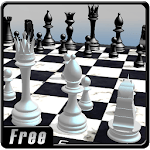
Chess 3D Free is an exciting digital adaptation of the classic game of chess. It allows you to enjoy a three-dimensional experience on your device. The graphics are immersive, offering a lifelike feel to the age-old game. Chess 3D Free is designed for both beginners and seasoned players who love chess.
One of the most appealing features of Chess 3D Free is its stunning visuals. The three-dimensional board and pieces are beautifully rendered, providing an engaging and almost tangible chess-playing experience. When you move your pieces, it feels like you are playing on a real chessboard.
Chess 3D Free is very user-friendly. The interface is simple, making it easy for anyone to navigate and start playing. The game smoothly transitions between moves and gives a seamless experience, from start to finish. Even if you are new to digital chess games, you will find it easy to get started with Chess 3D Free.
Playing chess is not just about fun; it’s also a great way to keep your mind sharp. Chess 3D Free offers a brilliant way to improve your strategic thinking and problem-solving skills. With each game, you challenge your brain to think ahead and plan your moves carefully.
Chess 3D Free is perfect for playing on the go. Whether you are waiting for a bus or relaxing at home, you can easily start a game. The convenience of playing chess on your device makes it a great way to spend your free time.
Chess 3D Free is a game that people of all ages can enjoy. Kids can learn the basics of chess in a fun and engaging way, while adults can enjoy a more strategic game. The game adjusts to different skill levels, ensuring that everyone has a challenging and enjoyable experience.
Chess 3D Free offers both relaxation and excitement. The calm background and smooth gameplay help in reducing stress. It’s a wonderful way to unwind after a long day. The engaging tactical battles between the pieces add a thrill to the peaceful game environment.
Chess 3D Free is more than just a game; it’s a mental exercise and a delightful way to pass the time. The stunning visuals, user-friendly interface, and mental benefits make it a must-try. Whether you are a seasoned chess player or a beginner, Chess 3D Free offers a fantastic chess-playing experience. Enjoy the game, sharpen your mind, and have fun!
Yes, you can run Chess 3D free on PC, but first, you will need emulator software installed on your Windows or MAC, which you can download for free. In the below video, you will find Chess 3D free in action. Before you install the emulator, check out the minimum and recommended system requirements to run it seamlessly. They may change depending on which version of the emulator you choose. Therefore, we recommend you download the latest version of the emulator. Below you will find three free Android emulators that we have shortlisted based on their popularity:
Up to date graphics drivers from Microsoft or the chipset vendor.
Storage: 1 GB available under installation path, 1.5GB available hard drive space
Internet: Broadband Internet connection
Regardless of which Android emulator you install, the steps to install, configure, and running the Chess 3D free app on PC are the same.