
Published by elPatrixF
Updated June 15, 2026
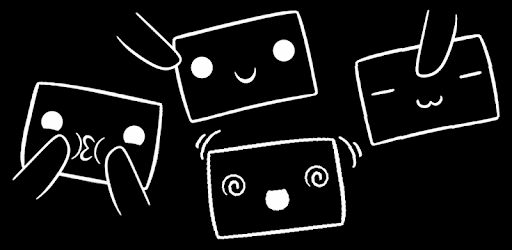
A cute kawaii face app~ You can poke it, squeeze it, rub it, shake it... OuO
| Version | 1.611 |
| Size | 14.0 MB |
| What's New | Minor bug fixes and improvements. Install or update to the newest version to check it out! |
OuO is an Android app developed and published by elPatrixF at Google Play Store on Apr 28, 2014 for Android users. OuO is so popular that it has gained 1000000 installs so far and growing.
Are you ready to experience the cutest app ever? Look no further than OuO, a game that will make your heart melt with its adorable characters and delightful gameplay. Get ready to dive into a world of emotions and madness that will keep you entertained for hours on end.
OuO is all about cuteness overload. From the moment you start playing, you'll be greeted by the most adorable characters that will make you go "aww" with their charming expressions. The game is designed to bring a smile to your face and brighten up your day.
But OuO is more than just a game. It's a stress reliever that you can turn to whenever you need a little pick-me-up. Whether you're feeling lonely or have something to share but no one to listen, OuO is here to keep you company and put a smile on your face.
One of the best things about OuO is its interactive features. The characters in the game react to your actions, making the experience even more engaging. For example, if you leave your phone for a while, OuO will show that they're lonely, tugging at your heartstrings and reminding you to come back and play.
Additionally, OuO offers a variety of tricks and surprises that you can discover as you play. From blinking eyes to different facial expressions, there's always something new to explore and enjoy. The game is designed to keep you entertained and captivated every step of the way.
The developers of OuO value your feedback and suggestions. They are constantly working to improve the game and make it even more enjoyable for players. If you have any ideas or suggestions, feel free to share them with the team. They are always open to new ideas and love hearing from their players.
Some popular suggestions from players include OuO reacting to low battery notifications, the ability to set OuO as a live wallpaper, and having OuO play around when you put them down. The developers take these suggestions seriously and are always looking for ways to enhance the game based on player feedback.
Currently, OuO does not have the ability to react to low battery notifications. However, the developers are considering this suggestion and may implement it in future updates.
At the moment, OuO cannot be set as a live wallpaper. But the developers are aware of this request and are exploring the possibility of adding this feature in the future.
While OuO doesn't currently play around when you put them down, the developers are actively working on adding more interactive elements to the game. Keep an eye out for future updates!
In conclusion, OuO is a game that will capture your heart with its cuteness and keep you entertained for hours. With its interactive features and charming characters, it's no wonder why players can't get enough of this adorable app. So why wait? Download OuO now and let the cuteness overload begin!
Yes, you can run OuO on PC, but first, you will need emulator software installed on your Windows or MAC, which you can download for free. In the below video, you will find OuO in action. Before you install the emulator, check out the minimum and recommended system requirements to run it seamlessly. They may change depending on which version of the emulator you choose. Therefore, we recommend you download the latest version of the emulator. Below you will find three free Android emulators that we have shortlisted based on their popularity:
Up to date graphics drivers from Microsoft or the chipset vendor.
Storage: 1 GB available under installation path, 1.5GB available hard drive space
Internet: Broadband Internet connection
Regardless of which Android emulator you install, the steps to install, configure, and running the OuO app on PC are the same.