Published by Blockman Go Studio
Updated April 10, 2026
The best multiplayer PVP building server. Creating freely in your world!
| Version | 1.9.32.2 |
| Size | 197.0 MB |
| What's New | What's new in 1.9.32.21.Game optimizated2.Fix bugs |
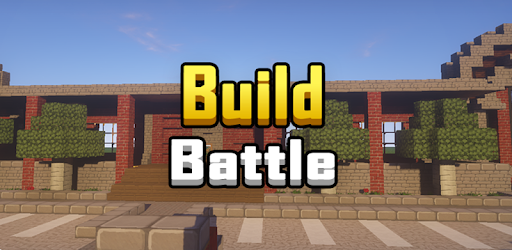
Build Battle is an Android app developed and published by Blockman Go Studio at Google Play Store on Sep 6, 2018 for Android users. Build Battle is so popular that it has gained 17065126 installs so far and growing.
Are you ready to unleash your creativity and show off your building skills? Look no further than Build Battle, the ultimate app that allows you to construct amazing structures and compete against players from all around the world. With its user-friendly interface and endless possibilities, this game is guaranteed to provide hours of entertainment and fun.
Build Battle is the perfect game for those who love to build and create. Whether you're a fan of building blocks or have a passion for origami, this app offers a wide range of tools and materials to bring your imagination to life. From towering skyscrapers to intricate sculptures, the only limit is your creativity.
With a simple and intuitive interface, Build Battle allows players of all ages to easily navigate through the game and start building right away. The controls are smooth and responsive, ensuring a seamless gaming experience that will keep you hooked for hours on end.
One of the most exciting features of Build Battle is the competitive aspect. Show off your building skills and compete against players from all over the world in thrilling multiplayer battles. Can you outbuild your opponents and secure the top spot?
Each round presents a new challenge, pushing you to think outside the box and come up with unique and innovative designs. The adrenaline rush of racing against the clock and seeing your creation come to life is truly exhilarating.
The developers behind Build Battle are committed to providing the best gaming experience possible. They regularly release updates and improvements to ensure that players have access to new features, blocks, and tools.
Listening to the feedback from the community, the developers have made it a priority to address any bugs or issues that may arise. This dedication to constant improvement ensures that players can enjoy a seamless and enjoyable gaming experience.
To download Build Battle, simply visit your app store and search for "Build Battle". Click on the download button and wait for the app to install on your device. Once installed, you can start building and competing right away.
Yes, Build Battle can be played on multiple devices. Simply log in with your account credentials, and you can access your progress and creations from any device.
Yes, Build Battle offers in-app purchases that allow you to unlock additional blocks, tools, and customization options. These purchases are optional and not necessary to enjoy the game.
Practice makes perfect! The more you play Build Battle, the better you will become at building. Experiment with different materials, techniques, and styles to expand your creativity and improve your skills.
Build Battle requires an internet connection to play. This ensures that you can compete against other players in real-time and stay connected with the vibrant community.
So what are you waiting for? Dive into the exciting world of Build Battle and let your imagination run wild. Download the app now and start building your way to victory!
Yes, you can run Build Battle on PC, but first, you will need emulator software installed on your Windows or MAC, which you can download for free. In the below video, you will find Build Battle in action. Before you install the emulator, check out the minimum and recommended system requirements to run it seamlessly. They may change depending on which version of the emulator you choose. Therefore, we recommend you download the latest version of the emulator. Below you will find three free Android emulators that we have shortlisted based on their popularity:
Up to date graphics drivers from Microsoft or the chipset vendor.
Storage: 1 GB available under installation path, 1.5GB available hard drive space
Internet: Broadband Internet connection
Regardless of which Android emulator you install, the steps to install, configure, and running the Build Battle app on PC are the same.