
Published by WorkJam, Inc.
Updated November 29, 2025
Hourly Work and Shift Management
| Version | 2026.1.15 |
| Size | 40.8 MB |
| What's New | Thanks for using WorkJam! We regularly update the app to keep things running smoothly. This update includes bug fixes and performance improvements to enhance your experience. |
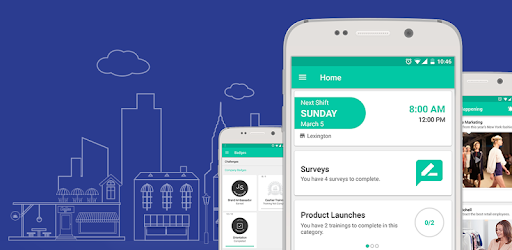
WorkJam is an Android app developed and published by WorkJam, Inc. at Google Play Store on Sep 3, 2015 for Android users. WorkJam is so popular that it has gained 1287894 installs so far and growing.
WorkJam is a powerful tool designed to make work scheduling and communication easier for employees. It's a one-stop solution for viewing schedules, handling timecards, and accessing work directives, contributing to a better-informed and more efficient work environment.
One of the standout features of WorkJam is its ability to streamline the work scheduling process. Everything you need is right there in the app, making it incredibly easy to navigate and keep track of your work schedule. This functionality ensures that you always know when you're expected to work, which helps you manage your time effectively.
Another great aspect of WorkJam is its focus on improving communication among co-workers. By providing a platform where employees can communicate easily, the app fosters a more collaborative and informed work environment. This not only improves team dynamics but also enhances productivity, as important information is readily accessible.
WorkJam ensures that employees have access to the latest work directives and announcements. This feature is especially important during busy seasons like the holidays, allowing employees to stay prepared and informed before starting their sales day. With real-time updates, you're always in the loop, which is crucial for delivering excellent customer service and meeting management's expectations.
The support team behind WorkJam is known for their quick and efficient responses. If you encounter any issues, rest assured that they are ready to assist and resolve your problems promptly. This level of support ensures that any disruptions are minimal, allowing you to get back to work without significant downtime.
While WorkJam has a lot to offer, it’s not without its challenges. Some users have reported issues with viewing their schedules and accessing timecards due to server errors or crashes. However, the app's developers are proactive in addressing these issues, often releasing updates to fix bugs and improve performance. This commitment to continuous improvement is a testament to the app's reliability and the team's dedication to providing a seamless experience.
WorkJam prides itself on being user-friendly, with a clean and intuitive interface. Everything is designed to be easy to find and use, making it a suitable tool regardless of your tech-savviness. This simplicity in design ensures that you can focus on your work rather than struggling with complicated software.
The app works well across different devices, though there have been isolated issues with specific models like the Galaxy S10. The developers are consistently swift in addressing these device-specific bugs, often resolving issues within a day. This quick turnaround time speaks volumes about their commitment to user satisfaction.
In summary, WorkJam is an invaluable tool for anyone looking to simplify their work schedule management and improve communication within their team. Its user-friendly design, real-time updates, and efficient support make it a must-have for a smoother and more productive work experience.
Yes, you can run WorkJam on PC, but first, you will need emulator software installed on your Windows or MAC, which you can download for free. In the below video, you will find WorkJam in action. Before you install the emulator, check out the minimum and recommended system requirements to run it seamlessly. They may change depending on which version of the emulator you choose. Therefore, we recommend you download the latest version of the emulator. Below you will find three free Android emulators that we have shortlisted based on their popularity:
Up to date graphics drivers from Microsoft or the chipset vendor.
Storage: 1 GB available under installation path, 1.5GB available hard drive space
Internet: Broadband Internet connection
Regardless of which Android emulator you install, the steps to install, configure, and running the WorkJam app on PC are the same.