Published by Drakeet
Updated March 26, 2026
Fast, safe, at any time, never lose content, Markdown, super reliable
| Version | 27.8.5 |
| Size | 26.7 MB |
| What's New | * For the latest update log, please check Changelog in the Settings screen• Add Save as Word .docx• Support PureWriterDesktop• AI Writing Assistant & Copilot• Free Cloud Sync• Unlimited Words for a single chapter• Auto-complete for paired symbols• Deleting symbols in pairs• Synchronized Animating soft keyboard• Smooth Cursor!• Support Enter ⏎ to jump out of blue input block• Read-only Mode: double-clicking to place cursor• Faster launching, silky smooth writing experience |
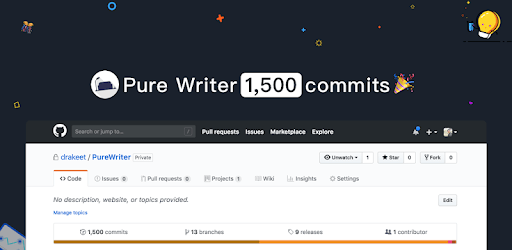
Pure Writer - Never Lose Content Editor is an Android app developed and published by Drakeet at Google Play Store on Jul 4, 2017 for Android users. Pure Writer - Never Lose Content Editor is so popular that it has gained 2208996 installs so far and growing.
Are you tired of losing your precious notes and writings? Look no further, because Pure Writer - Never Lose Content Editor is here to save the day! This incredible app has revolutionized the way we write and keep our thoughts organized. Whether you're a professional author, poet, or simply someone who loves to jot down ideas, Pure Writer is the perfect companion for all your writing needs.
Pure Writer offers a plethora of features that make it stand out from the crowd. From its user-friendly interface to its excellent organization capabilities, this app has it all. One of the standout features is its fail-free backups, ensuring that you never lose a single word of your precious content. Whether you accidentally click back, turn off your phone, or even switch devices, Pure Writer has your back.
Additionally, Pure Writer automatically backs up your work to the cloud, providing an extra layer of security. You can rest assured that even if you lose your phone or encounter any technical issues, all your content will be safely stored in the cloud, ready to be accessed whenever you need it.
The developers of Pure Writer are dedicated to providing the best writing experience possible. They constantly update the app, adding new features and improving existing ones. This commitment to excellence ensures that Pure Writer remains at the forefront of writing apps, catering to the evolving needs of writers.
Whether you're writing a book, a poem, or a script, Pure Writer has got you covered. Its specifically designed features for writing books make it the go-to app for professional authors. Even if you choose to be a free user, Pure Writer still offers an amazing writing experience with its extensive range of features.
The user experience of Pure Writer is unparalleled. Its smooth and clutter-free interface allows you to focus solely on your writing, without any distractions. The app's organization features are also top-notch, making it incredibly easy to navigate through your books and articles.
Furthermore, Pure Writer allows you to customize your writing experience. While the basic version offers a great experience, upgrading to the pro version unlocks even more options and settings. You can personalize your text color, choose from different backgrounds, and make the app truly your own.
Yes, Pure Writer automatically syncs your content to the cloud, allowing you to access it from any device.
Currently, Pure Writer is only available for Android devices. However, the developers may consider expanding to iOS in the future.
Yes, Pure Writer counts emojis as two words when you're writing with them. This can be a fun and unique feature to enhance your writing experience.
At the moment, Pure Writer does not have a direct feature to save a book as a text document. However, you can export your content and save it in various formats for easy sharing and backup.
The developers are constantly working on improving Pure Writer, and they may consider adding sub-folders and syno-antonyms suggestions in future updates.
Don't miss out on the ultimate writing experience. Download Pure Writer - Never Lose Content Editor today and unleash your creativity!
Yes, you can run Pure Writer - Never Lose Content Editor on PC, but first, you will need emulator software installed on your Windows or MAC, which you can download for free. In the below video, you will find Pure Writer - Never Lose Content Editor in action. Before you install the emulator, check out the minimum and recommended system requirements to run it seamlessly. They may change depending on which version of the emulator you choose. Therefore, we recommend you download the latest version of the emulator. Below you will find three free Android emulators that we have shortlisted based on their popularity:
Up to date graphics drivers from Microsoft or the chipset vendor.
Storage: 1 GB available under installation path, 1.5GB available hard drive space
Internet: Broadband Internet connection
Regardless of which Android emulator you install, the steps to install, configure, and running the Pure Writer - Never Lose Content Editor app on PC are the same.