Published by Mr Duy
Updated May 28, 2026
Pascal editor and compiler for Android
| Version | 6.0.0 |
| Size | 11.3 MB |
| What's New | Minor bug fixes and improvements. Install or update to the newest version to check it out! |
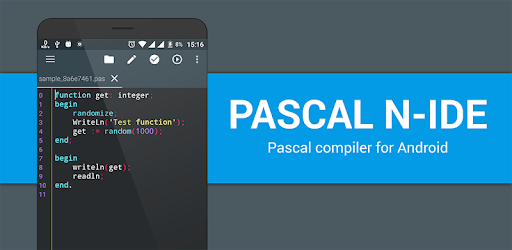
Pascal N-IDE - Editor And Compiler - Programming is an Android app developed and published by Mr Duy at Google Play Store on Feb 26, 2017 for Android users. Pascal N-IDE - Editor And Compiler - Programming is so popular that it has gained 2421292 installs so far and growing.
Welcome to the world of mobile coding with Pascal N-IDE, the ultimate tool for programming in Pascal directly from your phone. This application is an excellent choice for both beginner and seasoned developers who want to code on the go. Designed to be user-friendly and convenient, Pascal N-IDE brings the power of Pascal programming to your fingertips.
Pascal N-IDE is incredibly easy to use, making it the perfect companion for learning and practicing Pascal coding. You don't need a laptop anymore; with this app, you can code straight from your phone. The interface is intuitive, so you can dive right into your projects with no hassle.
The app boasts a variety of features that enhance your programming experience. One of the most appreciated is the color coding, which makes reading and writing code much easier and more organized. Plus, you can create and open source code files anytime and anywhere, making it extremely flexible for your daily coding needs.
Pascal N-IDE is designed to be simple and straightforward. Even if you are new to programming, you’ll find this tool easy to navigate. The app walks you through the basics of Pascal coding, ensuring you get an educational yet enjoyable experience. The ease of switching between projects and files on your phone cannot be understated. It offers a new level of convenience for mobile coding enthusiasts.
The developers of Pascal N-IDE are committed to improving the application, continuously adding new features and fixing issues. Whether you're waiting for more templates or better integration for Android app creation, you can expect ongoing updates that cater to your needs. The inclusion of community feedback ensures that the app evolves to meet the demands of its users.
While the current features are impressive, Pascal N-IDE is still growing. There's a call for additional Android sample templates and better support for creating .aab or .apk files. Moreover, handling certain functions and specific integer operations may occasionally present issues, but these are continually being addressed by the development team.
Imagine the freedom of carrying your Pascal projects in your pocket! Pascal N-IDE allows you to code whenever inspiration strikes, without being tied down to your laptop. Whether you are commuting or simply away from home, you can work on your coding projects without missing a beat.
Pascal N-IDE also stands out for its engaging and interactive design. The app not only lets you write and compile code but also makes sure you enjoy the process. The vibrant interface and easy navigation contribute to a productive and enjoyable coding experience.
If you are passionate about Pascal and want a reliable tool that you can use anytime and anywhere, Pascal N-IDE is the perfect choice. Start your mobile coding journey with Pascal N-IDE and enjoy a seamless, powerful, and portable programming experience.
Yes, you can run Pascal N-IDE - Editor And Compiler - Programming on PC, but first, you will need emulator software installed on your Windows or MAC, which you can download for free. In the below video, you will find Pascal N-IDE - Editor And Compiler - Programming in action. Before you install the emulator, check out the minimum and recommended system requirements to run it seamlessly. They may change depending on which version of the emulator you choose. Therefore, we recommend you download the latest version of the emulator. Below you will find three free Android emulators that we have shortlisted based on their popularity:
Up to date graphics drivers from Microsoft or the chipset vendor.
Storage: 1 GB available under installation path, 1.5GB available hard drive space
Internet: Broadband Internet connection
Regardless of which Android emulator you install, the steps to install, configure, and running the Pascal N-IDE - Editor And Compiler - Programming app on PC are the same.