Published by Supersonic Software
Updated April 14, 2026
Tired of slow internet connection which keeps on getting dropped? Time to boost!
| Version | 4.2.0 |
| Size | 14.2 MB |
| What's New | Minor bug fixes and improvements. Install or update to the newest version to check it out! |
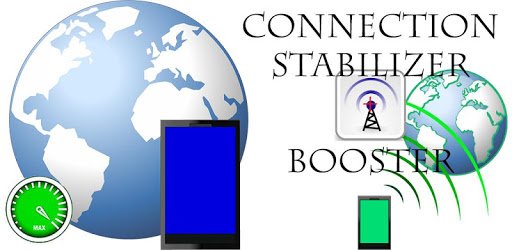
Connection Stabilizer Booster is an Android app developed and published by Supersonic Software at Google Play Store on Apr 8, 2014 for Android users. Connection Stabilizer Booster is so popular that it has gained 5000000 installs so far and growing.
Living in an area with poor signal service can be frustrating, especially when you're constantly struggling to stay connected. But fear not, because Connection Stabilizer Booster is here to save the day! This excellent app is designed to enhance your signal strength and ensure a stable connection, even in the most challenging areas.
With its simple and user-friendly interface, Connection Stabilizer Booster is incredibly easy to operate. All you have to do is turn it on and let it run its magic. No complicated settings or technical knowledge required. It's a hassle-free solution that anyone can use.
But what makes Connection Stabilizer Booster truly amazing is its ability to improve not only your cellular signal but also your WiFi connection. Say goodbye to dropped calls and slow internet speeds. This app has got you covered.
Whether you're at home, at work, or on the go, Connection Stabilizer Booster ensures that you stay connected to the internet. It's a must-have app for anyone who wants to enjoy a seamless browsing experience, no matter where they are in the world.
And it's not just limited to one country. Connection Stabilizer Booster works its magic in many countries, making it a reliable companion for frequent travelers or those living in areas with limited connectivity options.
Slow internet speeds can be a real buzzkill, especially when you're trying to download games, stream videos, or browse the web. But with Connection Stabilizer Booster, you can say goodbye to buffering and hello to lightning-fast speeds.
Don't take our word for it. Users have reported significant improvements in their mobile data speed, with some experiencing speeds up to 210mbps! And if you're using your phone as a hotspot, you'll be amazed at how fast your laptop can connect, reaching speeds of 50mbps to 90mbps.
Share the Love
If you're blown away by Connection Stabilizer Booster's performance, why not share it with your friends and family? Let them enjoy the benefits of high-speed internet too. It's a small gesture that can make a big difference in their lives.
Connection Stabilizer Booster has earned the trust of many users who rely on it to keep their signal strong and stable. Whether you're struggling with an unstable WiFi signal or need a boost in your mobile data, this app has got your back.
And it's not just limited to one device or carrier. Users have reported success with various phone brands and different carriers, making it a versatile solution for all.
Connection Stabilizer Booster is a game-changer for anyone who struggles with poor signal service. With its easy-to-use interface, reliable performance, and ability to boost both WiFi and mobile data, it's a must-have app for staying connected in today's fast-paced world.
Connection Stabilizer Booster optimizes your device's signal strength, ensuring a stable and reliable connection. It works by fine-tuning your network settings and enhancing your signal reception.
Absolutely! Connection Stabilizer Booster is designed to boost both WiFi and mobile data signals. Say goodbye to weak WiFi signals and hello to a seamless browsing experience.
Yes, Connection Stabilizer Booster is compatible with various phone brands and models. Whether you're using an Android or iOS device, you can enjoy the benefits of a stronger and more stable signal.
Connection Stabilizer Booster works in many countries, making it a reliable companion for frequent travelers or those living in areas with limited connectivity options. However, it's always recommended to check for compatibility in your specific location.
Absolutely! Connection Stabilizer Booster is a free app that you can share with your loved ones. Spread the word and let them experience the benefits of a boosted signal.
Yes, you can run Connection Stabilizer Booster on PC, but first, you will need emulator software installed on your Windows or MAC, which you can download for free. In the below video, you will find Connection Stabilizer Booster in action. Before you install the emulator, check out the minimum and recommended system requirements to run it seamlessly. They may change depending on which version of the emulator you choose. Therefore, we recommend you download the latest version of the emulator. Below you will find three free Android emulators that we have shortlisted based on their popularity:
Up to date graphics drivers from Microsoft or the chipset vendor.
Storage: 1 GB available under installation path, 1.5GB available hard drive space
Internet: Broadband Internet connection
Regardless of which Android emulator you install, the steps to install, configure, and running the Connection Stabilizer Booster app on PC are the same.