Published by Codemasters Software Company Ltd
Updated April 12, 2026
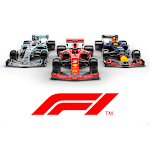
Take your place in the world’s biggest motorsport with F1® Mobile Racing.
| Version | 5.4.11 |
| Size | 1.5 GB |
| What's New | Update 31 is here and it is fully focused on bug fixing and new events for you all to enjoy! We listened to the amazing feedback we received from our 5th anniversary event and have made some changes to our upcoming events we hope you will all love! Speaking of events, we have a whole host of themed events just around the corner, starting with our Christmas Event! But wait, this time there is an extra special twist waiting for you on track, jump in game now to find out! |
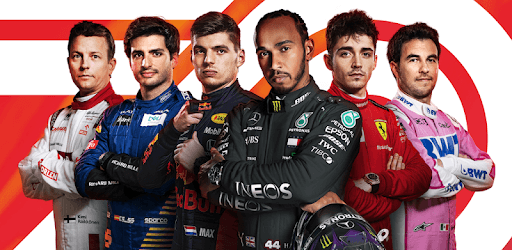
F1 Mobile Racing is an Android app developed and published by Codemasters Software Company Ltd at Google Play Store on Nov 22, 2018 for Android users. F1 Mobile Racing is so popular that it has gained 13108816 installs so far and growing.
Are you a fan of high-speed racing? Look no further because F1 Mobile Racing is here to satisfy your need for speed. This exhilarating game brings the thrill of Formula 1 racing right to your fingertips, allowing you to experience the excitement of the track wherever you go. With its realistic graphics and engaging gameplay, F1 Mobile Racing is truly the best F1 game available for mobile devices.
Step into the driver's seat and prepare for an adrenaline-fueled adventure. F1 Mobile Racing offers a unique blend of realism and arcade-style gameplay, giving you the best of both worlds. The game's stunning graphics and attention to detail make you feel like you're actually on the track, while its intuitive controls ensure that you can easily navigate through the twists and turns of each race.
Whether you're a seasoned racing enthusiast or a casual gamer, F1 Mobile Racing has something for everyone. The game offers a progressive system that keeps you engaged and motivated to keep playing. As you progress through the game, you'll unlock new tracks, cars, and upgrades, allowing you to continuously improve your racing skills.
What's better than racing against the clock? Racing against your friends, of course! F1 Mobile Racing lets you challenge your friends in thrilling head-to-head races. Imagine the excitement of going wheel-to-wheel with your buddies as you compete for the top spot on the leaderboard. It's the perfect way to show off your skills and prove that you're the fastest driver around.
But that's not all. F1 Mobile Racing also offers online duels, where you can test your mettle against players from around the world. It's a true test of skill and strategy as you strive to outmaneuver your opponents and claim victory. And don't worry, the game is designed to be fair and balanced, so you won't need to spend a fortune on in-game purchases to have a shot at winning.
The developers of F1 Mobile Racing are committed to delivering the best gaming experience possible. With each update, they listen to player feedback and make improvements to the game. From optimizing graphics to enhancing the gameplay mechanics, the team behind F1 Mobile Racing is dedicated to providing a top-notch racing experience.
And speaking of updates, F1 Mobile Racing has some exciting features in the pipeline. Players can look forward to an offline mode, where they can practice different tracks at their own pace. Additionally, a new multiplayer mode is in the works, allowing more than two players to compete against each other. These upcoming additions will further enhance the already immersive and engaging gameplay of F1 Mobile Racing.
No, F1 Mobile Racing is not a pay-to-win game. While there are in-game purchases available, they are not necessary to succeed in the game. Skill and strategy are the key factors in winning races, and the game is designed to provide a fair and balanced playing field for all players.
Currently, F1 Mobile Racing requires an internet connection to play. However, the developers are working on introducing an offline mode, where players can practice different tracks without the need for an internet connection.
Yes, the developers have plans to introduce a new multiplayer mode that will allow more than two players to compete against each other. This exciting addition will provide even more opportunities for thrilling races and intense competition.
Absolutely! F1 Mobile Racing offers the option to challenge your friends in head-to-head races. Show off your skills and see who can claim the title of the fastest driver among your group.
Yes, the developers are constantly working on improving the game based on player feedback. From optimizing graphics to enhancing gameplay mechanics, they are dedicated to providing the best possible gaming experience for F1 Mobile Racing players.
In conclusion, F1 Mobile Racing is the ultimate racing game for phones and iPads. With its immersive racing experience, engaging multiplayer modes, and continuous improvements, it offers an unparalleled gaming experience for all racing enthusiasts. So buckle up, rev your engines, and get ready for the ride of a lifetime!
Yes, you can run F1 Mobile Racing on PC, but first, you will need emulator software installed on your Windows or MAC, which you can download for free. In the below video, you will find F1 Mobile Racing in action. Before you install the emulator, check out the minimum and recommended system requirements to run it seamlessly. They may change depending on which version of the emulator you choose. Therefore, we recommend you download the latest version of the emulator. Below you will find three free Android emulators that we have shortlisted based on their popularity:
Up to date graphics drivers from Microsoft or the chipset vendor.
Storage: 1 GB available under installation path, 1.5GB available hard drive space
Internet: Broadband Internet connection
Regardless of which Android emulator you install, the steps to install, configure, and running the F1 Mobile Racing app on PC are the same.