Published by Shooter Studio
Updated November 10, 2025
Exciting offline shooting game!
| Version | 3.1.0 |
| Size | 68.9 MB |
| What's New | !!NOTICE: Please use Cloud Save to backup your save data before update.The best zombie shooting game!【NEW】Add a new weapon: BloodBone【FIX】Improve performance.【FIX】Other minor bug fix.Special thanks to the guys who help us a lot in this version.Don't forget give 5 star to encourage us, more update on the way! |
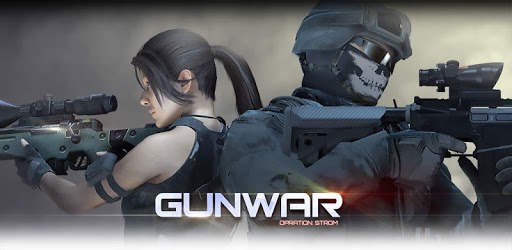
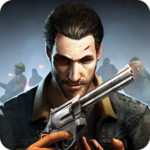
Gun War: Shooting Games is an Android app developed and published by Shooter Studio at Google Play Store on Apr 10, 2017 for Android users. Gun War: Shooting Games is so popular that it has gained 5000000 installs so far and growing.
Gun War: Shooting Games offers a thrilling and engaging experience for anyone who loves action-packed shooting games. It's packed with features that make it a standout in the genre, and there are many reasons why players find it so appealing.
One of the first things you'll notice about Gun War: Shooting Games is its amazing graphics. The game boasts high-quality visuals that bring the action to life. Whether you're in the midst of a heated battle or exploring different maps, the graphics make the experience all the more immersive.
The gameplay in Gun War: Shooting Games is fast-paced and thrilling. From the moment you start playing, you're thrust into intense action. The game controls are easy to learn, making it accessible for players of all ages. You can jump right into the action without a steep learning curve.
In Gun War: Shooting Games, there is a wide array of guns you can use. Each weapon has a distinct feel, adding variety to the gameplay. While some players feel that the cost of guns and upgrades are on the higher side, the overall experience remains satisfying. The thrill of unlocking new weapons and upgrading them adds to the game's long-term appeal.
A standout feature of Gun War: Shooting Games is its offline mode. This allows you to enjoy the game anytime and anywhere, without the need for an internet connection. Whether you're on the go or just looking to save data, the offline mode is incredibly convenient.
Gun War: Shooting Games also offers team-based play, where you can join forces with three other players. Teaming up can make the game even more exciting, as you strategize and work together to complete missions. The collaborative gameplay adds depth and keeps you coming back for more.
While Gun War: Shooting Games is already a fantastic game, there's always room for improvement. Players have suggested features like added maps, more missions, and increased control over characters. These additions could make the game even more dynamic and engaging.
Overall, Gun War: Shooting Games is a must-try for anyone who enjoys shooting games. Its high-quality graphics, exciting gameplay, and wide range of weapons make it a standout choice. The ability to play offline and with a team adds even more to its appeal. Give Gun War: Shooting Games a try, and immerse yourself in the thrilling world of action-packed battles.
Yes, you can run Gun War: Shooting Games on PC, but first, you will need emulator software installed on your Windows or MAC, which you can download for free. In the below video, you will find Gun War: Shooting Games in action. Before you install the emulator, check out the minimum and recommended system requirements to run it seamlessly. They may change depending on which version of the emulator you choose. Therefore, we recommend you download the latest version of the emulator. Below you will find three free Android emulators that we have shortlisted based on their popularity:
Up to date graphics drivers from Microsoft or the chipset vendor.
Storage: 1 GB available under installation path, 1.5GB available hard drive space
Internet: Broadband Internet connection
Regardless of which Android emulator you install, the steps to install, configure, and running the Gun War: Shooting Games app on PC are the same.