Published by astragon Entertainment GmbH
Updated March 20, 2026
Conquer the highways of the USA with original trucks by Kenworth and Mack.
| Version | 1.7 |
| Size | 811.2 MB |
| What's New | • NEW MAP UPDATE: Western Territory• 7 new cities• New missions• Performance optimizations• Bugfixes for story missions• Bugfix for Company Driver Management• Major and minor bugfixes for level design issues |
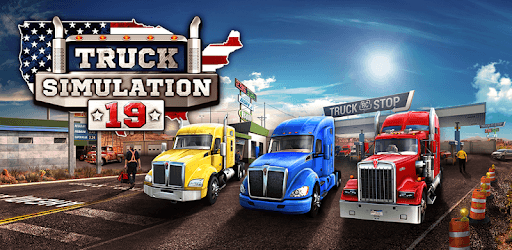
Truck Simulation 19 is an Android app developed and published by astragon Entertainment GmbH at Google Play Store on Nov 14, 2018 for Android users. Truck Simulation 19 is so popular that it has gained 6022152 installs so far and growing.
Are you ready to hit the road and experience the excitement of being a truck driver? Look no further than Truck Simulation 19, the ultimate truck game that will keep you entertained for hours on end. With its stunning graphics, realistic physics, and endless possibilities, this game is a must-have for all truck enthusiasts.
Truck Simulation 19 offers a wide range of features that will immerse you in the world of trucking. From driving various truck models to exploring different cities and completing challenging missions, there is never a dull moment in this game. Whether you prefer long-haul journeys or short trips, this game has it all.
One of the standout features of Truck Simulation 19 is the ability to customize your truck. With a variety of options, including different paint jobs, accessories, and even mods, you can truly make your truck your own. Feel the power of the engine as you cruise down the highway in a truck that reflects your personal style.
One of the things that sets Truck Simulation 19 apart from other truck games is its realistic gameplay. The physics engine accurately simulates the weight and handling of the trucks, making every turn and maneuver feel authentic. You'll have to navigate tight corners, manage your speed, and be mindful of your cargo to ensure a successful delivery.
But it's not just about the driving. In Truck Simulation 19, you'll also have the opportunity to manage your own trucking company. Hire drivers, expand your fleet, and watch your business grow. It's a whole new level of immersion that adds depth and complexity to the game.
Truck Simulation 19 is a game that keeps on giving. With regular updates and new content, you'll never run out of things to do. Whether you're completing missions, exploring new cities, or simply enjoying the freedom of the open road, there's always something to keep you engaged and entertained.
And if you're looking for even more excitement, Truck Simulation 19 allows you to add mods to the game. From new trucks to additional customization options, mods give you the freedom to tailor the game to your preferences and make it truly unique.
No, Truck Simulation 19 is currently only available for PC and consoles.
Yes, Truck Simulation 19 offers a variety of missions, including taxi missions in different cities.
Absolutely! Truck Simulation 19 allows you to customize your truck with different paint jobs, accessories, and mods.
Yes, the game features realistic physics and gameplay mechanics that accurately simulate the experience of driving a truck.
Yes, Truck Simulation 19 allows you to hire drivers and expand your fleet, giving you the opportunity to run your own trucking business.
Experience the thrill of the open road and become a truck driver in Truck Simulation 19. With its realistic gameplay, endless possibilities, and regular updates, this game is a must-play for all truck enthusiasts. Get behind the wheel and start your trucking adventure today!
Yes, you can run Truck Simulation 19 on PC, but first, you will need emulator software installed on your Windows or MAC, which you can download for free. In the below video, you will find Truck Simulation 19 in action. Before you install the emulator, check out the minimum and recommended system requirements to run it seamlessly. They may change depending on which version of the emulator you choose. Therefore, we recommend you download the latest version of the emulator. Below you will find three free Android emulators that we have shortlisted based on their popularity:
Up to date graphics drivers from Microsoft or the chipset vendor.
Storage: 1 GB available under installation path, 1.5GB available hard drive space
Internet: Broadband Internet connection
Regardless of which Android emulator you install, the steps to install, configure, and running the Truck Simulation 19 app on PC are the same.