World's Biggest Crossword for PC

World's Biggest Crossword for PC

Published by AppyNation Ltd.

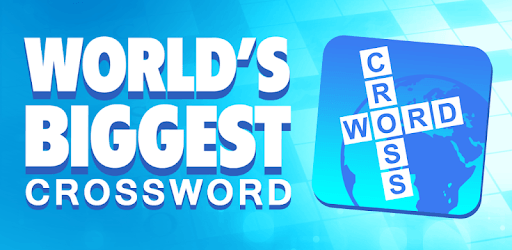
Solve thousands of clues in the biggest and best crossword puzzle ever!

What's New

Version4.7.1
Size130.3 MB
What's New4.7.1
Bug Fixes

4.7
Massive update!

We've added over 1,000 new puzzles.

- 361 more 'World's Biggest' puzzles
- 100 more Daily Diamond puzzles
- 100 more 'World's Tallest' puzzles
- 100 more Cryptograms puzzles
- 100 more Seven Words puzzles
- 100 more Codewords puzzles
- 100 more Word Grid puzzles
- 100 more Quote Falls puzzles
- Lots more Daily Themed Puzzles

Also, look out for out new 'Jigsaw' events - running monthly!

World's Biggest Crossword Screenshots

World's Biggest Crossword PC screenshot

About World's Biggest Crossword For PC

World's Biggest Crossword is an Android app developed and published by AppyNation Ltd. at Google Play Store on Oct 29, 2014 for Android users. World's Biggest Crossword is so popular that it has gained 910108 installs so far and growing.

World's Biggest Crossword: A Dive into the Addictive Puzzle Game

Are you a fan of traditional crossword puzzles? Do you love solving clues that make you think, but without the need to know current pop culture? If so, World's Biggest Crossword is a game that might just become your next favorite past-time.

Engaging and Addictive Gameplay

World's Biggest Crossword sets itself apart with its more traditional approach to crossword clues. You won't need to be up-to-date on the latest TV shows, movies, or celebrities. Instead, this game offers you regular crossword clues that test your knowledge in various topics.

The mix of topics in each puzzle keeps the game interesting, and it’s easy to get hooked. The game is designed in a way that makes it easy to get involved and advance through levels quickly. You'll find yourself achieving levels and rewards that motivate you to keep going.

Easy to Access Tokens and Rewards

One of the delightful aspects of World's Biggest Crossword is how simple it is to earn free tokens. These tokens can be used to unlock clues, making the game more accessible. While watching a video, you might only get one green token, but that doesn’t diminish the fun and challenge the game provides.

The blend of crossword and word search puzzles adds variety to your experience. Each type of puzzle stimulates your brain differently, keeping you engaged. Whether you finish one or more puzzles in the morning to kickstart your day, or play it leisurely in the evening, the game adapts to your lifestyle.

Challenges and Updates

Like any game, World's Biggest Crossword isn't without its challenges. Some players have faced issues with updates that can cause the game to not open properly on certain devices. Despite these hurdles, the appealing gameplay and frequent updates keep many players loyal. The developers are proactive and are continuously working on fixes to improve the user experience.

Occasionally, you may encounter minor hiccups, like puzzles that say "complete the current chapter" without clear instructions. These moments can be frustrating, but usually, a bit of patience or seeking help online can solve the issue.

A Brain-Boosting Experience

This game isn't just about fun; it's also a great way to keep your mind sharp. The right balance of difficulty in the clues helps make it challenging enough without being overwhelming. The thrill of completing a challenging puzzle not only gives you a sense of accomplishment but also exercises your brain.

A Must-Play Crossword Game

World's Biggest Crossword is an app that has captured the interest of many puzzle enthusiasts. With its blend of different puzzles, ease of earning rewards, and traditional style clues, it offers something for everyone. Whether you are a long-time crossword lover or new to puzzles, this game is worth trying out. The challenge and fun it brings make it a standout in the world of crossword games.

Can I run World's Biggest Crossword on PC?

Yes, you can run World's Biggest Crossword on PC, but first, you will need emulator software installed on your Windows or MAC, which you can download for free. In the below video, you will find World's Biggest Crossword in action. Before you install the emulator, check out the minimum and recommended system requirements to run it seamlessly. They may change depending on which version of the emulator you choose. Therefore, we recommend you download the latest version of the emulator. Below you will find three free Android emulators that we have shortlisted based on their popularity:

How to Install World's Biggest Crossword on Windows PC

BlueStacks

Minimum
  • OS: Microsoft Windows 7 and above.
  • Processor: Intel or AMD Processor.
  • RAM: Your PC must have at least 4GB of RAM. (Note that having 4GB or more disk space is not a substitute for RAM)
  • Storage: 5GB Free Disk Space.
  • You must be an Administrator on your PC.
Recommended:
  • OS: Microsoft Windows 10
  • Processor: Intel or AMD Multi-Core Processor with Single Thread benchmark score > 1000.
  • Graphics: Intel/Nvidia/ATI, Onboard or Discrete controller with benchmark score >= 750.
  • Please ensure Virtualization is enabled on your PC/Laptop.
  • RAM: 8GB or higher
  • Storage: SSD (or Fusion/Hybrid Drives)
  • Internet: Broadband connection to access games, accounts and related content.

Up to date graphics drivers from Microsoft or the chipset vendor.

  • To start with, download Bluestacks from its official website. The latest version of BluesStacks is v 5, and it is around 400 MB.
  • Once the download is done, click on the Bluestacks set up file to install it on your Windows PC. Follow the on-screen instructions and install it accordingly.
  • The next step is to launch the emulator using the desktop shortcut and sign in using your Google account.
  • Now, head over to Bluestacks home screen and click on the Google Play Store icon.
  • Hit the search bar in Google Play and search for World's Biggest Crossword.
  • Install World's Biggest Crossword from the Play Store by clicking the Install option, which completes downloading of World's Biggest Crossword on PC.

NoxPlayer

Minimum
  • Operating System: Windows XP SP3, Windows Vista, Windows 7, Windows 8, Windows 10, and DirectX 9.0c
  • Processor: At least dual-core processor, both Intel, and AMD are OK
  • Video: Supports Open GL 2.0 or above
  • Memory: 1.5 GB RAM
Recommended
  • Operating System: Windows 7, Windows 8, Windows 10
  • Processor: Multiple core processors which support VT-x or AMB-V Virtualization Technology, better performance with this function enabled
  • Video: The higher performance, the better
  • Memory: 4 GB RAM

Storage: 1 GB available under installation path, 1.5GB available hard drive space

Internet: Broadband Internet connection

  • Download NoxPlayer from the official website. The latest version of NoxPlayer is v 3, and it is around 600 MB.
  • Now install the emulator using the downloaded setup file. Just go through the on-screen instructions and install NoxPlayer on your computer or laptop.
  • After the installation process, launch the Nox Android emulator and log in using your Google account when it asks you.
  • Click on the Google Play Store icon and head over to the search bar to search World's Biggest Crossword. Once found, click on the Install button to install World's Biggest Crossword for PC.
  • If you do not find World's Biggest Crossword on Google Play Store or if you want to skip logging in to Google, you can sideload APK (download the .APK file from this page and open it with NoxPlayer).
  • Launch World's Biggest Crossword from home-screen and start playing it on PC right away!

MEmu

Minimum
  • 2 cores x86/x86_64 Processor (Intel or AMD CPU)
  • WinXP SP3 / Win7 / Win8 / Win10 (Not recommended to run on Server/Enterprise)
  • Latest Windows DirectX 11 / Graphics driver with OpenGL 2.0
  • Hardware Virtualization Technology (Intel VT-x/AMD-V) shall be enabled in BIOS
  • 2GB of RAM (4GB for x64 system)
  • 5GB of hard disk free space
Recommended
  • OS: Microsoft Windows 10 with VT Enabled
  • CPU: Single Thread PassMark score > 1500 (Intel/AMD Multi-Core).
  • Graphics: Intel/Nvidia/ATI, Onboard or Discrete controller with PassMark score > 750.
  • Latest Windows DirectX 11 / Graphics driver with OpenGL 4.5 or higher
  • RAM: 8GB or higher
  • HDD: SSD, 10GB of hard disk free space
  • Internet: Broadband connection with low latency for FPS games
  • Download MEmu Play from the official website. The latest version of NoxPlayer is v 7.5.
  • When the download is completed, install the MEmu emulator on your PC. Follow the on-screen instructions and keep on clicking the Next button until the final step.
  • Now, using the desktop shortcut, look for the MEmu Play emulator and launch it. Once done, it will ask you to log in using your Google account, proceed with the same.
  • MEmu Play will ask you to log in using your Google account. When you log in, it will sync your Google account to MEmu Play. Launch the Google Play Store by clicking on the icon and search for World's Biggest Crossword.
  • Click on the Install button once you find World's Biggest Crossword from the search results. You can also sideload APK (download the .APK file from this page and open it with MEmu) if you want to skip above step.
  • After the installation of World's Biggest Crossword, you're all set to use the app on PC!

Regardless of which Android emulator you install, the steps to install, configure, and running the World's Biggest Crossword app on PC are the same.
Download World's Biggest Crossword For PC