Published by Fanatee Games
Updated April 1, 2026
An innovative crossword gameplay that challenges you to solve puzzles
| Version | 2.7.0 |
| Size | 253.3 MB |
| What's New | Greetings, Earthlings!We’ve beamed in some shiny new updates straight from the heart of the CodyCross universe, and they’re ready to launch!- Your game notifications are getting a glow-up. We’ve fine-tuned them to make them even more relevant.- We’re rolling out general improvements to make CodyCross look even better and feel more fun to play.- We got rid of some bugs along the way.Come play and test your knowledge!Team Fanatee |
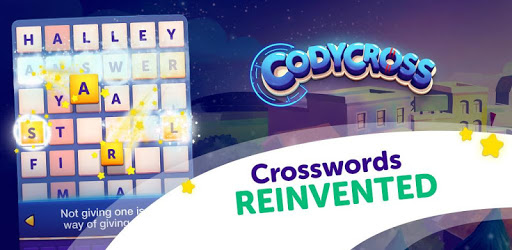
CodyCross: Crossword Puzzles is an Android app developed and published by Fanatee Games at Google Play Store on Apr 5, 2017 for Android users. CodyCross: Crossword Puzzles is so popular that it has gained 10000000 installs so far and growing.
CodyCross: Crossword Puzzles is a captivating game that offers endless fun and mental exercise. This game combines the best elements of traditional crosswords with an exciting twist. It invites players to solve clues and fill in the blanks, advancing through progressive levels that challenge their knowledge and skills.
The design of CodyCross ensures players remain engaged. The game features vibrant graphics and a colorful character, Cody, who guides players through each level. Each puzzle is thoughtfully crafted to be both entertaining and educational, making it an enjoyable experience for all ages.
One of the standout features of CodyCross is its ability to test your general knowledge. Players will encounter a wide array of topics, from history to pop culture. This makes it not only a fun pastime but also a great way to learn new information and stay mentally sharp. It’s perfect for those who love trivia and solving puzzles.
As players advance, the puzzles get more challenging. This progressive difficulty keeps the game interesting and rewarding. Whether you’re a novice or a seasoned puzzle-solver, you’ll find levels designed to test your wit and keep you thinking. This aspect of the game ensures it never gets boring.
Playing CodyCross regularly can help keep your mind alert and active. It’s an excellent tool for exercising your brain and improving cognitive function. This makes it ideal for anyone looking to stay mentally fit through an engaging and enjoyable activity.
CodyCross offers a user-friendly interface that is easy to navigate. However, it's worth noting that some players have faced challenges when it comes to ads and navigating back to the game. Despite these occasional hiccups, the overall user experience remains positive, with many finding the benefits far outweigh any minor annoyances.
CodyCross includes in-game rewards, providing players with incentives to keep going. Milestones like consecutive days played often come with congratulatory messages. While some may desire more tangible rewards, such as tokens or bundles, the sense of achievement still provides motivation to continue playing.
CodyCross can be played on both phones and tablets. While it may occasionally load a layout suited for smaller devices on larger screens, the developers often address these issues quickly to ensure an optimal experience for all players. This flexibility makes it accessible no matter what device you prefer.
The game allows for some customization, which can enhance your playing experience. However, the recent updates have caused some layout issues on larger screens. The developers seem to be responsive to such concerns, continually tweaking the game to better meet user needs.
Beyond its entertainment value, CodyCross offers significant educational benefits. The game covers an array of topics and encourages learning in a fun environment. It’s an excellent choice for both children and adults who want to broaden their knowledge while enjoying a game.
Including a variety of topics ensures players from different regions can enjoy and learn from the game. While primarily featuring US-centric content, there is always room for the inclusion of global topics, making the experience richer for everyone.
CodyCross is family-friendly, making it suitable for players of all ages. It’s a great game that families can enjoy together, promoting bonding and collective problem-solving. Children can benefit greatly, sharpening their spelling and vocabulary in a fun and interactive way.
Immerse yourself in the world of CodyCross: Crossword Puzzles. Discover the joy of solving puzzles, test your knowledge, and keep your mind sharp with this engaging and educational game.
Yes, you can run CodyCross: Crossword Puzzles on PC, but first, you will need emulator software installed on your Windows or MAC, which you can download for free. In the below video, you will find CodyCross: Crossword Puzzles in action. Before you install the emulator, check out the minimum and recommended system requirements to run it seamlessly. They may change depending on which version of the emulator you choose. Therefore, we recommend you download the latest version of the emulator. Below you will find three free Android emulators that we have shortlisted based on their popularity:
Up to date graphics drivers from Microsoft or the chipset vendor.
Storage: 1 GB available under installation path, 1.5GB available hard drive space
Internet: Broadband Internet connection
Regardless of which Android emulator you install, the steps to install, configure, and running the CodyCross: Crossword Puzzles app on PC are the same.