Published by Green Apple Studio
Updated April 12, 2026
QR code reader, barcode scanner and QR code generator
| Version | 1.29.01.1 |
| Size | 26.5 MB |
| What's New | - Improve qualty- Fix some minor bugs- Improve barcode generator |
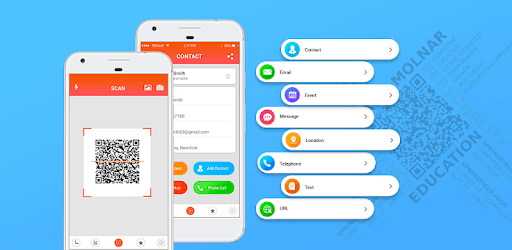
QR code reader is an Android app developed and published by Green Apple Studio at Google Play Store on May 24, 2018 for Android users. QR code reader is so popular that it has gained 1000000 installs so far and growing.
QR Code Reader is a fantastic tool designed to make your life easier. Whether you're dining at a modern restaurant with QR code menus or need to access a URL quickly, this app does the job expertly. It stands out with its fast and accurate readings, offering reliable performance every time.
One of the best features of QR Code Reader is how swiftly it captures and reads QR codes. With just a simple scan, the app vibrates and plays a sound to notify you that it has successfully captured the URL. This immediate feedback reassures users and confirms that the scan was successful without the need for additional steps.
QR Code Reader saves your scanning history, ensuring that you don't need to rescan barcodes repeatedly. This feature comes in handy when you need to refer back to a previously scanned code, adding a layer of convenience and efficiency for users.
The app strikes a balance with its ad integration. While ads are present, they are not overwhelmingly intrusive, allowing for a smooth and uninterrupted user experience. The interface is clean and straightforward, which makes navigation simple even for those who are not tech-savvy.
QR Code Reader doesn’t limit itself to just QR codes. It is compatible with most types of barcodes, making it a versatile tool for various scanning needs. Whether you’re dealing with products or digital menus, this app has got you covered.
Beyond just reading QR codes, the app also allows users to create their own custom QR codes. This feature is especially useful if you want to generate codes for personal or business use. You can easily save and share these custom QR codes, giving you flexibility and control over your information sharing.
The app's performance shines across various devices. Users of devices like the Samsung 8+ have reported flawless operation, ensuring that QR Code Reader is the reliable choice no matter what your device is. The quick response and efficient workings of the app suit all types of users.
Finding good-quality apps that are free and functional can be challenging. QR Code Reader breaks this trend by offering excellent performance without charging the user. This makes it a valuable tool in any smartphone user’s arsenal.
Unlike other apps that focus on flashy animations and intricate designs, QR Code Reader prioritizes speed and functionality. This simplicity ensures that scanning QR codes is a fast and smooth process, perfect for those who need quick results with no fuss.
QR Code Reader is a comprehensive solution for all your QR code and barcode scanning needs. It's user-friendly, fast, and reliable, making it a must-have for anyone looking to streamline their scanning processes.
Yes, you can run QR code reader on PC, but first, you will need emulator software installed on your Windows or MAC, which you can download for free. In the below video, you will find QR code reader in action. Before you install the emulator, check out the minimum and recommended system requirements to run it seamlessly. They may change depending on which version of the emulator you choose. Therefore, we recommend you download the latest version of the emulator. Below you will find three free Android emulators that we have shortlisted based on their popularity:
Up to date graphics drivers from Microsoft or the chipset vendor.
Storage: 1 GB available under installation path, 1.5GB available hard drive space
Internet: Broadband Internet connection
Regardless of which Android emulator you install, the steps to install, configure, and running the QR code reader app on PC are the same.