
Published by Duy Pham (MMLab)
Updated April 8, 2026
Best OCR Text Scanner app: highest accuracy, fastest speed and feature-rich!
| Version | 4.2.0 |
| Size | 5.5 MB |
| What's New | - Significantly improved the server detector quality (speed and accuracy)- Add more premium options with more flexible packages- Bug fixings and user experience enhancements |
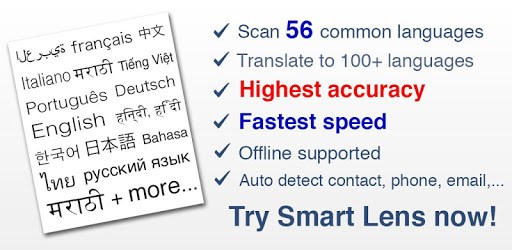
Smart Lens - OCR Text Scanner, QR code reader is an Android app developed and published by Duy Pham (MMLab) at Google Play Store on Oct 1, 2017 for Android users. Smart Lens - OCR Text Scanner, QR code reader is so popular that it has gained 500000 installs so far and growing.
Smart Lens - OCR Text Scanner, QR code reader is a highly acclaimed app that has garnered positive reviews from users all around the world. With its exceptional features and user-friendly interface, this app has become a go-to solution for all your text scanning and QR code reading needs. Whether you're a student, teacher, or professional, this app is designed to make your life easier and more efficient.
One of the standout features of Smart Lens is its incredible OCR (Optical Character Recognition) performance. The app's ability to recognize and capture text, even handwritten text, is truly remarkable. Users have reported that Smart Lens can accurately capture up to 98% of text, making it one of the most reliable OCR apps available.
Furthermore, Smart Lens offers an automatic mode that works seamlessly offline. This means that you can search for text without using mobile data, making it a convenient option for users on the go. The system reader is also highly efficient, ensuring that you can access your scanned text effortlessly.
Smart Lens is designed to be user-friendly and accessible to all. The app's simple interface allows for easy navigation, making it a breeze to scan and extract text from photos. Additionally, the app offers a subscription plan that is highly affordable, ensuring that users can enjoy the full benefits of Smart Lens without breaking the bank.
Whether you're a student or a professional, Smart Lens is an indispensable tool for online classes, exams, and everyday tasks. With its ability to convert text from photos, this app is a game-changer for those who need to work with different languages or translate documents.
Smart Lens sets itself apart from other OCR apps with its unique features and functionality. One of the standout features is the ability to divide OCR results, allowing for one-click copy of individual parts of the scan. This eliminates the need for the standard 'copy/paste' routine, making it quick and efficient to make adjustments to PDF files.
Additionally, Smart Lens offers a torch feature, ensuring that users can capture clear and accurate scans even in low-light conditions. This feature is particularly useful for students and teachers who need to scan text from books or documents.
At the moment, Smart Lens is only available for Android devices. However, the developers are actively working on creating an iOS version to cater to a wider audience.
Smart Lens boasts an impressive accuracy rate of up to 98% for recognizing and capturing text, including handwritten text. Users have praised its unmatched performance in accurately converting text from various sources.
Absolutely! Smart Lens offers an automatic mode that works 100% offline. This means that you can search for text without using mobile data, making it a convenient option for users who are constantly on the move.
Smart Lens offers a free version with limited usage. However, for users who require unlimited access and additional features, there is a subscription plan available at a highly affordable price.
Overall, Smart Lens - OCR Text Scanner, QR code reader is a must-have app for anyone in need of reliable text scanning and QR code reading capabilities. With its unmatched accuracy, user-friendly interface, and unique features, this app is a game-changer in the world of OCR technology. Download Smart Lens today and experience the convenience and efficiency it brings to your daily tasks!
Yes, you can run Smart Lens - OCR Text Scanner, QR code reader on PC, but first, you will need emulator software installed on your Windows or MAC, which you can download for free. In the below video, you will find Smart Lens - OCR Text Scanner, QR code reader in action. Before you install the emulator, check out the minimum and recommended system requirements to run it seamlessly. They may change depending on which version of the emulator you choose. Therefore, we recommend you download the latest version of the emulator. Below you will find three free Android emulators that we have shortlisted based on their popularity:
Up to date graphics drivers from Microsoft or the chipset vendor.
Storage: 1 GB available under installation path, 1.5GB available hard drive space
Internet: Broadband Internet connection
Regardless of which Android emulator you install, the steps to install, configure, and running the Smart Lens - OCR Text Scanner, QR code reader app on PC are the same.






![Text Scanner [OCR] icon](https://cdn.desktoptwo.com/img/com.peace.TextScanner-logo.png)