Published by YKART
Updated March 26, 2026
QR Code Generator
| Version | 1.5.83 |
| Size | 10.5 MB |
| What's New | - Support box style in scanner page |
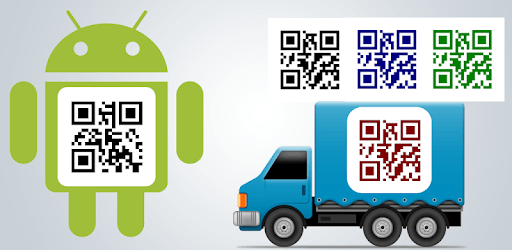
QR Code Generator is an Android app developed and published by YKART at Google Play Store on Jan 13, 2012 for Android users. QR Code Generator is so popular that it has gained 4837966 installs so far and growing.
Have you ever needed to create a quick and simple QR code? Look no further than the QR Code Generator. This fantastic app is designed to make generating QR codes a breeze. With its user-friendly interface and efficient functionality, it's the perfect tool for personal, business, or any other need.
One of the standout features of QR Code Generator is its simplicity. The app does exactly what it promises - it generates QR codes and stores them in a list within the app. No complicated steps, just straightforward and easy-to-use features. Plus, it doesn't bombard you with ads, making the experience even more pleasant.
If you're looking for a tool that only asks permission for what it truly needs and avoids unnecessary access to your data, QR Code Generator is perfect. This focus on privacy is a significant plus, especially in an age where many apps seek more permissions than necessary.
Another great perk is that QR Code Generator is highly versatile. For example, you can create a QR code for your social media pages, business contact information, or even custom messages. Once you generate a QR code, simply scan it with your phone to open the link in your browser. It's that easy!
For business purposes, QR Code Generator shines brightly. Imagine creating a QR code for your business card. When scanned, it can directly save your contact information to the client's phone, minimizing the chance of errors. This seamless integration helps streamline the process and ensures that your details are stored accurately.
Customization is key, and QR Code Generator doesn't disappoint. You can create multiple QR codes in minutes and even add background images from your gallery. This helps make your QR codes not only functional but also visually appealing. Whether you need a basic design or something more creative, this app provides the flexibility you need.
Another appealing aspect is how well QR Code Generator functions across different devices. Whether you're using it on your mobile phone or another platform, the app offers a smooth experience. This versatility ensures you can create and use QR codes wherever you go.
QR Code Generator is incredibly easy to use. Within minutes of installing the app, you can create multiple QR codes. The process is straightforward: type in the information you want to encode, choose any customization options, and save the QR code. It's productivity at its finest.
All in all, QR Code Generator is an excellent tool for anyone needing quick and efficient QR code creation. With its user-friendly interface, high level of customization, and strong focus on privacy, it's clear why this app has become a favorite among its users. Keep creating and enjoy the convenience QR Code Generator brings to your fingertips!
Yes, you can run QR Code Generator on PC, but first, you will need emulator software installed on your Windows or MAC, which you can download for free. In the below video, you will find QR Code Generator in action. Before you install the emulator, check out the minimum and recommended system requirements to run it seamlessly. They may change depending on which version of the emulator you choose. Therefore, we recommend you download the latest version of the emulator. Below you will find three free Android emulators that we have shortlisted based on their popularity:
Up to date graphics drivers from Microsoft or the chipset vendor.
Storage: 1 GB available under installation path, 1.5GB available hard drive space
Internet: Broadband Internet connection
Regardless of which Android emulator you install, the steps to install, configure, and running the QR Code Generator app on PC are the same.