Published by appfour
Become an expert Android app developer with AIDE - the IDE for Android
| Version | 3.2.210316 |
| Size | 40.1 MB |
| What's New | New: Support for Api level 30Older changesNew: Support for Chromebooks |
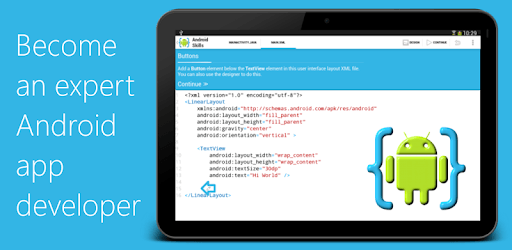
AIDE- IDE for Android Java C++ is an Android app developed and published by appfour at Google Play Store on Feb 28, 2012 for Android users. AIDE- IDE for Android Java C++ is so popular that it has gained 1000000 installs so far and growing.
Are you looking for a powerful app that will help you learn programming and develop amazing apps right from your phone? Look no further than AIDE- IDE for Android Java C++. This incredible app has been a game-changer for aspiring programmers and experienced developers alike. Let's dive into what makes AIDE so special and why it continues to be a favorite among the programming community.
Back in 2016, when I had no access to a computer, AIDE came to my rescue. It allowed me to learn programming and embark on my coding journey right from my phone. Fast forward to today, and AIDE is still proving to be an invaluable tool for programmers of all levels.
With AIDE, you can do anything you want and practice programming without the need for a laptop or computer. This flexibility is truly a game-changer, especially for those who may not have access to traditional coding resources. Whether you're a beginner or an experienced developer, AIDE empowers you to unleash your programming potential.
AIDE offers a wide range of powerful features that make app development a breeze. The paid version, which I have been using for the past 5 years, provides even more advanced capabilities. I have developed numerous apps with the help of this IDE, and it has never let me down.
One of the standout features of AIDE is its lightweight and fast performance. Unlike other development tools like Android Studio, AIDE doesn't slow you down. It allows you to prototype your apps directly on your phone, taking advantage of its power and performance. This is especially advantageous for those whose phones are more powerful than their laptops.
Furthermore, AIDE's intuitive interface makes it easy to navigate and work on your projects. Whether you're a seasoned developer or just starting out, you'll find AIDE to be user-friendly and intuitive, allowing you to focus on what matters most: coding.
While AIDE has been a reliable companion for many years, it's important to note that the app hasn't received updates recently. Some users have reported issues with Android 11 compatibility and layout errors when using certain references. However, it's worth mentioning that these problems are likely due to Google's security updates rather than any fault of AIDE itself.
As we navigate through these challenging times, it is my hope that AIDE receives renewed investment and development. The potential of this app is immense, and with the right support, it can continue to be the go-to choice for Android developers worldwide.
AIDE offers both a free version and a paid version. While the free version provides a range of features, some advanced capabilities are only available in the paid version.
AIDE is primarily focused on Android app development. While it may not offer specific features for creating an entire operating system, you can certainly use it to develop various applications within the Android ecosystem.
Currently, AIDE primarily supports Java and C++. While Kotlin support is not available at the moment, it would be a great addition to the app in the future.
Unfortunately, AIDE does not have a built-in option to disable auto-rotate. However, you can try adjusting the settings on your device to prevent auto-rotation while using the app.
If you encounter an NDK error, it is recommended to reach out to AIDE's support team for assistance. They will be able to provide you with the necessary guidance to resolve the issue.
In conclusion, AIDE- IDE for Android Java C++ is a must-have tool for anyone interested in programming and app development. Its versatility, powerful features, and user-friendly interface make it a top choice among developers. While there may be some compatibility issues with recent Android updates, the potential of AIDE is undeniable. So why wait? Download AIDE today and take your coding skills to new heights!
Yes, you can run AIDE- IDE for Android Java C++ on PC, but first, you will need emulator software installed on your Windows or MAC, which you can download for free. In the below video, you will find AIDE- IDE for Android Java C++ in action. Before you install the emulator, check out the minimum and recommended system requirements to run it seamlessly. They may change depending on which version of the emulator you choose. Therefore, we recommend you download the latest version of the emulator. Below you will find three free Android emulators that we have shortlisted based on their popularity:
Up to date graphics drivers from Microsoft or the chipset vendor.
Storage: 1 GB available under installation path, 1.5GB available hard drive space
Internet: Broadband Internet connection
Regardless of which Android emulator you install, the steps to install, configure, and running the AIDE- IDE for Android Java C++ app on PC are the same.