Published by Adveractive, Inc.
Updated May 8, 2026
Play America’s favorite daily newspaper puzzle in a marvelous app, JUST JUMBLE!
| Version | 10.1.4 |
| Size | 218.0 MB |
| What's New | Maintenance UpdateWe've also put in a couple of performance enhancements to make your play experience even better!Thank you for playing! |
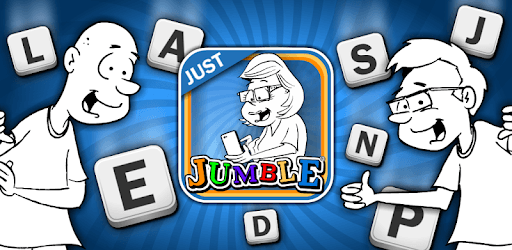
Just Jumble is an Android app developed and published by Adveractive, Inc. at Google Play Store on May 20, 2014 for Android users. Just Jumble is so popular that it has gained 452920 installs so far and growing.
Are you ready to challenge your brain and have a blast at the same time? Look no further than Just Jumble, the app that brings back the classic word game you know and love. Whether you're a long-time fan or new to the Jumble craze, this app is guaranteed to keep you entertained for hours on end.
Just Jumble has been described as exceptional, fun, and habit-forming by countless players. It's no wonder why - the game offers a variety of ways to keep your mind sharp and your spelling skills on point. From unjumbling words to solving clever punny puzzles, every level presents a new and exciting challenge.
One of the most engaging aspects of Just Jumble is its simplicity. Unlike other games that involve competition or raiding other players' camps, this app focuses solely on unscrambling letters and solving puzzles. It's a refreshing change of pace that allows you to fully immerse yourself in the joy of wordplay.
For those who remember the days of receiving a newspaper at their doorstep, Just Jumble is a nostalgic trip down memory lane. The app captures the essence of the classic Jumble puzzles found in newspapers, evoking a sense of nostalgia and fondness for simpler times.
Many players have shared their personal stories of how Jumble was a part of their childhood. Some recall their 4th-grade teacher using Jumble words as a reward system, where solving the word(s) earned them small candy bars and the chance to be first in line for the week. Just Jumble not only brings back the joy of solving puzzles but also instills a love for reading and writing.
If you're a fan of puns and language twisting, Just Jumble is the perfect app for you. The game is filled with clever puns that will have you chuckling and scratching your head at the same time. With each passing day, you'll find yourself getting better at recognizing the puns and appreciating the clever wordplay.
But Just Jumble isn't just about the puzzles - it's about having a great time. The developers behind the app understand the importance of relaxation and enjoyment. There's no time pressure or need to rush through levels. All you need is a desire for a great time, and Just Jumble delivers.
One of the biggest advantages of Just Jumble compared to its newspaper counterpart is the endless supply of puzzles. While newspapers may only publish one Jumble per day, this app allows you to play to your heart's content. Say goodbye to waiting for the next day's puzzle and hello to non-stop entertainment.
With its user-friendly interface and quick learning curve, Just Jumble ensures that you can dive right into the game without any hassle. The ads are minimal and don't disrupt the gameplay experience. You'll find yourself fully immersed in the world of Jumble, solving puzzles and enjoying every moment.
Absolutely! Just Jumble is a game that can be enjoyed by players of all ages. It's a great way to keep your mind sharp and have fun at the same time.
Yes, you can play Just Jumble offline. Whether you're on a long flight or in an area with no internet connection, you can still enjoy the game to your heart's content.
While Just Jumble is free to download and play, there is an option to unlock additional content by making in-app purchases. However, these purchases are completely optional and not necessary to enjoy the game.
Absolutely! Just Jumble encourages you to share the joy of solving puzzles with others. Whether it's a groaner or a hilarious pun, feel free to spread the laughter and challenge your friends and family.
New puzzles are added regularly to keep the game fresh and exciting. Just Jumble is committed to providing its players with a never-ending supply of brain-teasing challenges.
So what are you waiting for? Download Just Jumble now and embark on a wordplay adventure like no other. Get ready to unscramble letters, solve punny puzzles, and have a blast!
Yes, you can run Just Jumble on PC, but first, you will need emulator software installed on your Windows or MAC, which you can download for free. In the below video, you will find Just Jumble in action. Before you install the emulator, check out the minimum and recommended system requirements to run it seamlessly. They may change depending on which version of the emulator you choose. Therefore, we recommend you download the latest version of the emulator. Below you will find three free Android emulators that we have shortlisted based on their popularity:
Up to date graphics drivers from Microsoft or the chipset vendor.
Storage: 1 GB available under installation path, 1.5GB available hard drive space
Internet: Broadband Internet connection
Regardless of which Android emulator you install, the steps to install, configure, and running the Just Jumble app on PC are the same.