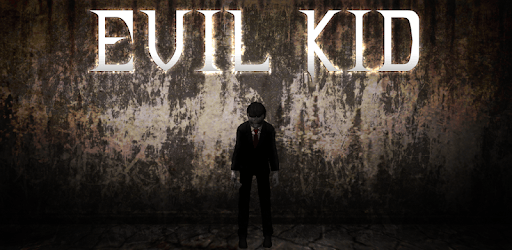
Evil Kid - The Horror Game for PC

Evil Kid - The Horror Game for PC

Published by Bonobo Games

Updated May 8, 2026

Solve the puzzles and try to escape the house of the Evil Kid.

What's New

Version1.4.6.1
Size148.7 MB
What's NewEvil Doll can crawl again.Made Evil Doll smarter by updating the AI.Made the pet smarter by updating the AI.Added Arabic, Spanish, Russian and Simplified Chinese translations.Updated some cut scenes slightly.Fixed a whole lot of bugs.Updated the shop layout.Added new skins.Updated the lighting.Fixed multiple bugs.

Evil Kid - The Horror Game Screenshots

Evil Kid - The Horror Game PC screenshot

About Evil Kid - The Horror Game For PC

Evil Kid - The Horror Game is an Android app developed and published by Bonobo Games at Google Play Store on May 10, 2019 for Android users. Evil Kid - The Horror Game is so popular that it has gained 100000 installs so far and growing.

Evil Kid - The Horror Game: A Thrilling Adventure Awaits

Looking for a bone-chilling gaming experience? Look no further than Evil Kid - The Horror Game. This game has captivated the hearts of horror enthusiasts around the world, offering a unique and immersive gameplay that will keep you on the edge of your seat. With its recent update, Evil Kid has taken the gaming world by storm, introducing new rooms and exciting features that will leave you craving for more.

A Trip Down Memory Lane

Evil Kid - The Horror Game takes you back to the good old days, reminding you of the excitement and thrill you felt as a child. The game's eerie atmosphere and spine-tingling gameplay will transport you to a time when you were just a kid, playing games with your siblings during the holidays. It's a nostalgic journey that will make you feel both scared and comforted at the same time.

Endless Fun and Challenges

With its simple layout and intuitive controls, Evil Kid offers a gameplay that is easy to grasp yet difficult to master. The game allows you to tease the doll, throw objects, and run and hide to escape its clutches. The puzzles and escape challenges will keep you engaged for hours on end, making Evil Kid one of the best horror escape games out there.

Unleash Your Inner Detective

As you navigate through the game, you may find yourself wondering about the purpose of certain elements. Some players have raised questions about the need for a name and the possibility of multiplayer features. While the game's developers have not explicitly addressed these queries, they have left room for speculation and imagination. It's up to you to uncover the secrets and hidden depths of Evil Kid - The Horror Game.

A Visual Spectacle

One of the standout features of Evil Kid is its stunning graphics. The game boasts amazing visuals that create a truly immersive experience. The attention to detail and the atmospheric lighting add to the overall ambiance, making every moment spent in the game a feast for the eyes. Prepare to be amazed by the level of detail and realism that Evil Kid offers.

What Lies Ahead?

Evil Kid - The Horror Game has already established itself as a fan-favorite, but players are hungry for more. Some have suggested the introduction of different parts, similar to the popular game Granny. This would allow for a more extensive and diverse gameplay experience, keeping players engaged for even longer periods. Only time will tell what the future holds for Evil Kid, but one thing is for sure - the developers are committed to delivering an unforgettable horror adventure.

Frequently Asked Questions

1. Is Evil Kid - The Horror Game multiplayer?

While Evil Kid does not explicitly offer multiplayer features, some players have speculated about the possibility. The game's developers have remained tight-lipped about this aspect, leaving room for players to imagine the potential for multiplayer gameplay.

2. Can I play Evil Kid on my mobile device?

Absolutely! Evil Kid - The Horror Game is available for download on both Android and iOS devices. Immerse yourself in the terrifying world of Evil Kid wherever you go.

3. Are there any plans for future updates?

While the developers have not revealed their specific plans for future updates, they are dedicated to enhancing the gameplay and providing new and exciting features. Stay tuned for more spine-chilling adventures in the world of Evil Kid.

4. How can I solve the puzzles in Evil Kid?

Evil Kid is all about exploration and problem-solving. Pay close attention to your surroundings, interact with objects, and think outside the box. Each puzzle has a solution waiting to be discovered. Keep exploring, and you'll find your way out of the clutches of Evil Kid.

5. Can I expect more terrifying enemies in the game?

While Evil Kid currently features a doll as the main antagonist, players have suggested the addition of new enemies, such as an evil doll girl. This would add an extra layer of terror and variety to the gameplay. The developers are always open to feedback and suggestions, so who knows what horrors may await in the future?

Can I run Evil Kid - The Horror Game on PC?

Yes, you can run Evil Kid - The Horror Game on PC, but first, you will need emulator software installed on your Windows or MAC, which you can download for free. In the below video, you will find Evil Kid - The Horror Game in action. Before you install the emulator, check out the minimum and recommended system requirements to run it seamlessly. They may change depending on which version of the emulator you choose. Therefore, we recommend you download the latest version of the emulator. Below you will find three free Android emulators that we have shortlisted based on their popularity:

How to Install Evil Kid - The Horror Game on Windows PC

BlueStacks

Minimum
  • OS: Microsoft Windows 7 and above.
  • Processor: Intel or AMD Processor.
  • RAM: Your PC must have at least 4GB of RAM. (Note that having 4GB or more disk space is not a substitute for RAM)
  • Storage: 5GB Free Disk Space.
  • You must be an Administrator on your PC.
Recommended:
  • OS: Microsoft Windows 10
  • Processor: Intel or AMD Multi-Core Processor with Single Thread benchmark score > 1000.
  • Graphics: Intel/Nvidia/ATI, Onboard or Discrete controller with benchmark score >= 750.
  • Please ensure Virtualization is enabled on your PC/Laptop.
  • RAM: 8GB or higher
  • Storage: SSD (or Fusion/Hybrid Drives)
  • Internet: Broadband connection to access games, accounts and related content.

Up to date graphics drivers from Microsoft or the chipset vendor.

  • To start with, download Bluestacks from its official website. The latest version of BluesStacks is v 5, and it is around 400 MB.
  • Once the download is done, click on the Bluestacks set up file to install it on your Windows PC. Follow the on-screen instructions and install it accordingly.
  • The next step is to launch the emulator using the desktop shortcut and sign in using your Google account.
  • Now, head over to Bluestacks home screen and click on the Google Play Store icon.
  • Hit the search bar in Google Play and search for Evil Kid - The Horror Game.
  • Install Evil Kid - The Horror Game from the Play Store by clicking the Install option, which completes downloading of Evil Kid - The Horror Game on PC.

NoxPlayer

Minimum
  • Operating System: Windows XP SP3, Windows Vista, Windows 7, Windows 8, Windows 10, and DirectX 9.0c
  • Processor: At least dual-core processor, both Intel, and AMD are OK
  • Video: Supports Open GL 2.0 or above
  • Memory: 1.5 GB RAM
Recommended
  • Operating System: Windows 7, Windows 8, Windows 10
  • Processor: Multiple core processors which support VT-x or AMB-V Virtualization Technology, better performance with this function enabled
  • Video: The higher performance, the better
  • Memory: 4 GB RAM

Storage: 1 GB available under installation path, 1.5GB available hard drive space

Internet: Broadband Internet connection

  • Download NoxPlayer from the official website. The latest version of NoxPlayer is v 3, and it is around 600 MB.
  • Now install the emulator using the downloaded setup file. Just go through the on-screen instructions and install NoxPlayer on your computer or laptop.
  • After the installation process, launch the Nox Android emulator and log in using your Google account when it asks you.
  • Click on the Google Play Store icon and head over to the search bar to search Evil Kid - The Horror Game. Once found, click on the Install button to install Evil Kid - The Horror Game for PC.
  • If you do not find Evil Kid - The Horror Game on Google Play Store or if you want to skip logging in to Google, you can sideload APK (download the .APK file from this page and open it with NoxPlayer).
  • Launch Evil Kid - The Horror Game from home-screen and start playing it on PC right away!

MEmu

Minimum
  • 2 cores x86/x86_64 Processor (Intel or AMD CPU)
  • WinXP SP3 / Win7 / Win8 / Win10 (Not recommended to run on Server/Enterprise)
  • Latest Windows DirectX 11 / Graphics driver with OpenGL 2.0
  • Hardware Virtualization Technology (Intel VT-x/AMD-V) shall be enabled in BIOS
  • 2GB of RAM (4GB for x64 system)
  • 5GB of hard disk free space
Recommended
  • OS: Microsoft Windows 10 with VT Enabled
  • CPU: Single Thread PassMark score > 1500 (Intel/AMD Multi-Core).
  • Graphics: Intel/Nvidia/ATI, Onboard or Discrete controller with PassMark score > 750.
  • Latest Windows DirectX 11 / Graphics driver with OpenGL 4.5 or higher
  • RAM: 8GB or higher
  • HDD: SSD, 10GB of hard disk free space
  • Internet: Broadband connection with low latency for FPS games
  • Download MEmu Play from the official website. The latest version of NoxPlayer is v 7.5.
  • When the download is completed, install the MEmu emulator on your PC. Follow the on-screen instructions and keep on clicking the Next button until the final step.
  • Now, using the desktop shortcut, look for the MEmu Play emulator and launch it. Once done, it will ask you to log in using your Google account, proceed with the same.
  • MEmu Play will ask you to log in using your Google account. When you log in, it will sync your Google account to MEmu Play. Launch the Google Play Store by clicking on the icon and search for Evil Kid - The Horror Game.
  • Click on the Install button once you find Evil Kid - The Horror Game from the search results. You can also sideload APK (download the .APK file from this page and open it with MEmu) if you want to skip above step.
  • After the installation of Evil Kid - The Horror Game, you're all set to use the app on PC!

Regardless of which Android emulator you install, the steps to install, configure, and running the Evil Kid - The Horror Game app on PC are the same.


Download Evil Kid - The Horror Game For PC