Published by Derik DF
Updated May 28, 2026
Level make, Play, create, share and publish.
| Version | 14.0.0 |
| Size | 29.6 MB |
| What's New | * World 2* World 3* Unlock new Creator items by completing PLAY mode levels.* SHOP: get exclusive functions* Compatibility with older cell phones has been improved.* Few fixes. |
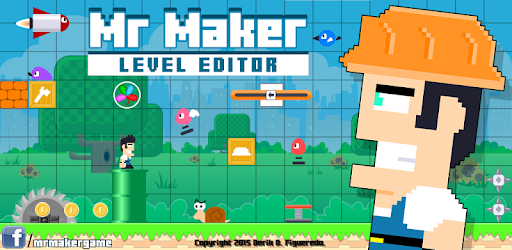
Mr Maker Level Editor is an Android app developed and published by Derik DF at Google Play Store on Aug 27, 2015 for Android users. Mr Maker Level Editor is so popular that it has gained 100000 installs so far and growing.
Are you a fan of platform games? Do you enjoy the thrill of creating your own levels and challenges? Look no further than Mr Maker Level Editor, a game that allows you to unleash your creativity and build your very own platform adventures. With its user-friendly interface and endless possibilities, this game is sure to keep you entertained for hours on end.
Mr Maker Level Editor offers a unique and exciting experience for players of all ages. Whether you're a seasoned gamer or new to the world of platform games, this app will captivate you with its endless possibilities. From designing intricate levels to customizing your own characters, the game allows you to let your imagination run wild.
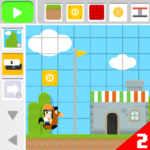
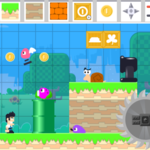
With a wide range of tools and features at your disposal, you can create challenging obstacles, unique enemies, and exciting power-ups. The intuitive level editor makes it easy to place platforms, design landscapes, and add interactive elements. The only limit is your imagination!
Once you've created your masterpiece, it's time to put it to the test. Mr Maker Level Editor allows you to play your own levels and share them with friends and other players from around the world. Challenge yourself to complete your own creations or try your hand at the countless levels created by the Mr Maker community.
Whether you prefer action-packed challenges or more relaxed gameplay, Mr Maker Level Editor has something for everyone. With its smooth controls and responsive gameplay, you'll be immersed in the world of platform gaming like never before.
A: Yes, Mr Maker Level Editor is available for both Android and iOS devices, ensuring that everyone can join in on the fun.
A: Absolutely! You can enjoy the game offline, allowing you to create and play levels anytime, anywhere.
A: While there may be occasional ads, you can easily turn off your wifi to prevent them from popping up during gameplay.
A: Yes, you can switch between different blocks in Mr Maker Level Editor. Simply follow the instructions provided in the game to unlock and use different types of blocks.
So what are you waiting for? Dive into the world of Mr Maker Level Editor and unleash your creativity today!
Yes, you can run Mr Maker Level Editor on PC, but first, you will need emulator software installed on your Windows or MAC, which you can download for free. In the below video, you will find Mr Maker Level Editor in action. Before you install the emulator, check out the minimum and recommended system requirements to run it seamlessly. They may change depending on which version of the emulator you choose. Therefore, we recommend you download the latest version of the emulator. Below you will find three free Android emulators that we have shortlisted based on their popularity:
Up to date graphics drivers from Microsoft or the chipset vendor.
Storage: 1 GB available under installation path, 1.5GB available hard drive space
Internet: Broadband Internet connection
Regardless of which Android emulator you install, the steps to install, configure, and running the Mr Maker Level Editor app on PC are the same.