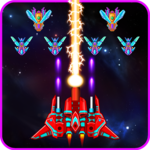
Published by Chicken Plannet
Updated May 31, 2026
Save the Earth from invading chickens!
| Version | 2.3.4 |
| Size | 93.9 MB |
| What's New | Minor bug fixes and improvements. Install or update to the newest version to check it out! |
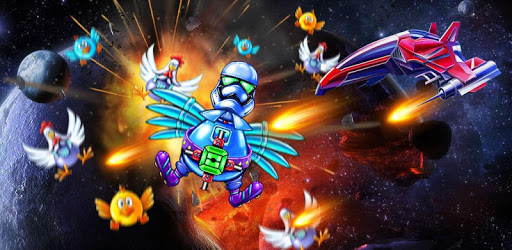
Chicken Shooter: Galaxy Attack is an Android app developed and published by Chicken Plannet at Google Play Store on Feb 4, 2018 for Android users. Chicken Shooter: Galaxy Attack is so popular that it has gained 1000000 installs so far and growing.
Are you looking for an exciting game that will keep you entertained for hours? Look no further than Chicken Shooter: Galaxy Attack! This game is perfect for both kids and adults, offering a thrilling gameplay experience that will leave you wanting more. With its easy controls and captivating levels, it's no wonder why this game has become a fan favorite. Let's dive into what makes Chicken Shooter: Galaxy Attack so special.
Chicken Shooter: Galaxy Attack offers a unique and immersive gameplay experience that will keep you hooked from the very first level. The game is designed to be challenging yet enjoyable, making it suitable for players of all skill levels. Whether you're a seasoned gamer or just starting out, you'll find yourself engrossed in the thrilling battles against the chicken invaders.
Each level presents a new set of challenges and enemies, pushing you to strategize and think on your feet. The game's difficulty gradually increases as you progress, ensuring that you're constantly engaged and never bored. It's the perfect game to test your reflexes and decision-making skills.
One of the best things about Chicken Shooter: Galaxy Attack is that it's a great time killer. Whether you have a few minutes to spare or want to spend hours immersed in the game, it's the perfect companion. The levels are short enough to be completed in a few minutes, allowing you to play during short breaks or while waiting for something.
Furthermore, the game's challenging nature means that you'll always have something to strive for. With each level you complete, you'll unlock new ships and power-ups, adding to the excitement and keeping you motivated to progress further. It's a game that never gets old, offering endless hours of entertainment.
A: Unlocking new ships in Chicken Shooter: Galaxy Attack can take some time, as they require a certain amount of coins. However, the game offers various opportunities to earn coins, such as completing levels and watching ads. With dedication and perseverance, you'll be able to unlock new ships and enhance your gameplay experience.
A: Unfortunately, once you win a stage and enter the celebration screen, you can't go back to the menu directly. However, you can simply close the game and reopen it to access the menu. The developers are constantly working on updates to improve the user experience, so keep an eye out for future enhancements.
A: Yes, Chicken Shooter: Galaxy Attack is available on both iOS and Android platforms. Whether you have an iPhone or an Android device, you can easily download and enjoy this thrilling game.
In conclusion, Chicken Shooter: Galaxy Attack is a must-play game for anyone seeking a fun and challenging gaming experience. With its captivating gameplay, endless levels, and the opportunity to unlock new ships, it's a game that will keep you entertained for hours on end. Download Chicken Shooter: Galaxy Attack today and embark on an intergalactic adventure like no other!
Yes, you can run Chicken Shooter: Galaxy Attack on PC, but first, you will need emulator software installed on your Windows or MAC, which you can download for free. In the below video, you will find Chicken Shooter: Galaxy Attack in action. Before you install the emulator, check out the minimum and recommended system requirements to run it seamlessly. They may change depending on which version of the emulator you choose. Therefore, we recommend you download the latest version of the emulator. Below you will find three free Android emulators that we have shortlisted based on their popularity:
Up to date graphics drivers from Microsoft or the chipset vendor.
Storage: 1 GB available under installation path, 1.5GB available hard drive space
Internet: Broadband Internet connection
Regardless of which Android emulator you install, the steps to install, configure, and running the Chicken Shooter: Galaxy Attack app on PC are the same.