Published by Anar Ibragimoff
Puzzle solitaire game for all ages.
| Version | 1.4.76.ai91.6 |
| Size | 13.7 MB |
| What's New | Android 14 support |
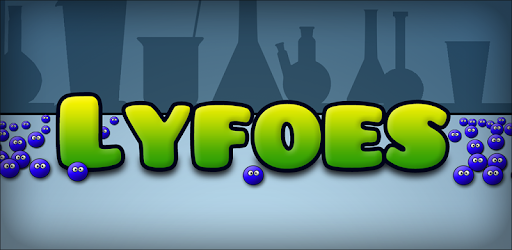
Lyfoes (free) is an Android app developed and published by Anar Ibragimoff at Google Play Store on May 25, 2014 for Android users. Lyfoes (free) is so popular that it has gained 20017010 installs so far and growing.
If you're a fan of puzzle games that test your problem-solving skills, then Lyfoes is the perfect game for you. With its challenging levels and addictive gameplay, this app will keep you entertained for hours on end. Whether you have a spare moment or want to relax after a long day, Lyfoes is the game to play.
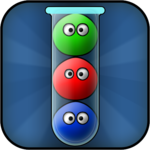
Lyfoes offers a unique and engaging gameplay experience. Each level presents you with a puzzle that you need to solve by guiding the cute little Lyfoes to their corresponding tubes. The puzzles start off easy, but as you progress, they become more challenging, keeping you hooked and motivated to solve each one.
One of the best features of Lyfoes is its ability to save your progress. You don't have to worry about losing your hard-earned achievements if you delete the game or switch devices. Simply reinstall the game, and you can pick up right where you left off, ensuring that all your past levels are still cleared.
Unlike many other games, Lyfoes doesn't bombard you with annoying ads or put unnecessary pressure on you to make in-app purchases. It's a game that focuses solely on providing you with a fun and enjoyable experience. You can play at your own pace, without any distractions or interruptions.
The developers of Lyfoes have created a game that truly understands the needs and preferences of its players. The absence of obtrusive ads and pay-to-win mechanics is a breath of fresh air in the gaming world.
Lyfoes surprises its players with fun and exciting updates. For example, on May 4th, the game added little stormtroopers, adding a touch of Star Wars-themed fun. The developers also have a sense of humor, as they made the balls square for April Fool's Day, only to return them to their original shape after midnight.
These little surprises and updates show that the Lyfoes team is dedicated to keeping the game fresh and enjoyable for its players. It's these small details that make the game even more engaging and entertaining.
Yes, Lyfoes allows you to save your progress. If you delete the game or switch devices, you can reinstall it and continue from where you left off.
Lyfoes provides hint options and scores. You can use the hint option to deduct points from your score if you need assistance in solving a level.
While the green level in Lyfoes is challenging, it is solvable. Keep trying different strategies and approaches, and you'll eventually find the solution.
No, Lyfoes doesn't have any obtrusive ads. You can enjoy the game without any interruptions or distractions.
Absolutely! Lyfoes is a perfect game to play while listening to podcasts or if you enjoy puzzle games in general. It provides a relaxing and enjoyable experience.
Overall, Lyfoes is a must-play game for puzzle enthusiasts. Its challenging levels, engaging gameplay, and dedication to player satisfaction make it a top choice for anyone looking for a fun and addictive puzzle game. Download Lyfoes now and embark on a puzzle-solving adventure!
Yes, you can run Lyfoes (free) on PC, but first, you will need emulator software installed on your Windows or MAC, which you can download for free. In the below video, you will find Lyfoes (free) in action. Before you install the emulator, check out the minimum and recommended system requirements to run it seamlessly. They may change depending on which version of the emulator you choose. Therefore, we recommend you download the latest version of the emulator. Below you will find three free Android emulators that we have shortlisted based on their popularity:
Up to date graphics drivers from Microsoft or the chipset vendor.
Storage: 1 GB available under installation path, 1.5GB available hard drive space
Internet: Broadband Internet connection
Regardless of which Android emulator you install, the steps to install, configure, and running the Lyfoes (free) app on PC are the same.