Published by Peak Games
Updated October 29, 2025
WELCOME TO THE FUNNIEST CARTOON PUZZLE ADVENTURE!
| Version | 23951 |
| Size | 226.3 MB |
| What's New | PLAY 50 NEW LEVELS! Toon Blast introduces the Hide and Sneak episode with 50 new levels! Be sure to update to the current version of Toon Blast for the newest content. Come and join the fun! |
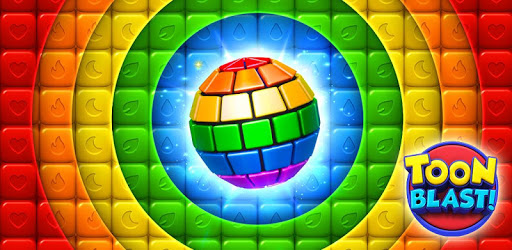
Toon Blast is an Android app developed and published by Peak Games at Google Play Store on Aug 25, 2017 for Android users. Toon Blast is so popular that it has gained 130372442 installs so far and growing.
If you're looking for a game filled with fun, challenge, and unmatched excitement, Toon Blast might just be your perfect match. This puzzle game never fails to entertain, offering a mix of engaging levels, colorful graphics, and a playful vibe. Its unique appeal keeps players hooked for hours, never letting the fun fade away.
Toon Blast offers a variety of levels that are both challenging and fun. As you move from one level to the next, you’ll notice that the difficulty increases gradually. This not only keeps things interesting but also tests your strategic thinking and problem-solving skills.
One of the standout features of Toon Blast is its ability to offer a challenging experience without making you feel frustrated. Even as the levels get tougher, the thrill of overcoming them makes every victory sweeter.
Characters in Toon Blast add a playful element to the game. With three crazy, animated characters guiding you through the game, the experience becomes even more enjoyable. These characters add a touch of humor and fun, making each level a delightful journey.
Graphics play a crucial role in Toon Blast, making it visually appealing. The bright, colorful visuals create an engaging environment that keeps players coming back for more. The graphics are not only high-quality but also contribute significantly to the overall gaming experience.
One major advantage of Toon Blast is that you can progress through the game without spending a single penny. While there are in-app purchases available, they are not necessary to advance in the game. This makes Toon Blast accessible to everyone, regardless of whether you choose to make purchases or not.
Players can also earn coins and bonuses as they progress. These rewards keep the motivation high and add an extra layer of excitement to the game. The option of earning rewards without needing to purchase them adds to the game’s appeal.
Toon Blast stands out for its regular updates and improvements, keeping the gameplay fresh and exciting. These updates often include new levels and features, ensuring that there is always something new to look forward to. The development team behind Toon Blast does a fantastic job of keeping the game interesting and engaging.
Despite some changes in rewards and incentives, Toon Blast continues to win hearts with its innovative updates. Feedback from players helps shape these updates, making the game even better over time.
In Toon Blast, the absence of intrusive ads is a significant plus. Players can enjoy a seamless experience without interruptions, making the game even more enjoyable. The smooth, ad-free gameplay ensures that you stay engrossed in the game, focusing solely on solving puzzles and moving through levels.
Toon Blast is a game that people of all ages can enjoy. It combines simple gameplay with enough challenges to keep players engaged, regardless of their age or gaming experience. The game’s design caters to a broad audience, making it a perfect choice for family game time.
Yes, you can run Toon Blast on PC, but first, you will need emulator software installed on your Windows or MAC, which you can download for free. In the below video, you will find Toon Blast in action. Before you install the emulator, check out the minimum and recommended system requirements to run it seamlessly. They may change depending on which version of the emulator you choose. Therefore, we recommend you download the latest version of the emulator. Below you will find three free Android emulators that we have shortlisted based on their popularity:
Up to date graphics drivers from Microsoft or the chipset vendor.
Storage: 1 GB available under installation path, 1.5GB available hard drive space
Internet: Broadband Internet connection
Regardless of which Android emulator you install, the steps to install, configure, and running the Toon Blast app on PC are the same.