Published by Word and Sudoku Games, LLC
Updated August 19, 2026
If you're tired of old crosswords, here is an addicting new word puzzle game!
| Version | 9.58 |
| Size | 160.4 MB |
| What's New | A brand new Kryss update!- Earn more prizes ✨- New puzzles! 🧠- Lots of improvements! |
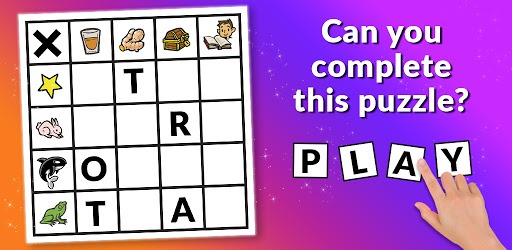
Kryss - The Battle of Words is an Android app developed and published by Word and Sudoku Games, LLC at Google Play Store on Nov 23, 2019 for Android users. Kryss - The Battle of Words is so popular that it has gained 6491397 installs so far and growing.
Are you a fan of word games and crossword puzzles? Look no further than Kryss - The Battle of Words! This exciting app offers a unique twist on traditional word games, providing hours of fun and brain-teasing challenges. With its recent updates and improvements, Kryss has become a go-to choice for word game enthusiasts around the world.
Kryss - The Battle of Words takes word games to a whole new level. With its innovative gameplay mechanics, you'll find yourself engaged in thrilling battles of wits and vocabulary. The app offers a wide range of game boards and puzzles that will put your word skills to the test.
Unlike other word games, Kryss allows you to challenge your friends and other players from around the globe. Compete in real-time battles and see who can come up with the most impressive words. The game's intuitive interface makes it easy to navigate and play, ensuring a seamless and enjoyable experience.
The developers of Kryss - The Battle of Words have been hard at work to provide players with the best possible gaming experience. They have addressed various issues and glitches that were reported by users, ensuring a smoother and more enjoyable gameplay. The recent update has fixed game deletion issues and improved loading times, allowing players to dive into the game without any delays.
Furthermore, the developers have introduced a pro version of the game that comes without ads. By upgrading to the pro version, players can enjoy uninterrupted gameplay and fully immerse themselves in the word battles. It's a worthwhile investment for those who are truly passionate about word games.
Kryss - The Battle of Words has a vibrant and active community of players who are always ready to engage in friendly competition and share their love for word games. Connect with fellow players, challenge them to exciting battles, and showcase your word skills. The app also allows you to chat with your opponents, making the gameplay experience even more interactive and social.
Yes, the game offers a feature where you can watch ads to unlock new boards instantly. This allows you to play the game whenever you want, without any waiting time.
The developers have been actively addressing any reported glitches or issues. The recent update has fixed many of these problems, ensuring a smoother and more enjoyable gameplay experience.
Currently, there is no feature to donate boards to friends. However, you can challenge your friends to play and enjoy the game together.
Yes, you can remove completed games and collect your coins for the completion. If you are experiencing any issues with game removal, make sure to update the app to the latest version for a seamless experience.
If you are experiencing slow loading times, make sure you have a stable internet connection. Additionally, closing any unnecessary background apps on your device may help improve the game's performance.
Overall, Kryss - The Battle of Words is a must-try for word game enthusiasts. With its engaging gameplay, recent updates, and active community, it offers a truly immersive and challenging word gaming experience. Download the app now and let the battles begin!
Yes, you can run Kryss - The Battle of Words on PC, but first, you will need emulator software installed on your Windows or MAC, which you can download for free. In the below video, you will find Kryss - The Battle of Words in action. Before you install the emulator, check out the minimum and recommended system requirements to run it seamlessly. They may change depending on which version of the emulator you choose. Therefore, we recommend you download the latest version of the emulator. Below you will find three free Android emulators that we have shortlisted based on their popularity:
Up to date graphics drivers from Microsoft or the chipset vendor.
Storage: 1 GB available under installation path, 1.5GB available hard drive space
Internet: Broadband Internet connection
Regardless of which Android emulator you install, the steps to install, configure, and running the Kryss - The Battle of Words app on PC are the same.