Published by Fun Cross Stitch Pattern Games - Color Thread
Updated April 29, 2026
Explore a world of colourful cross stitch patterns in this relaxing sewing game!
| Version | 2.27.0 |
| Size | 28.0 MB |
| What's New | Bug fixes! :) |
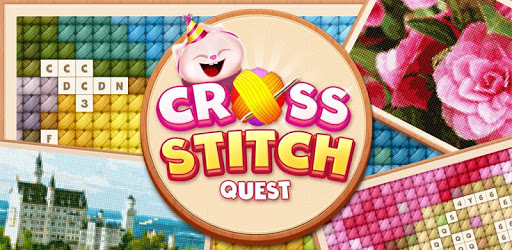
Cross Stitch Quest - Sewing Pattern Mania is an Android app developed and published by Fun Cross Stitch Pattern Games - Color Thread at Google Play Store on Jul 10, 2018 for Android users. Cross Stitch Quest - Sewing Pattern Mania is so popular that it has gained 10000 installs so far and growing.
Are you a fan of cross-stitching and looking for a new way to indulge in this relaxing hobby? Look no further than Cross Stitch Quest - Sewing Pattern Mania! This delightful app offers a variety of patterns to stitch, providing hours of satisfaction and entertainment.
One of the standout features of Cross Stitch Quest is its wide range of patterns. From intricate designs to simple and charming images, there's something for everyone. Whether you're a beginner or an experienced cross-stitcher, you'll find patterns that capture your interest and challenge your skills.
While the app offers a great selection of patterns, some users have mentioned that it can become a bit challenging to progress without purchasing additional coins. However, this minor setback doesn't overshadow the overall experience. The game remains enjoyable and engaging, providing a great way to unwind and pass the time.
One user suggested a helpful feature that would enhance the gameplay experience. They mentioned the desire to tap on the number or letter they are working on, which would automatically take them to the corresponding spot on the pattern. This intuitive addition would streamline the stitching process and make it even more convenient for players.
When it comes to gameplay, Cross Stitch Quest is easy to pick up and play. However, achieving three stars on a pattern can be a bit challenging due to the sensitive touch controls. It's easy to accidentally make a mistake, even when tapping the correct square. Additionally, scrolling around the board can also lead to unintended errors. Despite these minor quirks, the game remains a great time killer and offers a visually pleasing experience.
One tip for an optimal playing experience is to use a stylus instead of your fingers, especially if you have long nails. This allows for more precise stitching and reduces the chances of making accidental mistakes. So, grab a stylus and get ready to create beautiful cross-stitch masterpieces!
Another user expressed their appreciation for the game's offline capabilities. Although they wished they could play offline on their email account, they still found the app to be incredibly cool and enjoyable. The ability to play offline allows you to stitch away, no matter where you are, without worrying about an internet connection.
Cross Stitch Quest - Sewing Pattern Mania has received rave reviews from cross-stitch enthusiasts all around the world. One user even mentioned that they never thought they would find a game better than the original Cross Stitch app, but Cross Stitch Quest proved them wrong. The game has become their go-to choice whenever they go online, thanks to its wonderful and creative gameplay.
Another user praised the game for its relaxing nature and the challenge it presents by limiting the number of mistakes allowed. They suggested that a more detailed tutorial would be beneficial to further explain the game's controls, such as the ability to undo stitches by touching the screen with a second fingertip. This handy tip adds an extra layer of strategy to the gameplay and ensures that every stitch counts.
With a variety of pictures to choose from, Cross Stitch Quest offers a good range of options for players. Whether you prefer stitching fruits, candies, or any other delightful images, you'll find plenty of enjoyable patterns to keep you engaged. Plus, the game's quest format adds an exciting element to the stitching experience, making it even more fun and rewarding.
One user mentioned that they love the game but found the sudden appearance of ads to be a bit jarring, especially when starting a new puzzle. They expressed their hope for this issue to be resolved, as it would make their experience even better. Despite this minor inconvenience, they still gave the game a five-star rating, highlighting their overall satisfaction.
Cross Stitch Quest - Sewing Pattern Mania is a game that truly stands out in the world of cross-stitching apps. Its relaxing gameplay, wide range of patterns, and engaging quest format make it a must-have for any cross-stitch enthusiast. Whether you're a seasoned stitcher or just starting out, this app offers a delightful and rewarding experience that will keep you coming back for more.
Yes, you can enjoy the game offline, allowing you to stitch anytime and anywhere, without the need for an internet connection.
While the game offers additional coins for purchase, it is still possible to progress and enjoy the game without spending real money. The in-app purchases are optional and provide a way to support the developers if you choose to do so.
Yes, you can undo stitches by touching the screen with a second fingertip, as long as you don't lift your first fingertip off the screen. This feature allows for more control and precision in your stitching.
To minimize mistakes and earn more rewards, it is recommended to use a stylus instead of your fingers. This allows for more accurate stitching and reduces the chances of accidental errors.
While we cannot provide specific information about future updates, we strive to continuously improve the game and may introduce new patterns in the future. Stay tuned for exciting updates!
Yes, you can run Cross Stitch Quest - Sewing Pattern Mania on PC, but first, you will need emulator software installed on your Windows or MAC, which you can download for free. In the below video, you will find Cross Stitch Quest - Sewing Pattern Mania in action. Before you install the emulator, check out the minimum and recommended system requirements to run it seamlessly. They may change depending on which version of the emulator you choose. Therefore, we recommend you download the latest version of the emulator. Below you will find three free Android emulators that we have shortlisted based on their popularity:
Up to date graphics drivers from Microsoft or the chipset vendor.
Storage: 1 GB available under installation path, 1.5GB available hard drive space
Internet: Broadband Internet connection
Regardless of which Android emulator you install, the steps to install, configure, and running the Cross Stitch Quest - Sewing Pattern Mania app on PC are the same.