Published by MyBuzz Technologies Ltd
Updated April 4, 2026
My Shift Planner - an easy to use work / roster calendar for shift workers
| Version | 6.5.1 |
| Size | 122.4 MB |
| What's New | This update includes bug fixes to improve the overall quality of MyShiftPlanner.Focus on stability and performance moving between screens |
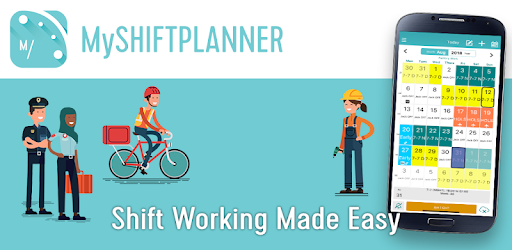
My Shift Planner - Personal Shift Work Calendar is an Android app developed and published by MyBuzz Technologies Ltd at Google Play Store on Feb 9, 2015 for Android users. My Shift Planner - Personal Shift Work Calendar is so popular that it has gained 1047205 installs so far and growing.
Are you tired of the hassle and confusion that comes with managing your shift work schedule? Look no further! Introducing My Shift Planner - Personal Shift Work Calendar, the ultimate app designed to simplify your life and revolutionize the way you plan your shifts.
With My Shift Planner, you can bid farewell to the days of manually compiling a work calendar. This app does all the work for you, saving you precious time and energy. Whether you work 4 on 4 off or have a more complex shift pattern, this app is the perfect solution.
Setting up the app may seem a bit confusing at first, but once you get the hang of it, it works like a charm. The intuitive interface allows you to easily input your shift schedule and customize it according to your preferences. You can even plan ahead for holidays and other important events by adding as many weeks or months as you need.
My Shift Planner is designed to be user-friendly and accessible to all. Its fast and colorful system provides a visually appealing experience, making it a joy to use. The app rolls with your shift pattern, eliminating the need for constant input. You'll always know exactly where you are on any given day, effortlessly keeping track of your schedule.
One of the standout features of My Shift Planner is its ability to involve your family in your planning process. By allowing them to see your schedule, it becomes easy to make plans and coordinate activities. No more confusion or last-minute surprises!
My Shift Planner is not just your average shift calendar app. It is a powerful tool that constantly evolves to meet your needs. The developers behind this app are dedicated to providing incredible support and are always working to improve its functionality.
Setting up your shifts, rotas, and calendars in detail has never been easier. The app allows you to add new shifts or make changes with utmost ease. You'll be amazed at how quickly you can navigate through the app and make adjustments to your schedule.
Whether you're a tech-savvy individual or someone who prefers simplicity, My Shift Planner caters to all users. Its user-friendly interface makes it accessible even to those who are less computer literate.
Don't just take our word for it - hear it from the users themselves:
"Best shift calendar I have ever used. It's so easy to use and has become an essential part of my daily life."
"I've been using this app for over 2 years now, and it has never let me down. Highly recommended!"
"My Shift Planner keeps me on track 100% of the time. It's like having a personal assistant in my pocket."
Join the thousands of satisfied users who have found their shift planning savior in My Shift Planner. Download the app today and experience the convenience and efficiency it brings to your life.
Yes, My Shift Planner is available for download on both Android and iOS devices. Simply head to the respective app stores and search for "My Shift Planner - Personal Shift Work Calendar."
Absolutely! My Shift Planner allows you to customize the colors and labels for different types of shifts, making it easy to distinguish between them at a glance.
Yes, you can easily share your schedule with your family members. This feature simplifies coordination and ensures everyone is on the same page when it comes to planning activities.
Definitely! My Shift Planner allows you to plan ahead for holidays and other important events by adding as many weeks or months as you need. Stay organized and never miss out on important occasions again.
Absolutely! My Shift Planner is designed to accommodate individuals with complex shift patterns. No matter how unique or intricate your schedule may be, this app will adapt to your needs.
Don't waste another minute struggling with your shift planning. Download My Shift Planner today and experience the convenience and efficiency it brings to your life.
Yes, you can run My Shift Planner - Personal Shift Work Calendar on PC, but first, you will need emulator software installed on your Windows or MAC, which you can download for free. In the below video, you will find My Shift Planner - Personal Shift Work Calendar in action. Before you install the emulator, check out the minimum and recommended system requirements to run it seamlessly. They may change depending on which version of the emulator you choose. Therefore, we recommend you download the latest version of the emulator. Below you will find three free Android emulators that we have shortlisted based on their popularity:
Up to date graphics drivers from Microsoft or the chipset vendor.
Storage: 1 GB available under installation path, 1.5GB available hard drive space
Internet: Broadband Internet connection
Regardless of which Android emulator you install, the steps to install, configure, and running the My Shift Planner - Personal Shift Work Calendar app on PC are the same.