Published by FIPE Labs
Updated August 16, 2025
Our media player is definitely the best video player you've looking for!
| Version | 3.8.7 |
| Size | 59.1 MB |
| What's New | [v.3.8.7]- Fixed : Minor bug[v.3.8.6]- Fixed : Minor bug[v.3.8.5]- Improved: App stability.- Fixed : Minor bug[v.3.8.4]- Notice: Termination of 'Trend' service- Fixed : Minor bug[v.3.8.3]- Change : Removal of certain service features- Fix : Minor bug fixes[v.3.8.2]- Improved: Remove in-app ads(completely free!)- Improved: Audio equalizer function- Fixed : Minor bug |
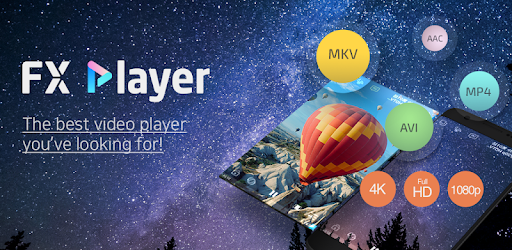
FX Player - video player all format is an Android app developed and published by FIPE Labs at Google Play Store on May 20, 2017 for Android users. FX Player - video player all format is so popular that it has gained 7550759 installs so far and growing.
Are you tired of struggling to find a video player that supports all formats? Look no further than FX Player - the best video player app you'll ever come across. With its user-friendly interface and exceptional features, FX Player is here to revolutionize your video watching experience.
One of the standout features of FX Player is its simplicity. Unlike other complicated video players, FX Player is designed to be intuitive and easy to use. Whether you're a tech-savvy individual or a beginner, you'll find navigating through the app a breeze. Say goodbye to confusing interfaces and hello to a seamless video playback experience.
When it comes to video playback, picture quality matters. With FX Player, you can expect nothing short of stunning visuals. The app ensures that every detail is displayed in high definition, allowing you to fully immerse yourself in your favorite movies and videos. Say goodbye to pixelated screens and hello to a visual feast for your eyes.
If you've been using MX Player and looking for a better alternative, your search ends here. FX Player offers everything MX Player does and more. It's packed with features that enhance your video playback experience, making it the ultimate choice for video enthusiasts.
At FX Player, we value our users' feedback and are committed to providing the best possible experience. We have taken note of some concerns raised by our users and are working diligently to address them. Here are a few improvements we are actively working on:
We appreciate your patience and understanding as we strive to make FX Player the best video player app in the market.
One of the common frustrations video enthusiasts face is finding a player that supports all formats. With FX Player, compatibility is never an issue. Whether you're watching HD movies or videos with unique audio formats, FX Player has got you covered. It ensures smooth playback, regardless of the file format, so you can enjoy your favorite content without any interruptions.
We understand that everyone has different preferences when it comes to video playback. That's why FX Player offers a wide range of customization options. You have the freedom to personalize your player screen, disable buttons that you don't use, and make the app truly yours. We believe in giving you the power to create your perfect video watching environment.
A: To remove the recent added videos widget, simply go to the settings menu and disable the widget display option. Enjoy a clutter-free home screen tailored to your liking.
A: Currently, displaying a favorite folder on the home screen is not available. However, we appreciate your feedback and will consider implementing this feature in future updates.
A: We apologize for any interruptions you may have experienced. To ensure smooth video playback, please adjust the settings of the app accordingly. If you continue to face issues, please reach out to our support team for further assistance.
Experience the future of video playback with FX Player. Download the app today and unlock a world of seamless entertainment.
Yes, you can run FX Player - video player all format on PC, but first, you will need emulator software installed on your Windows or MAC, which you can download for free. In the below video, you will find FX Player - video player all format in action. Before you install the emulator, check out the minimum and recommended system requirements to run it seamlessly. They may change depending on which version of the emulator you choose. Therefore, we recommend you download the latest version of the emulator. Below you will find three free Android emulators that we have shortlisted based on their popularity:
Up to date graphics drivers from Microsoft or the chipset vendor.
Storage: 1 GB available under installation path, 1.5GB available hard drive space
Internet: Broadband Internet connection
Regardless of which Android emulator you install, the steps to install, configure, and running the FX Player - video player all format app on PC are the same.