
Published by Rils
Updated November 1, 2025
Touch Portal is your companion app to control your PC or your Mac
| Version | 4.5 build 1 |
| Size | 11.2 MB |
| What's New | Minor bug fixes and improvements. Install or update to the newest version to check it out! |
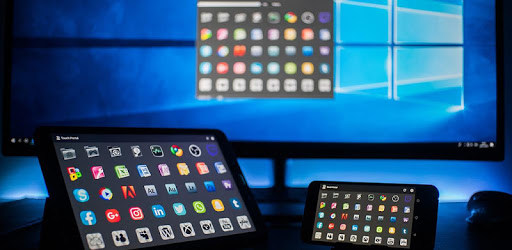
Touch Portal is an Android app developed and published by Rils at Google Play Store on Jul 22, 2018 for Android users. Touch Portal is so popular that it has gained 785895 installs so far and growing.
Touch Portal is a powerful tool that allows users to transform their devices into customizable control panels. It is an exciting and cost-effective alternative to expensive hardware like a stream deck. With Touch Portal, users can perform various actions with just a tap, making it a valuable asset for streamers, creators, and professionals in different fields.
Installing Touch Portal is a breeze. The app works seamlessly with multiple platforms, including OBS, Lightroom, and Photoshop. With just a few clicks, users can integrate it into their setup and start customizing it to meet their needs. The app supports plugins, making it even more versatile. Whether you're using it to control your soundboard with Voicemeeter or managing your camera scenes during live streaming, the app proves to be incredibly useful.
One of Touch Portal’s standout features is its high level of customization. Users can add as many buttons as they need in the Pro version, which is remarkably affordable. The user interface is intuitive, making it easy to create the perfect layout for your control panel. For those who need a simple macro pad for OBS, the free version offers ample functionality and is perfect for quick setups. The ability to customize and expand the functionality without much technical knowledge makes Touch Portal accessible to everyone.
Touch Portal serves as an excellent alternative to more expensive hardware options like stream decks. It offers similar, if not superior, capabilities at a fraction of the price. For example, while a stream deck may cost around $140, Touch Portal's Pro version is only $10, making it a budget-friendly option for those who require more advanced features. The app’s versatility means you can use it for multiple purposes, from streaming to managing creative projects, enhancing its overall value.
Touch Portal's performance is on par with the best in the market. The app's developers consistently update it, ensuring all features work as expected while adding new functionalities. Furthermore, the support team is known for their responsiveness and expertise, often providing timely solutions to any issues that may arise. This strong support and constant improvements add to the app’s reliability.
Touch Portal offers the convenience of wireless control, allowing users to manage their computers from different rooms. This feature is particularly beneficial for users with specific setups, such as gaming rigs or remote learning stations. For example, using Touch Portal, you can control your PC VR experiences wirelessly, enhancing your overall gaming or teaching experience. The app’s compatibility with both Apple and Android devices adds to its convenience and flexibility.
The versatility of Touch Portal makes it suitable for a variety of uses. From streaming and gaming to online teaching and creative projects, this app can handle it all. It supports numerous plugins, making it easy to control other applications like Spotify. The ability to customize button layouts means you can tailor the app to your specific needs, whether you’re adjusting Lightroom sliders or managing OBS scenes.
Touch Portal is a valuable tool that supports a wide range of activities. Its ease of use, affordability, and robust functionality make it a fantastic choice for anyone looking to enhance their productivity and creativity.
Yes, you can run Touch Portal on PC, but first, you will need emulator software installed on your Windows or MAC, which you can download for free. In the below video, you will find Touch Portal in action. Before you install the emulator, check out the minimum and recommended system requirements to run it seamlessly. They may change depending on which version of the emulator you choose. Therefore, we recommend you download the latest version of the emulator. Below you will find three free Android emulators that we have shortlisted based on their popularity:
Up to date graphics drivers from Microsoft or the chipset vendor.
Storage: 1 GB available under installation path, 1.5GB available hard drive space
Internet: Broadband Internet connection
Regardless of which Android emulator you install, the steps to install, configure, and running the Touch Portal app on PC are the same.