Published by iShia Project
Updated August 12, 2026
iShia Books
| Version | 3.5.20 |
| Size | 18.9 MB |
| What's New | Minor bug fixes and improvements. Install or update to the newest version to check it out! |
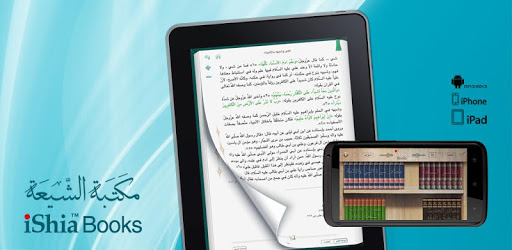
iShia Books is an Android app developed and published by iShia Project at Google Play Store on Jul 28, 2012 for Android users. iShia Books is so popular that it has gained 500000 installs so far and growing.
Discovering and learning about the Islamic faith has never been easier with the iShia Books app. This remarkable app provides a vast collection of books that cover various aspects of the religion, including the teachings of the Ahlulbayt (peace be upon them). Whether you're a student, a scholar, or simply someone interested in deepening their understanding of Islam, iShia Books is the perfect companion.
With iShia Books, you have access to an extensive library that encompasses a wide range of topics, from narrations and jurisprudence to biographies and interpretations. The app offers a wealth of resources that cater to both Shia scholars and seekers of truth from the Sunni schools of thought. Dive into the world of Islamic knowledge and explore the works of renowned scholars and intellectuals.
iShia Books is designed to provide a seamless and user-friendly experience. The app's intuitive interface allows you to navigate through the extensive collection effortlessly. Whether you're searching for a specific book or browsing through various categories, iShia Books ensures a smooth and enjoyable journey.
While iShia Books already offers an impressive selection of books, the app continues to evolve and expand its offerings. The developers are constantly working to provide users with more translated books, particularly those essential for beginners, such as Kutub al-Arba'ah, Bihar, and Vasa'il. The dedication to improving the app's content ensures that users can access a comprehensive range of resources to enhance their learning experience.
Although iShia Books currently supports only two languages, Urdu and Farsi, it remains a valuable resource for those proficient in these languages. The app boasts an extensive collection of books that cater to readers who can understand Urdu and Farsi. If you possess the language skills, iShia Books is a treasure trove waiting to be explored.
While iShia Books offers an impressive collection of books, the search functionality could benefit from further development. Users have expressed a desire for a more sophisticated and subject-oriented search option, allowing them to search for specific topics, verses, interpretations, or stories. Enhancing the search feature would undoubtedly make navigating the vast library even more efficient and user-friendly.
To download iShia Books, simply search for it on your device's app store, such as the Google Play Store or Apple App Store. Once you find the app, click on the "Download" or "Install" button, and it will be installed on your device.
Yes, iShia Books can be accessed on multiple devices. Simply download the app on each device you wish to use and log in with your account credentials. This way, you can seamlessly switch between devices and continue your reading journey.
While there are currently no official announcements regarding additional language support, the developers of iShia Books are continuously working to enhance the app's features and content. It is possible that more languages will be added in the future to cater to a wider audience.
If you encounter any issues while using iShia Books or have suggestions for improvements, you can reach out to the app's support team. Look for the "Contact Us" or "Support" section within the app, and send them a detailed message explaining your concern or suggestion. The team will review your feedback and strive to address it promptly.
While iShia Books already offers a vast collection of books, you can certainly suggest specific titles to be considered for future updates. Contact the app's support team and provide them with the details of the books you would like to see added. They will take your request into consideration for future content expansions.
Embark on a journey of knowledge and enlightenment with iShia Books. Explore the depths of Islamic teachings, immerse yourself in the wisdom of scholars, and discover a world of spiritual growth and understanding. Download iShia Books today and unlock the power of knowledge.
Yes, you can run iShia Books on PC, but first, you will need emulator software installed on your Windows or MAC, which you can download for free. In the below video, you will find iShia Books in action. Before you install the emulator, check out the minimum and recommended system requirements to run it seamlessly. They may change depending on which version of the emulator you choose. Therefore, we recommend you download the latest version of the emulator. Below you will find three free Android emulators that we have shortlisted based on their popularity:
Up to date graphics drivers from Microsoft or the chipset vendor.
Storage: 1 GB available under installation path, 1.5GB available hard drive space
Internet: Broadband Internet connection
Regardless of which Android emulator you install, the steps to install, configure, and running the iShia Books app on PC are the same.