Published by Hola
Updated April 2, 2026
Fake GPS Location fakes/changes your location. Fast, instant, and easy to use
| Version | 1.184.486 |
| Size | 6.6 MB |
| What's New | Minor bug fixes and improvements. Install or update to the newest version to check it out! |
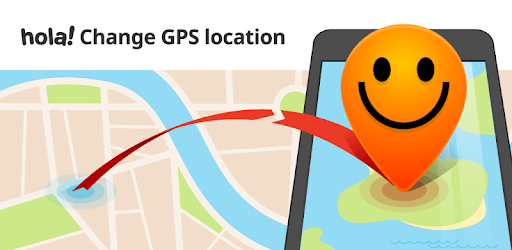
Fake GPS Location - Hola is an Android app developed and published by Hola at Google Play Store on Sep 28, 2016 for Android users. Fake GPS Location - Hola is so popular that it has gained 5000000 installs so far and growing.
Welcome to the world of Fake GPS Location - Hola, an app that makes location changing as simple as clicking a button. Imagine being able to select any location in the world and have your phone think you are there. This app delivers on that promise without any unnecessary fuss. Let's dive into the features and benefits that make Fake GPS Location - Hola a must-have tool.
Fake GPS Location - Hola stands out for its simplicity and ease of use. Just open the app, choose your desired location on the map, click, and you're done. No complicated procedures or extra steps. This streamlined process makes it accessible to everyone, even if you're not tech-savvy.
Another standout feature of Fake GPS Location - Hola is its speed and accuracy. The app works fast, quickly updating your location, and does so accurately. Whether you're using it for social media, gaming, or other apps, the location change happens without a hitch.
An annoying aspect of many free apps is the bombardment of ads. However, Fake GPS Location - Hola offers an ad-free experience, making the process smooth and uninterrupted. This is a refreshing change and adds to the overall positive experience of using the app.
Fake GPS Location - Hola is also compatible with various apps. Most of the time, it updates your location seamlessly across different platforms. While there might be occasional hiccups with specific apps like Facebook Dating, the majority show the updated location you set immediately.
For those concerned about privacy and security, Fake GPS Location - Hola offers an excellent solution. By spoofing your location, you can protect your real whereabouts from being tracked. This can be especially useful when used in conjunction with VPN services like HOLA VPN, ensuring your IP address and geolocation remain hidden.
Many people use VPNs to bypass geolocation restrictions. However, not all VPNs can handle GPS spoofing effectively. Fake GPS Location - Hola has proven to work flawlessly, even with stringent tests. When combined with VPN services, it provides an encrypted and foolproof way to hide your true location.
Gamers and digital nomads often require a fake GPS to unlock region-specific content or access services unavailable in their current location. Fake GPS Location - Hola lets you change your virtual location effortlessly, granting access to games and services as if you were physically present in that area.
Fake GPS Location - Hola offers a straightforward, efficient, and reliable way to change your GPS location. Whether you need it for social media verification, privacy protection, or accessing restricted content, this app is a versatile tool that gets the job done without any unnecessary complications. Give it a try and see how it can make your digital life a lot easier.
Yes, you can run Fake GPS Location - Hola on PC, but first, you will need emulator software installed on your Windows or MAC, which you can download for free. In the below video, you will find Fake GPS Location - Hola in action. Before you install the emulator, check out the minimum and recommended system requirements to run it seamlessly. They may change depending on which version of the emulator you choose. Therefore, we recommend you download the latest version of the emulator. Below you will find three free Android emulators that we have shortlisted based on their popularity:
Up to date graphics drivers from Microsoft or the chipset vendor.
Storage: 1 GB available under installation path, 1.5GB available hard drive space
Internet: Broadband Internet connection
Regardless of which Android emulator you install, the steps to install, configure, and running the Fake GPS Location - Hola app on PC are the same.