Published by Koni
Updated August 12, 2025
Load every Android app on your FireTV. Just use the sideload feature.
| Version | 4.2.1 |
| Size | 8.7 MB |
| What's New | Support of newer Android versions. Complete Internal redesign of the app.App needs less permissions.In case of problems after update try to re-install the app. |
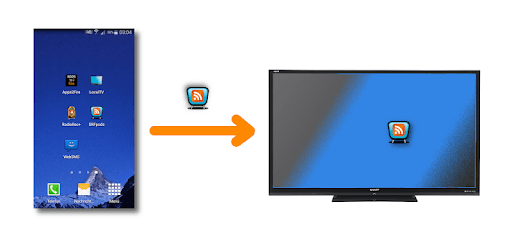
Apps2Fire (Original) is an Android app developed and published by Koni at Google Play Store on Jan 12, 2015 for Android users. Apps2Fire (Original) is so popular that it has gained 3430621 installs so far and growing.
If you're looking for a versatile and reliable tool to manage and install apps on your Fire TV or android dongle, Apps2Fire (Original) offers a superb solution. Its ease of use and effective functionality makes it a must-have for tech-savvy individuals and casual users alike.
Installing Apps2Fire (Original) is straightforward, although you may encounter some initial hiccups. If you face any issues, ensure you have the correct IP address for your FireStick. Navigate to “Settings > My Fire TV > About > Network > IP Address” on your FireStick to locate this information.
Another vital step is to turn on Debugger Mode and allow apps from unknown sources. Head to “Settings > My Fire TV > Developer Options” and make sure both ADB debugging and Apps from Unknown Sources are enabled. Once these settings are adjusted, your experience with Apps2Fire will be seamless and pleasant.
Past experiences may have shown some bugs and delays, but the developer has been diligent in improving the app. Updates have fixed many issues, making it more reliable and efficient. Now, it works almost flawlessly, especially on newer Fire TV devices with the latest updates. The developer’s timely interventions ensure that you have a smooth and optimized experience.
Apps2Fire (Original) isn't just for Fire TVs. It works on various Android dongles, making it a versatile tool for any multimedia setup. Whether you’re installing VPN apps unavailable on Amazon App Store or other sideloaded apps, Apps2Fire handles it with ease.
If you're looking to extend your Smart TV's functionality, Apps2Fire can save you a significant amount of money. It allows you to sideload apps that aren't available in the official store, adding additional features and services to your Fire TV without the need for expensive new devices.
The app does require some initial setup know-how. For instance, make sure your phone and FireStick are on the same router. This connectivity is crucial for the successful transfer of apps. Also, ensure you input the internal LAN IP correctly; otherwise, the app won’t connect.
If you encounter issues, the setup screen has a debugging option. It will facilitate the process by prompting you to confirm your device via your TV screen. These user-friendly features make troubleshooting easier and enhance the overall user experience.
Although rare, some users may find the app stops working due to updates from Amazon. The developer has been proactive in addressing these problems, making updates to keep Apps2Fire compatible and functioning smoothly.
The community around Apps2Fire is passionate and helpful. You'll find many tips and tricks online to maximize your experience. Whether it's setting up, using different versions, or troubleshooting, the user community and the developer’s support contribute significantly to the app's reliability and usability.
If you're in search of a valuable tool to manage and sideload apps on your Fire TV or Android dongle, Apps2Fire (Original) stands out for its simplicity, reliability, and broad utility. With routine updates and a helpful community, it continues to serve its users effectively, making it an essential app for your multimedia setup.
Ready to get more out of your Fire TV and Android dongles? Give Apps2Fire (Original) a try and experience seamless app management like never before.
Yes, you can run Apps2Fire (Original) on PC, but first, you will need emulator software installed on your Windows or MAC, which you can download for free. In the below video, you will find Apps2Fire (Original) in action. Before you install the emulator, check out the minimum and recommended system requirements to run it seamlessly. They may change depending on which version of the emulator you choose. Therefore, we recommend you download the latest version of the emulator. Below you will find three free Android emulators that we have shortlisted based on their popularity:
Up to date graphics drivers from Microsoft or the chipset vendor.
Storage: 1 GB available under installation path, 1.5GB available hard drive space
Internet: Broadband Internet connection
Regardless of which Android emulator you install, the steps to install, configure, and running the Apps2Fire (Original) app on PC are the same.