Published by LG Electronics, Inc.
Updated June 27, 2026
Stop wasting time doing household chores and enjoy more family with SmartThinQ.
| Version | 5.1.24320 |
| Size | 272.4 MB |
| What's New | Dive into richer "Explore" content. Experience a smarter and easier LG ThinQ app today.LG ThinQ now supports Latin American Spanish. Update your language in Settings > Region & Language. |
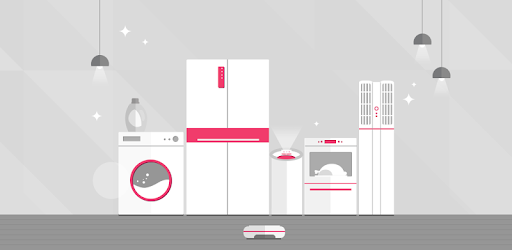
LG SmartThinQ is an Android app developed and published by LG Electronics, Inc. at Google Play Store on Nov 19, 2015 for Android users. LG SmartThinQ is so popular that it has gained 131888636 installs so far and growing.
Are you ready to take control of your home appliances and elevate your everyday life? Look no further than LG SmartThinQ, the innovative app that allows you to seamlessly connect and manage your LG devices with ease. From controlling your TV to monitoring your refrigerator, this app offers a wide range of features that will make your life simpler and more convenient.
Setting up LG SmartThinQ is a breeze, even for first-time users. With just a few simple steps, you can connect your devices to your Wi-Fi network and start enjoying the benefits of smart home technology. Say goodbye to complicated installation processes and hello to hassle-free connectivity.
One of the standout features of LG SmartThinQ is its ability to provide real-time updates and information about your appliances. Whether it's running diagnostics on your AC unit or checking the usage of your refrigerator, this app keeps you informed every step of the way. Plus, with the added bonus of being able to monitor the percentage of your fan filter, you can ensure that your appliances are always running efficiently.
LG SmartThinQ takes your TV viewing experience to the next level. With this app, you can effortlessly connect your phone to your TV and enjoy a seamless sharing experience. Whether you want to stream your favorite shows or share content between your devices, this app has got you covered. It's no wonder that users are raving about the amazing TV features of LG SmartThinQ.
Gone are the days of being tied down to your appliances. With LG SmartThinQ, you have the freedom to control your devices from anywhere, at any time. Whether you're at work, on vacation, or simply lounging on your couch, you can manage your appliances with just a few taps on your phone. From adjusting the temperature of your AC to running diagnostics on your washing machine, this app puts the power in your hands.
Looking to reduce your energy consumption and save on your utility bills? LG SmartThinQ has you covered. While the app doesn't provide specific tips on maximizing energy efficiency, it offers a range of features that allow you to monitor and control your appliances with ease. By taking advantage of the scheduling and diagnostic functions, you can optimize your appliance usage and achieve lower energy consumption.
At the moment, LG SmartThinQ does not have an app specifically designed for Android watches. However, it is constantly evolving and expanding its compatibility, so keep an eye out for future updates.
While LG SmartThinQ allows you to monitor and control various appliances, such as AC units and TVs, it does not currently offer the ability to control refrigerators. However, it's worth noting that users have expressed interest in features like turning off and on the fridge and having a camera integrated to view its contents.
If you're experiencing connectivity issues with LG SmartThinQ, try uninstalling and reinstalling the app, as well as restarting your phone. These simple steps often resolve any temporary glitches or bugs that may be causing the problem.
Experience the convenience and control of LG SmartThinQ today. Connect, manage, and elevate your home appliances with ease. Download the app now and unlock a world of possibilities.
Yes, you can run LG SmartThinQ on PC, but first, you will need emulator software installed on your Windows or MAC, which you can download for free. In the below video, you will find LG SmartThinQ in action. Before you install the emulator, check out the minimum and recommended system requirements to run it seamlessly. They may change depending on which version of the emulator you choose. Therefore, we recommend you download the latest version of the emulator. Below you will find three free Android emulators that we have shortlisted based on their popularity:
Up to date graphics drivers from Microsoft or the chipset vendor.
Storage: 1 GB available under installation path, 1.5GB available hard drive space
Internet: Broadband Internet connection
Regardless of which Android emulator you install, the steps to install, configure, and running the LG SmartThinQ app on PC are the same.