Published by Build Block Studio
Updated January 29, 2024
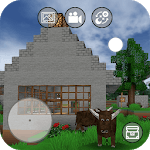
Mini Block Craft. Creative and Survival in sandbox world!
| Version | 89.5.2.mc |
| Size | 88.8 MB |
| What's New | V87.5.2.mcUpgrade api level to 35 Fix ads policy issuesMove banner ad position. 1.Fix survival mode bug2.Fix ad policy Add Clothes and SkinsMore furniture, new world.5.5.2.mc Mini Block Craft5.5.2.mc Mini Block Craft fix ad policy bugV13.5.2.mc:1. Add arm64 libs.2. Upgrade target api to 28+Mini Block Craft 15.5.2.mc :1. Add 800+ build in furniture. You can import furniture to your world by: Add->Import furniture2. Add arm64 support.3. Change the apk file to android bundle. |
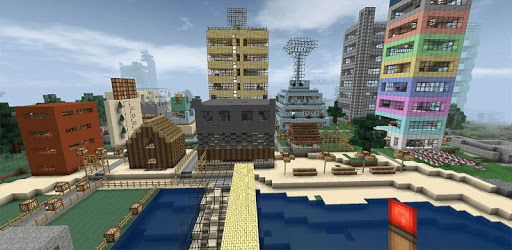
Mini Block Craft is an Android app developed and published by Build Block Studio at Google Play Store on Dec 11, 2018 for Android users. Mini Block Craft is so popular that it has gained 100000 installs so far and growing.
Are you looking for a game that will keep you entertained for hours? Look no further than Mini Block Craft! This game has it all - excitement, creativity, and endless possibilities. Whether you're a seasoned gamer or just starting out, Mini Block Craft is sure to captivate you from the moment you start playing.
Mini Block Craft offers a unique and immersive gaming experience that allows you to unleash your creativity. Build your own world, create stunning structures, and let your imagination run wild. The game provides a wide range of materials and tools for you to use, giving you the freedom to design and construct anything you can dream of.
From towering skyscrapers to cozy cottages, the possibilities are endless. Let your inner architect shine as you create your own virtual paradise. With Mini Block Craft, you have the power to build and shape your world exactly the way you want it.
Mini Block Craft is not just about building - it also offers exciting adventures and challenges. Explore vast landscapes, encounter mysterious creatures, and embark on thrilling quests. The game keeps you on your toes with unexpected twists and turns, ensuring that every gaming session is filled with excitement.
But be warned - the night can be a bit spooky! Beware of the werewolves that roam the darkness, even in creative mode. Mini Block Craft adds an element of thrill and suspense to keep you engaged and entertained throughout your gameplay.
While Mini Block Craft is already a fantastic game, the developers are constantly working to make it even better. They are aware of a bug that causes lag when many animals are spawned, and they are diligently working to fix it. Additionally, they are considering adding zombies, creepers, and skeletons to make the game even more thrilling.
Rest assured, the developers understand the importance of the cute animals that roam the game. They have no plans to remove them, as they add a charming touch to the overall experience. So, get ready to encounter adorable creatures as you explore the vast world of Mini Block Craft.
Yes, Mini Block Craft is available for free download on various platforms. You can start playing and building your dream world without spending a dime.
Some users have reported that Mini Block Craft uses a significant amount of battery. However, the developers are aware of this concern and are working to optimize the game to reduce battery consumption.
The Batman cave map in Mini Block Craft can be a bit tricky to navigate. Take your time to explore and familiarize yourself with the surroundings. If you're still having trouble, you can find helpful guides and tutorials online to assist you.
Absolutely! Mini Block Craft is compatible with iPads and various other devices. You can enjoy the game on your iPad and experience the joy of building and exploring.
While Mini Block Craft is an amazing game, it does include some advertisements. The developers are aware of the annoyance they can cause and are actively working to improve the ad experience for players.
In conclusion, Mini Block Craft is a game that offers endless fun, creativity, and thrilling adventures. Whether you're a seasoned gamer or just starting out, this game is sure to captivate you. So, what are you waiting for? Dive into the world of Mini Block Craft and let your imagination soar!
Yes, you can run Mini Block Craft on PC, but first, you will need emulator software installed on your Windows or MAC, which you can download for free. In the below video, you will find Mini Block Craft in action. Before you install the emulator, check out the minimum and recommended system requirements to run it seamlessly. They may change depending on which version of the emulator you choose. Therefore, we recommend you download the latest version of the emulator. Below you will find three free Android emulators that we have shortlisted based on their popularity:
Up to date graphics drivers from Microsoft or the chipset vendor.
Storage: 1 GB available under installation path, 1.5GB available hard drive space
Internet: Broadband Internet connection
Regardless of which Android emulator you install, the steps to install, configure, and running the Mini Block Craft app on PC are the same.