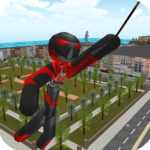
Published by sk_Mine
Updated April 11, 2026
[Game] I want to defeat more... Parody mini games.
| Version | 1.140.0 |
| Size | 21.8 MB |
| What's New | Ver1.140.0- Added the new level "Boss Rush 2".Ver1.139.0- Added the new level "Hammer 3".Ver1.138.0- Revised the English translation.Ver1.137.1- Fixed an issue where switching to Indonesian was not possible.Ver1.137.0- Added the new level "Cart 2". |

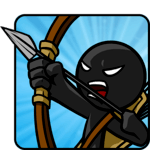
Stick of Titan is an Android app developed and published by sk_Mine at Google Play Store on Jun 28, 2013 for Android users. Stick of Titan is so popular that it has gained 11897657 installs so far and growing.
Stick of Titan is a game that has captured the hearts of players young and old. With its simple yet addictive gameplay, it's no wonder why this game has become a favorite among many. Whether you're feeling down or just looking for a fun way to pass the time, Stick of Titan is the perfect choice.
One of the standout features of Stick of Titan is its variety of mini-games. From epic battles to challenging puzzles, there's something for everyone. The game offers different difficulty levels, allowing players to choose the level of challenge that suits them best. This adds an extra layer of excitement and keeps players engaged for hours on end.
But what sets Stick of Titan apart from other games is its unique concept. The game is a parody of the popular series, and it does an excellent job of capturing the essence of the show. Players can even play as a Titan, which is a feature not commonly found in other games. This adds a whole new level of excitement and allows players to experience the series in a whole new way.
The developers of Stick of Titan are committed to providing the best gaming experience possible. They regularly release updates to keep the game fresh and exciting. Players can look forward to new features, improved gameplay, and even more game parodies in future updates. The developers truly listen to the feedback of their players and strive to make the game even better with each update.
The Stick of Titan community is passionate about the game and loves to share their thoughts and ideas. Many players have expressed their desire for more armor titan levels, and the developers have taken note of this feedback. While they can't promise anything, they are always open to suggestions and are constantly looking for ways to improve the game based on player input.
Another popular request from players is the addition of a custom mode. This would allow players to pick their Titan weapons and the map, adding a whole new level of customization to the game. While this may be a lot to ask, the developers are always looking for ways to make the game more enjoyable for their players.
Stick of Titan has been around for several years, and yet it still manages to captivate players with its charm. Many players who grew up playing this game still find themselves coming back to it time and time again. It's a testament to the game's quality and the enjoyment it brings to players of all ages.
While there may be some minor bugs and occasional ads, they don't detract from the overall experience. Stick of Titan can be played offline, making it a great choice for those times when you don't have access to Wi-Fi. It's a game that truly deserves the recognition it has received and is worth every bit of its five-star rating.
Yes, Stick of Titan can be played on multiple devices. Simply download the game on each device and sign in with your account to sync your progress.
Yes, the developers are dedicated to providing regular updates and adding new game parodies to keep the game fresh and exciting.
While there are no specific plans at the moment, the developers are always open to feedback and suggestions from players. They may consider adding a super hard difficulty in a future update.
Absolutely! The developers welcome feedback and suggestions from players. Feel free to share your ideas and they will be taken into consideration for future updates.
In conclusion, Stick of Titan is a game that offers endless fun and entertainment. With its variety of mini-games, unique concept, and regular updates, it's a game that will keep you coming back for more. So why wait? Dive into the world of Stick of Titan and experience the thrill for yourself!
Yes, you can run Stick of Titan on PC, but first, you will need emulator software installed on your Windows or MAC, which you can download for free. In the below video, you will find Stick of Titan in action. Before you install the emulator, check out the minimum and recommended system requirements to run it seamlessly. They may change depending on which version of the emulator you choose. Therefore, we recommend you download the latest version of the emulator. Below you will find three free Android emulators that we have shortlisted based on their popularity:
Up to date graphics drivers from Microsoft or the chipset vendor.
Storage: 1 GB available under installation path, 1.5GB available hard drive space
Internet: Broadband Internet connection
Regardless of which Android emulator you install, the steps to install, configure, and running the Stick of Titan app on PC are the same.